Key takeaways:
- Off-the-shelf healthcare software suits best when it comes to standard processes, rapid deployment, and a preference for vendor-based support.
- Custom healthcare software is more appropriate for specialized processes, integrations, automation, and differentiating the solution.
- Hybrid healthcare software will allow for extended capability with additional customizations and analytics in addition to custom integrations and automation or consumer-facing functionality without changing the core application.
- Upfront price is not the full cost. Licensing, implementation, integration, training, maintenance, friction within workflows, and switch costs are all factors affecting total cost of ownership.
- The right strategy depends on your organization's requirements, including workflow fit, scalability, integration, security, technology capabilities, timeline, and ultimate return on investment.
Modern healthcare facilities rely on software for managing patient engagement, workflows, schedules, billing, reporting, communications, and automation of operations. However, when the current software system fails to meet the needs of a healthcare organization, the process of deciding what to do next is hardly simple. Should one purchase an available solution or choose custom healthcare software development? What if the combination of commercial solutions and custom healthcare software will be beneficial?
Healthcare technology requirements are also becoming more sophisticated as digital tools move deeper into clinical and administrative workflows. The American Medical Association's 2026 Physician Survey on Augmented Intelligence found that 81% of physicians reported awareness or use of AI in their practice, more than double the 2023 rate. The finding illustrates why healthcare organizations increasingly need software architectures that can accommodate evolving workflows, integrations, automation, and emerging technologies.
The decision should not be made solely on price. Workflow integration, scalability, security, implementation costs, resource requirements, vendor dependence, and the overall return on investment from healthcare software may have a much larger influence on the economics of the decision.
The correct decision may not be as simple as "buy" or "build." A combined approach could allow an organization to keep existing solutions while also adding integrations or new capabilities to their existing infrastructure.
Custom Healthcare Software vs. Off-the-Shelf Software: What's the Difference?
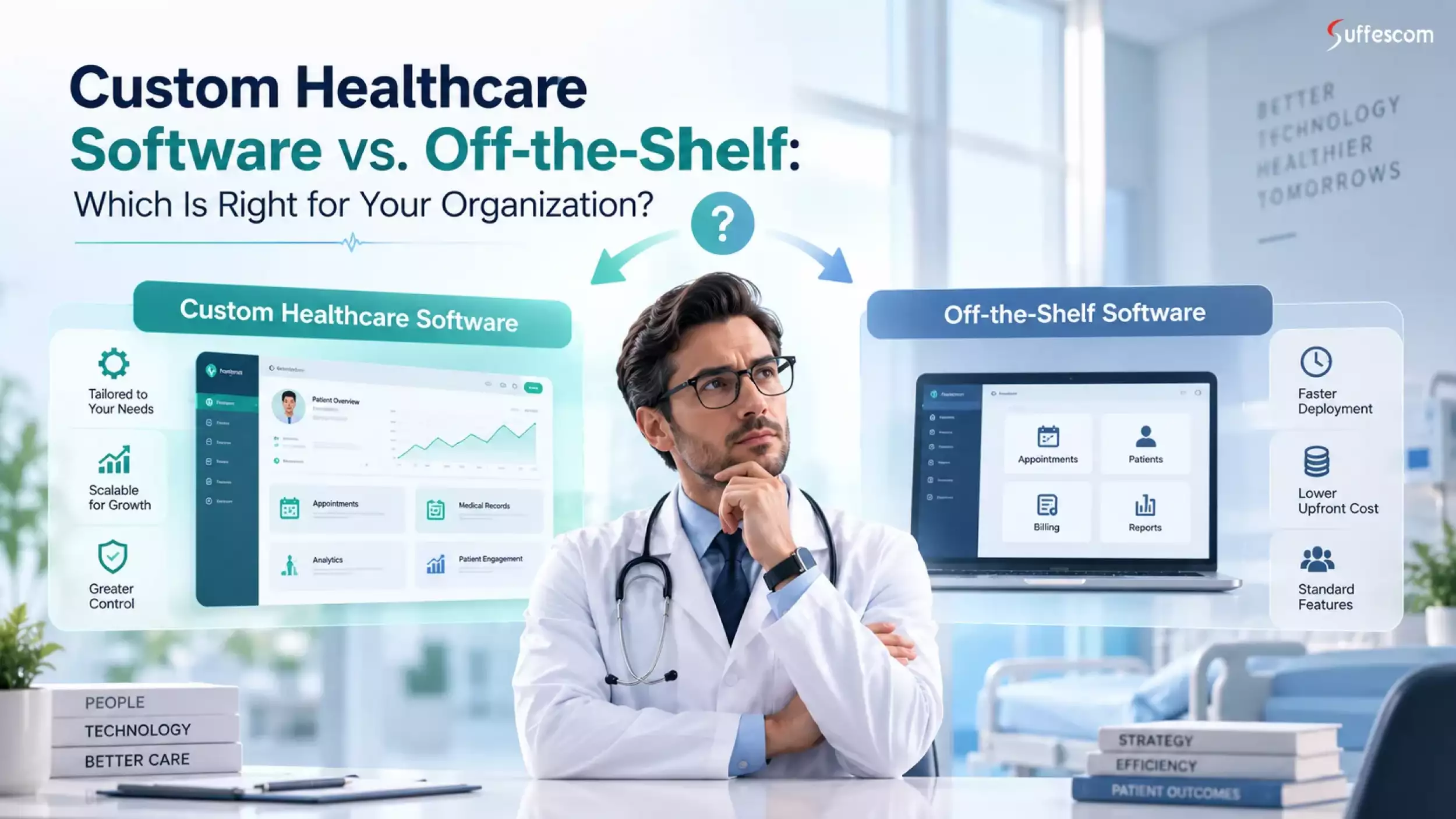
The key difference between the two is in the definition of the software's capabilities. Custom healthcare software is based on the needs of the organization, whereas off-the-shelf healthcare software is built as commercial software designed for multiple organizations. A hybrid approach includes a combination of commercial software and custom-made software for certain needs of the organization.
What Is Custom Healthcare Software?
Custom healthcare software is specifically tailored to address the unique needs of an organization. Rather than making an organization mold itself to fit into the framework of a predefined software solution, custom healthcare software can be tailored to the existing business logic, workflow process, database, and other aspects.
A custom healthcare application may include dashboards, processes, workflows, business logic, reports, user experience, or integrations specific to a particular organization. It can also be designed to accommodate the possible future growth in terms of the number of locations, specialties, users, volume of data, and number of connections.
A practical custom healthcare software development strategy can incorporate existing frameworks, clouds, APIs, identity management, databases, and healthcare standards in addition to custom business logic without having all the parts developed from scratch.
For organizations that require greater control over patient information, electronic health records, and their own business practices, EHR/EMR software development can be a more specialized case of custom healthcare application development.
What Is Off-the-Shelf Healthcare Software?
Off-the-shelf healthcare software is a commercial product that solves common problems within several companies. Instead of developing the entire product lifecycle in-house, customers usually purchase either a subscription, license, or managed services and customize the functionality to meet their needs.
Healthcare SaaS solutions, EHR and EMR systems, practice management software, scheduling software, patient engagement software, billing software, and revenue cycle software are just some of the typical options.
The main benefit is time. Organizations can choose an off-the-shelf solution that is already developed, customize it, migrate data to the new system, integrate with other systems, train users, and launch without investing in the development of a complete product lifecycle.
However, the trade-off lies in control. Organizations may have to adopt the workflow model of the vendor, feature priorities, release timeline, integration possibilities, pricing, and support model.
Patient-oriented services like patient portal development can also be included and extended where a commercial core platform fails to offer the desired digital experience.
What Is Hybrid Healthcare Software?
Hybrid healthcare software is a combination of commercial solutions with custom components. This is usually the most pragmatic choice in cases where an organization already has core systems working, but they lack functionality that these systems can deliver effectively.
For instance, an organization may maintain its existing EHR system, install custom middleware, create a custom patient portal, and link a dashboard for analytics. The base record system remains untouched while additional technology upgrades the processes around it.
This way, organizations can preserve their current systems while enhancing them with additional functionality like telemedicine software development, workflows, analytics, or user interfaces.
The resulting structure will not necessarily be the least expensive, but it will mitigate the risks and disruption from unnecessary replacement of the current system.
Custom vs. Off-the-Shelf Healthcare Software at a Glance
| Factor | Custom Software | Off-the-Shelf Software | Hybrid Approach |
| Initial investment | Higher | Lower | Moderate |
| Deployment | Slower | Faster | Moderate |
| Customization | Very high | Limited/configurable | High |
| Workflow fit | Excellent | Variable | Excellent |
| Integrations | Highly flexible | Product-dependent | Highly flexible |
| Scalability | Purpose-built | Vendor-dependent | High |
| Maintenance | Higher responsibility | Vendor-managed | Shared |
| Vendor dependency | Lower | Higher | Moderate |
| Differentiation | High | Limited | High |
| Best suited for | Unique requirements | Standard requirements | Complex ecosystems |
From this comparison, the following becomes clear: there is no single approach that wins in all categories. Off-the-shelf solutions do well when speed, maturity, and vendor support are top priorities. The more unique the process, the more difficult the integration, the higher the automation needs, and the greater the need for differentiation, the better custom solutions look.
Hybrid solutions are in-between since companies can retain commercially available technology and address any deficiencies through custom development.
Custom vs. Off-the-Shelf: Which One Is Better?
There is no general solution that can be considered superior. It all depends on how the company operates, its technical environment, budget, timeframes, technical abilities, and long-term goals.
When Off-the-Shelf Healthcare Software Is Better
Off-the-shelf solutions are preferable when workflows within an organization are similar to those of the existing industry solutions. If the needed features are available in the software, buying this solution will save money and effort spent on development.
The off-the-shelf approach can be preferable when it is essential to implement something quickly, the company does not have much engineering capacity, requirements are clear, and software will not provide a competitive advantage.
The software can deliver such things as regular vendor support, updates, documentation, security features, integration possibilities, etc., which otherwise should be implemented by an internal or outsourced team.
The main point is to check whether the software fulfills technical and operational requirements, and not to buy it just because the cost of the subscription looks affordable initially.
When Custom Healthcare Software Is Better
Custom healthcare software makes more sense when existing software forces you to make compromises in key processes or resort to manual solutions.
Such cases become relevant for organizations that have unique processes, unique patient journeys, unique integrations, unique automation, and even those planning to extend their presence into other locations, services, specialties, and business models.
Custom software development can also make sense when software itself is your key advantage. In such a scenario, controlling the product roadmap, user experience, data flows, automation, and architecture makes it worth spending extra money.
When a Hybrid Approach Is Better
Hybrid solutions usually fit in cases where the core software performs quite well, while the surrounding ecosystem lacks something.
For instance, a current EHR application manages to process all clinical data just fine, but other systems fail to integrate. In this case, rather than replacing this application, the company could implement integration, custom APIs, automation, analytics, or other tools.
This strategy can help lower the risks of migration and at the same time solve some problems. This approach suits those companies perfectly, with several platforms that work as one whole.
Custom Healthcare Software vs. Off-the-Shelf: Detailed Comparison
1. Cost and Total Cost of Ownership
The biggest mistake organizations make while evaluating various software strategies is assuming the purchase cost to be the total cost. The cost of purchase is just one of the parts of the equation.
Off-the-shelf solutions include the cost of subscriptions or licenses, implementation, configuration, integration, per-user fees, training, support, upgrades, and migration. Enterprise solutions can bring hidden costs that are not disclosed in public pricing.
Custom software involves more cost in terms of discovery, architecture, design, development, testing, infrastructure, integration, security, maintenance, and evolution.
Internal costs also should not be overlooked. Internal staff efforts to manage spreadsheets, reconcile data, fix bugs, train users, and work around system limitations incur real costs.
Migration costs also have to be taken into account. Replacement of the existing solution in the future may imply the necessity of migration, training, integration effort, breaking of contract, and loss of productivity.
Therefore, initial cost ≠ total cost of ownership. A cheaper solution may turn out to be more expensive over several years because of the workflow friction it produces.
2. Development and Implementation Time
Developing customized software entails a longer lifecycle since the organization has to define and validate its solution rather than just configuring a ready product.
A general lifecycle of a custom solution could include discovery, requirements analysis, architecture, UI/UX design, development, testing, integrations, deployment, training, and post-deployment tuning.
Implementation of a ready-made solution comprises vendor selection followed by configuration, migration, integration, training, testing, and deployment. Since the product is already developed, there will be no need to go through the entire engineering process.
Nevertheless, the ability to implement more rapidly does not guarantee more rapid achievement of operational benefit. A product that goes live quickly but requires extensive manual work afterward could create continuous inefficiency.
Thus, the correct question is not "How quickly do we go live?" but "How quickly do we get sustainable operational benefit?"
3. Customization and Workflow Fit
Customization is usually loosely thrown around while comparing healthcare software platforms. However, there is a difference between configuration, integration, and customization.
Configuration alters the settings of the software application that are available. Customization alters or extends supported behavior. Integration links together different software systems in order to facilitate the flow of information between them. Custom development creates some functionality or business logic that was not planned to be implemented within the initial software.
It is important to make this distinction since a simple configuration is not enough to create a custom solution out of some out-of-the-box platform.
When a healthcare organization has very specific workflows, at some point configuration may be exhausted. Then one would have to rely on such practices as using spreadsheets, approvals manually, re-entering data multiple times, etc.
Custom software gives much more freedom in representing the workflows in the system. The downside is that the organization itself would have to take care of the requirements, testing, support, maintenance, and future changes.
4. Scalability and Flexibility
Rarely do healthcare organizations stand still. Changes in patient volume, openings of new locations, new specialties, changes in reporting requirements, and other systems to integrate.
A ready-made product will be scalable within the boundaries set up by its vendor. It might be enough for a standard organization, but issues may arise in case of more customized business requirements.
Custom software might be built on an architecture designed to account for further growth, including new users, new locations, processes, integrations, and reporting requirements. In case of a software built for several organizations or business units, it could be important to consider a multi-tenant architecture.
Yet, it does not mean that the custom architecture is enough to ensure scalability – poor engineering could generate technical debt, and any commercial product can generate vendor lock-in.
Scalability, thus, needs to be assessed in terms of architecture, infrastructure, performance requirements, data growth, integration patterns, and a five-year organizational plan.
5. Healthcare Software Integration and Interoperability
Integration is frequently one of the key distinctions between software approaches. In a healthcare environment, there are such systems as EHR/EMR systems, laboratory systems, imaging systems, billing applications, CRM systems, patient portals, analytical systems, as well as specific clinical applications.
Interoperability could be based on such things as APIs, HL7-based exchange, FHIR resources, identity management, event-driven processes, etc. FHIR is designed for standardizing the exchange of health information via the use of modular resources.
Pre-built integrations are provided by commercial solutions; however, organizations have to verify whether those connectors cover all necessary requirements in terms of data, processes, frequency, authentication, error management, and future changes.
Custom development allows gaining more control over integration architecture, especially in cases where multiple legacy systems and modern solutions need to be connected.
Healthcare organizations may need to integrate their software with medical devices and connected devices, making medical device software development another important consideration for highly integrated healthcare environments.
This becomes particularly important for organizations implementing IoT in healthcare, where connected devices provide a continuous stream of data that has to be exchanged between different devices, applications, cloud solutions, and clinical systems.
6. Security, Privacy, and Compliance
Security should be assessed with regard to the architecture, controls, implementation, configuration, monitoring, governance, and vendor's responsibility, but not whether the software is custom or commercial.
In the case of an organization that is dealing with protected health information in the United States, the HIPAA Security Rule establishes administrative, physical, and technical safeguards for protecting electronic protected health information (ePHI) and addresses areas such as risk analysis, access control, authentication, audit controls, and transmission security.
The custom product would allow for full control over access models, authentication, encryption, logging, data flows, infrastructure, and security architecture. The control implies responsibility, which means that the organization and development team should ensure proper safeguards.
Commercial products may have mature security programs and teams responsible for security, yet the organization should assess the controls, responsibilities, data handling, access, incident management, auditing, and compliance of the vendor.
Custom software does not necessarily mean that it is more secure, while commercial software is not automatically HIPAA-compliant.
7. Maintenance and Updates
A custom solution allows the company to determine its product roadmap. Additional functionality, integration, workflow, and performance improvements can be made in line with business needs rather than the vendor's needs for a larger customer base.
This freedom is a responsibility. The company must maintain the code, manage security risks, upgrade the dependencies, monitor the infrastructure, release the software, and support the customers.
With off-the-shelf software, much of this responsibility is delegated to the vendor. The organization gets managed updates and support but has to work within the roadmap of the vendor.
Vendor-managed updates can bring changes related to integrations, workflows, interfaces, or costs. Subscription dependency does not allow the company to have control over updates and pricing evolution.
8. Vendor Lock-In and Ownership
Ownership is a key consideration and must be considered before entering into an agreement for software or custom development.
For custom software development, there must be clarity about ownership of the source code, IP rights, documentation, deployment rights, infrastructure ownership, third-party integration, and future maintenance.
With commercial products, there must be assessment of data ownership, access to APIs, data exportability, licensing, assistance with migration, changes to pricing, and what happens if the vendor decides to discontinue a product.
A platform may be technically superb but at the same time lead to strategic dependence.
The idea is not to cut off vendor ties. The idea is to understand whether the dependence is there and whether the organization has reasonable alternatives under different scenarios.
Custom Healthcare Software Development Cost: Pricing by Complexity
The price of healthcare software solutions differs greatly due to a number of reasons, including the fact that development projects may involve either fairly narrow applications or enterprise-level systems working across several locations.
Price depends on complexity, functionality, number of users, integration needs, security, data migration, UX needs, infrastructure, AI/automation, testing, maintenance, and post-release support. These factors are also covered in our healthcare software development guide, which provides a broader look at software types, features, development stages, integrations, and cost considerations.
How Much Does Custom Healthcare Software Cost?
As a planning benchmark, custom healthcare software can generally be grouped into three broad investment levels:
| Complexity | Estimated Cost Range* | Typical Scope |
| Basic | $10,000–$40,000 | Focused healthcare applications, basic dashboards, scheduling, simple patient-facing functionality |
| Mid-Level | $40,000–$100,000 | Workflow automation, patient engagement, healthcare CRM, moderate integrations |
| Advanced | $100,000–$150,000+ | Complex healthcare platforms, extensive integrations, interoperability, advanced analytics, enterprise requirements |
*These are estimated ranges and not quoted prices for projects. The actual cost of projects will vary depending on the nature and scale of the project, including integration needs, infrastructure, testing requirements, and other project-specific factors. A small-scale healthcare application would fall under the lower range estimates, while an enterprise-wide application could go beyond the high range estimate.
What Factors Increase Custom Healthcare Software Costs?
A number of factors can make a project fall into a higher cost bracket:
- Number of integrations: Integrations of multiple EHRs, labs, billing systems, devices, and third-party services result in extra engineering and testing efforts.
- Complex workflows: Conditional approvals, role-based processes, clinical rules, and automation involve more complicated application logic.
- Multiple user roles: Patients, doctors, nurses, management, billing departments, partners, and others might need different permissions and user interfaces.
- Mobile applications: Support for iOS, Android, or other platforms involves extra design, development, testing, and maintenance effort.
- AI functionality: Predictive models, intelligent automation, natural language interface, or decision support requires additional data analysis and validation.
- Real-time data: Live updates from devices, notifications, real-time dashboards, and other event-driven workflows may add complexity to the infrastructure.
- Legacy-system integration: Some older systems might lack API’s or demand specific techniques for integration.
- Data migration: Huge volumes or inconsistency in data demands mapping, transformation, testing, and reconciliations.
- Security architecture: It involves identity, access, encryption, auditing, monitoring, and secure infrastructure considerations.
- Compliance requirements: Some legal and organizational considerations may necessitate more documentation, testing, and controls.
- Advanced reporting: Some advanced reporting, such as custom analytics, operations dashboard, export, and business intelligence requirements, may increase data and user interface architectural requirements.
Custom development costs represent cost planning ranges; off-the-shelf prices are not fixed quotes. Off-the-shelf costs should be carefully considered since the real price includes subscriptions and licenses, configuration, per-user pricing, integrations, support, training, and enterprise pricing that is sometimes not publicly disclosed.
Need a realistic estimate for your healthcare software project?
7 Signs Your Organization Has Outgrown Off-the-Shelf Healthcare Software
The most obvious sign that your organization needs to move away from off-the-shelf software is not being unhappy with the user interface. It is the extra work needed to make the platform functional.
1. Your Staff Rely on Spreadsheets Outside the Core System
When employees consistently export data into spreadsheets to perform normal business activities, it is likely that the core system does not facilitate your processes anymore. While spreadsheets can cover some deficiencies in the interim, the excessive use of spreadsheets often leads to duplicate data, wrong calculations, control issues, and extra work.
2. Employees Re-Enter the Same Data Across Multiple Systems
Manual duplication of the information is the main sign of disconnected systems. When your employees copy patient, operational, financial, or scheduling data between different systems, your organization spends time on tasks that could have been automated. In addition, this duplication of data increases the chance of having outdated or wrong data in one of your systems.
3. Your Healthcare Systems Don't Communicate With Each Other
A complex technology stack may become hard to control when the EHRs, billing systems, labs, CRM solutions, analytics, and patient apps all work separately from one another. If employees have to manually move data around using the existing integrations, there is something fundamentally wrong with your architecture.
4. Your Team Has Created Manual Workarounds
The existence of workarounds is usually a sign of misalignment between the expected workflow and your actual process. One workaround might be tolerable. Hundreds of them can constitute a de facto operating system that needs to be learned in order to get things done.
5. Reporting Requires Significant Manual Effort
Where reporting entails exporting data, reconciliation of spreadsheets, record cleansing, and manual dashboard creation, there is a chance that the organization is underutilizing its current technologies. The requirements for reporting tend to grow as the healthcare organization grows.
6. Your Workflow Doesn't Match the Software
Software should support workflows instead of constantly making people bend down to the product. If the staff have to modify a well-established process in order to cope with the system, leadership will have to review whether configuration, integration, or customization would be more appropriate.
7. Vendor Limitations Are Slowing Growth
When vendor limitations hinder your ability to launch new locations, services, integrations, reporting capabilities, or patient experience, they become strategically relevant. At this stage, the question is not whether the current product works but whether it can help the organization move forward.
7 Signs Off-the-Shelf Healthcare Software Is the Better Choice
The adoption of commercial software does not mean that the company lacks innovative thinking. In many cases, the acquisition of an advanced product becomes the more reasonable technology decision.
1. Your Workflow Is Highly Standardized
If the processes of the organization align well with existing industry-standard workflows, custom software may offer little to no additional value. An established product will often meet the requirement without the expense and risks of developing a custom product.
2. A Mature Platform Already Solves Your Problem
If there is a ready-made product that solves the organization's problem by providing required functionality, integrations, security features, reports, and a user interface, it might become a perfect fit without duplicating the technology.
3. You Need to Go Live Quickly
Companies facing an implementation deadline may find it advantageous to use products that have been implemented already. The commercial software will save time between the discovery and implementation process if the requirements have been clearly stated and the product matches them.
4. You Have Limited Engineering Resources
Customized software involves constant engineering. Organizations with limited engineering capabilities are likely to opt for a product managed by vendors, where all the updating, infrastructure, support, and maintenance of the product will be done externally.
5. The Software Isn't a Strategic Differentiator
It is not always necessary for every system to become a strategic differentiator. Some capabilities that have already become commodities, including scheduling, administrative workflow, or other business capabilities, should be purchased rather than engineered.
6. You Prefer Predictable Vendor Support
Experienced vendors will give you predictability in terms of support, documentation, product updates, training, and other assistance. If your organization does not wish to own and maintain a software product itself, it becomes an advantage.
7. Your Organization Doesn't Want to Own Long-Term Software Maintenance
The maintenance and ownership of custom software will take a long time. If the leadership isn’t prepared to continue paying for development, security, management, and upgrades, it could be worth considering a pre-built solution.
The choice to use off-the-shelf software doesn't necessarily mean that all technology solutions within your organization have to be off the shelf. They can develop additional capabilities in-house by creating custom integrations, workflow automation, dashboards, APIs, or patient applications.
The Hidden Cost of "Good Enough" Healthcare Software
The software platform might seem relatively cheap while creating operational costs for the company in other areas. Inefficiencies due to manual data entry, redundancy, lack of adoption, reliance on spreadsheets, integration workarounds, delayed reporting, patient frustration, constraints from the vendor, future migration, and many more can all add to the cost.
The problem is that these expenses never show up on the software invoice. They are dispersed among departments and accepted as part of regular operational work.
For instance, if people waste several hours a week reconciling data from different systems, then these inefficiencies are paid for in salaries. Or patients experience difficulties when having to complete extra steps due to the lack of communication between systems; the cost might show up in support calls, abandonment, delayed response, or low customer satisfaction.
Thus, a seemingly affordable piece of software might create a rather unprofitable economic result in the long run.
If repetitive administrative processes persist outside the main system, RPA in healthcare becomes one possible solution for automating processes without immediate replacement of the software platform.
How to Calculate Workflow Friction
The organization can make the issue more quantifiable by calculating the annual cost of manual work.
Annual workflow friction cost = hours lost per week × loaded hourly employee cost × weeks worked per year
For example, if a process consumes 20 employee hours each week and the loaded employee cost is $40 per hour across 50 working weeks:
20 × $40 × 50 = $40,000 per year
It does not make it a justification for creating something from scratch. The organization should also make an estimate comparing the avoidable cost and implementation, development, maintenance, and other expenses involved.
A broader formula is:
True cost of software = licensing + implementation + integration + training + maintenance + workflow friction + switching costs
The significance of this methodology for assessing ROI of healthcare software comes from its focus on practical implications of the decision, rather than just the cost of the software itself.
Custom vs. Off-the-Shelf vs. Hybrid: Which Strategy Should You Choose?
| Business Situation | Recommended Strategy |
| Standard workflow | Off-the-shelf |
| Fast deployment required | Off-the-shelf |
| Unique workflow | Custom |
| Proprietary patient experience | Custom |
| Existing EHR works but lacks automation | Hybrid |
| Multiple systems need integration | Hybrid |
| Complex enterprise ecosystem | Hybrid |
| Highly specialized analytics | Custom/Hybrid |
| Limited technical resources | Off-the-shelf |
Choose Off-the-Shelf If...
Use off-the-shelf software where the organizational needs are standard, the functionalities needed are available, time-to-deployment is a key factor, and software ownership in the long term is not a strategic concern.
Choose Custom If...
Use custom software when the workflow needs are uniquely valuable, existing platforms impose significant constraints, integration needs are highly complex, automation is critical, or the software experience provides differentiation.
Choose Hybrid If...
Use hybrid if there is still value in the current technology, but there are also needs for additional integration, automation, analysis, API, or patient interface.
For many healthcare organizations that have been around for some time, hybrid is an ideal approach because it doesn't involve replacement of working software just to address edge cases.
How to Choose the Right Healthcare Software Strategy
A structured assessment is better than having an opinion on buying vs. developing.
Step 1: Map Your Existing Workflows
Identify how critical processes actually work in terms of people, systems, approvals, data flow, exceptions, and manual intervention. The goal is to understand the actual workflow and not just the workflow documented on paper.
Step 2: Identify Your Biggest Operational Problems
Differentiate symptoms from underlying causes. Slow reporting, for instance, could be due to disparate databases, not poor reporting software. Discover where you are wasting time, money, quality of data, patient experience, or capacity.
Step 3: Separate Commodity Features From Differentiators
Decide which features are commodity features and which are strategic differentiators. Commodities are usually very suitable for commercial software, whereas differentiating workflows may make sense for custom-built software.
Step 4: Audit Your Existing Technology Stack
Assess the software you currently have, including your EHR, practice management software, billing, CRM, analytics software, patient application, devices, databases, APIs, and legacy systems. It is necessary to understand the current landscape before deciding whether you need another platform.
Step 5: Identify Integration Requirements
Describe all systems that need to communicate with the proposed solution. Include data needed, communication direction, frequency, authentication, error handling, monitoring, and ownership.
Step 6: Calculate Five-Year TCO
Consider subscription and installation costs relative to development, maintenance, integration, training, resource allocation, process friction, updates, and possible migration costs.
A five-year total cost of ownership may uncover differences not visible with comparison of initial software pricing alone.
Step 7: Evaluate Security and Compliance Requirements
Outline the data being processed, applicable regulations, access requirements, authentication requirements, auditing requirements, encryption requirements, data retention, monitoring, and incident response.
Step 8: Assess Internal Technical Resources
Establish who will be responsible for architecture, integration, infrastructure, security, maintenance, vendor management, and future improvements. There is risk in a custom solution without proper ownership in place.
Step 9: Evaluate Vendor and Development Risks
With commercial products, look at vendor viability, terms of the contract, product roadmap, integration, support, data portability, and pricing. With custom solutions, consider the technical capabilities, development process, documentation, testing, ownership, security processes, and post-release support.
Step 10: Select Buy, Build, or Hybrid
Leadership should make their choice after completing all of these analyses. This choice must come from measurable requirements and not on the basis of custom or commercial software assumptions.
Healthcare Software Decision Scorecard
Score each factor from 1 to 5 based on your organization's requirements. Use the descriptions below to select the score that most closely matches your situation.
| Decision Factor | 1 Point | 2 Points | 3 Points | 4 Points | 5 Points |
| Workflow uniqueness | Standard | Mostly standard | Moderately customized | Highly customized | Highly specialized |
| Integration complexity | Low | Limited | Moderate | High | Very high |
| Customization requirement | Low | Minor | Moderate | High | Critical |
| Competitive differentiation | Low | Limited | Moderate | Significant | High |
| Scalability requirement | Low | Limited | Moderate | High | Very high |
| Automation requirement | Low | Limited | Moderate | High | Critical |
| Technical capability | Limited | Basic | Moderate | Strong | Very strong |
| Time flexibility | Immediate | Short window | Moderate flexibility | Flexible | Highly flexible |
| Budget flexibility | Low | Limited | Moderate | High | Very high |
How to Interpret Your Score
Mostly 1–2: Off-the-shelf software will probably be sufficient, particularly when requirements are standardized, deployment speed is important, and an established product already meets the core needs.
Mostly 3: A hybrid approach may be worth evaluating. Your organization may benefit from retaining existing commercial software while adding targeted integrations, automation, analytics, or custom functionality.
Mostly 4–5: Custom or hybrid approaches deserve deeper evaluation, particularly when specialized workflows, complex integrations, automation, scalability, or differentiation are strategically important.
This score is a decision-making aid, not a financial model or definitive recommendation. Validate the result against five-year total cost of ownership, technical risks, implementation complexity, internal capabilities, security requirements, and long-term business goals.
Healthcare Software Implementation Risks
The selection of software is only the first step of the process. Healthcare software implementation can cause operational, technical, security, and financial risks unless the organization determines the requirements for the system, its migration, integration, and ownership.
Data Migration Risk
The data migration process may turn into one of the most underestimated processes of implementation due to differences in data models, lack of completeness in records, duplication of records, formats, historical data, and validation.
Integration Failures
Although software may look integrated during sales meetings, it can experience problems with actual systems, different data formats, authentication, workflow, and error conditions. Therefore, the requirements of integration should be technically confirmed before the implementation.
Security Vulnerabilities
Security issues can be caused by improper configuration, poor identity management, granting of excessive permissions, insecure integration, poor logging, or poorly maintained infrastructure. Security assessment should run through the implementation phase instead of waiting until implementation is complete.
Scope Creep
Requirements that are not well-controlled can increase the scope of the project and push the project past its original budget and timeline. Prioritization, criteria for acceptance, process of change control, and accountability for decisions can prevent creep from compromising the implementation strategy.
Poor User Adoption
Even successful from a technical perspective, software may fail to work properly in practice because users fail to understand how it works or because it is incompatible with their work processes. All these factors can be mitigated by proper training and usability tests.
Vendor Lock-In
Implementing the software may create a situation where the organization becomes dependent on a particular vendor due to the lack of portability or data compatibility. Portability issues should be evaluated beforehand.
Technical Debt
A custom solution could develop technical debt if compromises are made to meet certain deadlines. Proper architecture, documentation, testing, coding standards, and planning are all important for sustainability.
Inadequate Post-Launch Support
Post-launch is not the last step of a software development process in the healthcare field. Organizations should have a way to monitor, fix bugs, provide customer service, update security, optimize performance, etc.
How to Evaluate a Healthcare Software Development Company
Once a customized or hybrid development option is chosen, choosing a reliable developer becomes an additional step. It is no longer about technical capabilities only. The company should have knowledge about healthcare processes, integration aspects, security concerns, etc., related to working with such software.
Healthcare Industry Experience
It is worth looking for information proving that the developers are well-versed in healthcare process specifics, industry terminology, roles, data protection issues, etc. Knowledge of general software development is not enough here.
Healthcare Integration Expertise
The ability to describe approaches to EHR/EMR integration, APIs, laboratory information systems, billing systems, applications for patients, analytics tools, devices, and legacy systems.
HL7 and FHIR Experience
Request concrete HL7 and FHIR use cases rather than relying on general statements about interoperability. The team needs to have experience in data mapping, data validation, API functionality, security, error handling, and testing.
Security and Compliance Knowledge
Determine the security and compliance understanding of the healthcare software provider. This includes authentication, authorization, encryption, auditing, vulnerability management, secure development practices, monitoring, and compliance-related features.
UX and Healthcare Workflow Experience
Healthcare applications need to consider real-world workflows. Inquire how clinicians, administration staff, patients, and other users were involved in the discovery and usability testing process.
Cloud and Infrastructure Expertise
The healthcare application development company needs to provide information about their cloud infrastructure understanding, including hosting, environment setup, backup, monitoring, disaster recovery, scaling, access management, and infrastructure security.
Quality Assurance and Testing
Healthcare applications require more than functional testing. Ask about integration testing, security testing, performance testing, usability testing, regression testing, data validation, and release management.
Data Migration Experience
If existing systems need to be replaced or enhanced, inquire into how the data mapping, cleansing, transformation, validation, reconciliation, migration testing, and rollback procedures are managed.
Post-Launch Maintenance and Support
Know what will happen post-launch. Be familiar with response time, maintenance considerations, security considerations, monitoring, enhancement procedures, and pricing for ongoing support.
Source Code and IP Ownership
This agreement must clearly define any ownership or usage permissions regarding source code, custom parts, documentation, designs, information, and intellectual property. Do not leave ownership issues undefined.
Healthcare Case Studies and References
Useful case studies and references can help assess how the provider manages the complexities involved in implementation. Find examples related to similar workflows, integration challenges, scalability, security, or organizational environments.
Planning a healthcare software project?
Speak with a healthcare software development team about your requirements, integrations, architecture, and implementation roadmap.
Questions to Ask Before Buying or Building Healthcare Software
What problem are we actually trying to solve?
Start with the business or operations problem, not the technology problem. It helps organizations avoid choosing software that has a great feature set just because it does.
Is our workflow genuinely unique?
Determine whether it is really unique or whether there is a commercially available product that handles it well enough.
Does an existing product already solve this problem?
Before embarking on custom development, objectively research the current available products. Do not engineer capabilities that can be bought successfully.
How many integrations will we need?
The integration requirement may significantly impact costs and risk of implementation. Identify the systems, data, APIs, standards, and processes involved.
Who owns the data?
Ensure data ownership, data access rights, data export capabilities, data storage requirements, and end-of-contract obligations are clearly defined.
Who owns the software and intellectual property?
In custom development, ensure that source code and IP ownership is clearly specified. In off-the-shelf solutions, consider what you are really licensing and not owning.
What happens if the vendor changes pricing?
Review how your contract safeguards from this, including renewal terms, user licensing, new features, price increases, etc.
What happens if we need to migrate later?
Make sure that you will be able to export data in some usable form and get support for APIs, documentation, and migration.
What is the five-year total cost of ownership?
This includes more than just the cost of subscription/licensing or development. It includes implementation, integration, training, maintenance, internal overheads, workflow issues, upgrade costs, and eventually switching costs.
Custom Healthcare Software vs. Off-the-Shelf: Final Verdict
One size fits all does not apply in the debate about custom healthcare software versus off-the-shelf software. The appropriate solution for your facility will depend upon the uniqueness of your workflow processes, the speed at which deployment is required, the complexity of integrations, and whether software is a strategic advantage for your organization.
The ideal healthcare software approach is neither about building everything nor buying everything. It is about defining what needs to be purchased, what needs to be customized, and what needs to be integrated in order to create an optimal technology landscape. If purpose-built is the way to go, custom healthcare software development allows organizations to have better control over their workflows, integrations, scaling, and future technological direction.
Ready-made software continues to be an excellent option where requirements are well standardized, the software product has already proven itself to meet the needs of the organization, fast deployment is required, and ownership of the software is not a strategically relevant issue. The mixed model can become much more reasonable where there is some deficiency in automation, integration, analysis, or patient experience provided by the existing platforms.
The decision itself must be driven not by immediate costs, but rather long-term business benefits. Comparison of total cost of ownership within five years, workflow ease, risks of implementation, interoperability, security, scalability, technical ownership, and ROI expectations will form a better basis for the purchase vs customization vs development choice.
Not sure which approach is right for your organization?
Get a technical assessment of your current software stack, workflows, integrations, and future requirements.
Frequently Asked Questions About Custom Healthcare Software vs. Off-the-Shelf
1. What is the difference between custom and off-the-shelf healthcare software?
Custom healthcare software is developed based on the particular needs of the organization, including workflows, integrations, roles, and business logic. On the contrary, off-the-shelf healthcare software is a commercial software product that has been developed for many organizations. Custom software offers more control, while off-the-shelf software provides quicker deployment and support.
2. Is custom healthcare software better than off-the-shelf software?
No, it might not always be the case. Custom software is an advantage if there is a need for specialized workflows, complex integrations, automation capabilities, scalability, and unique features. Pre-existing software can be the better choice if there are standard requirements, a need for fast implementation, and an existing product that solves the problem.
3. Is custom healthcare software more expensive?
In general, the cost associated with custom software is higher at the outset, as all of the processes involved in its creation must be funded by the organization. However, to make the comparison between the two systems, one should take into account five years' TCO, workflow friction, licensing, integrations, etc.
4. How much does custom healthcare software cost?
Planning estimates can begin at $10,000-$40,000 for simple solutions, $40,000-$100,000 for medium-scale platforms, and $100,000-$150,000+ for more complex platforms. Complex enterprise-scale healthcare technology ecosystems can cost more than this range based on factors like integrations, number of users, security requirements, data migration, infrastructure, analytics, AI, etc. These are planning estimates and not firm quotes.
5. How long does it take to develop custom healthcare software?
Timelines vary based on the scale and complexity of the project. Simpler projects might be done in just a few months, while medium-scale and complex platforms will take significantly longer to develop and deliver. Discovery, integrations, data migration, security requirements, testing, organizational approvals, etc., all factor into the timeline.
6. When should a healthcare organization choose off-the-shelf software?
Off-the-shelf software can be considered in situations where the processes are standardized, the requirements are well understood, there is an existing mature product that already satisfies the requirements, the deployment process needs to be fast, and there are not many engineering resources available. It is especially true for commodity software.
7. When does custom healthcare software make sense?
Custom software can be justified when commercial products impose workflow restrictions, unique processes are involved, complex integrations exist, automation plays a key role, or the organization requires control over its technological future. Custom solutions are also possible when the software plays an important role in a differentiating patient or operational experience.
8. Can off-the-shelf healthcare software be customized?
Yes, but to different extents depending on the product. Most systems allow configuration, APIs, integration, extension, and add-on modules. The main issue would be whether this ability meets the organization's needs without requiring too many workarounds. If a lot of unsupported modifications would be required, then hybrid or custom solutions might be better.
9. Is custom healthcare software more secure?
Custom-made software does not automatically mean more secure software. What it means is more control over the architecture and how the software is secured, but that brings with it more responsibility. Out-of-the-box software solutions may benefit from experienced and skilled security departments. The security of software should be analyzed on the basis of its actual security.
10. How does HIPAA affect healthcare software development?
HIPAA could impact how organizations secure their electronic protected health information using administrative, physical, and technical safeguards. The factors that could be considered depending on the type of environment would be risk analysis, access control, authentication, audit controls, transmission security, data protection, and vendor management, among others. HIPAA compliance should be determined based on the particular role and data environment of an organization.
11. What is healthcare software interoperability?
Interoperability of healthcare refers to the ability of various healthcare systems, applications, and devices to exchange and make use of information. Some of the standards involved in interoperability could include HL7, FHIR, APIs, data mapping, identity management, integration platforms, and workflow orchestration, among others. For an interoperable system, it is not only a matter of connectivity but of exchanging usable and governable information.
12. Why are HL7 and FHIR important for healthcare software?
HL7 and FHIR are important standards that can help in standardizing the information exchange process within healthcare systems. FHIR provides an advanced API-oriented framework that uses modular resources and is therefore applicable for application connection and information exchange, including both clinical and administrative information.
13. Should a healthcare organization build its own EHR?
Most organizations shouldn't make such a decision purely because of customization opportunities. Developing an EHR is a large project that includes a number of aspects like workflows, data modeling, interoperability, security, usability, migration, regulation, infrastructure, and maintenance. Custom EHR makes sense in very specific situations, but many organizations are better off with extending or integrating the EHR.
14. What is hybrid healthcare software?
Hybrid healthcare software is the use of commercial software combined with custom software. For instance, an organization may decide to stick with its EHR but include some custom integrations or applications. Such a solution will help deal with some technological shortcomings without having to replace all existing solutions.
15. How do you calculate the ROI of custom healthcare software?
Identify the quantifiable advantages of the software, including the reduction in manual labor, errors, processing time, better utilization, higher conversion rates, lower support costs, or faster reporting. Contrast the gains with the cost of development, deployment, integration, infrastructure, maintenance, and training. It's also important to take into account the friction and costs of switching.
16. What should organizations consider when selecting a healthcare software vendor?
Evaluate healthcare experience, integration expertise, HL7/FHIR compatibility, security know-how, UX expertise, cloud infrastructure, testing capability, migration expertise, maintenance expertise, ownership conditions, references, case studies, communication procedures, and commercial terms. The best vendor should be able to explain not just how it is going to build the software, but how it is going to function after the deployment.
17. How do you migrate from off-the-shelf to custom healthcare software?
First of all, start by determining the requirements and exploring data rather than building a replacement right away. Perform workflow mapping, explore data sources, choose the target architecture, find integration dependencies, set up migration rules, check data quality, and prepare phased testing. A phased transition or hybrid architecture can make replacement of a crucial platform less disruptive.
18. Is custom healthcare software worth the investment?
Yes, when the software solves major inefficiencies, helps in strategic differentiation, offers complicated integrations, or provides functions that cannot be provided by commercial software economically. But custom software does not necessarily represent the most profitable choice in all circumstances. The business benefits must be weighed against the five-year total cost of ownership, risk of implementation, internal skills, and alternative options.