+971-8000321216



Key takeaways:
- Uber clone app development can cost $25,000 to $200,000+, which depends on various factors like features and integrations.
- An MVP should cover the complete ride lifecycle, which includes booking, driver matching, GPS tracking, payments, ratings, and admin controls.
- Real-time infrastructure such as GPS, WebSockets, mapping APIs, dispatch engines, and scalable backend services is critical for reliable ride-hailing operations.
- AI capabilities such as intelligent driver matching, demand forecasting, ETA prediction, fraud detection, and dynamic pricing can improve platform efficiency as the business grows.
- Starting with a focused city or service area helps validate rider demand, driver supply, pricing, and operations before expanding into multiple cities.
Want similar results? → Get a Free Quote
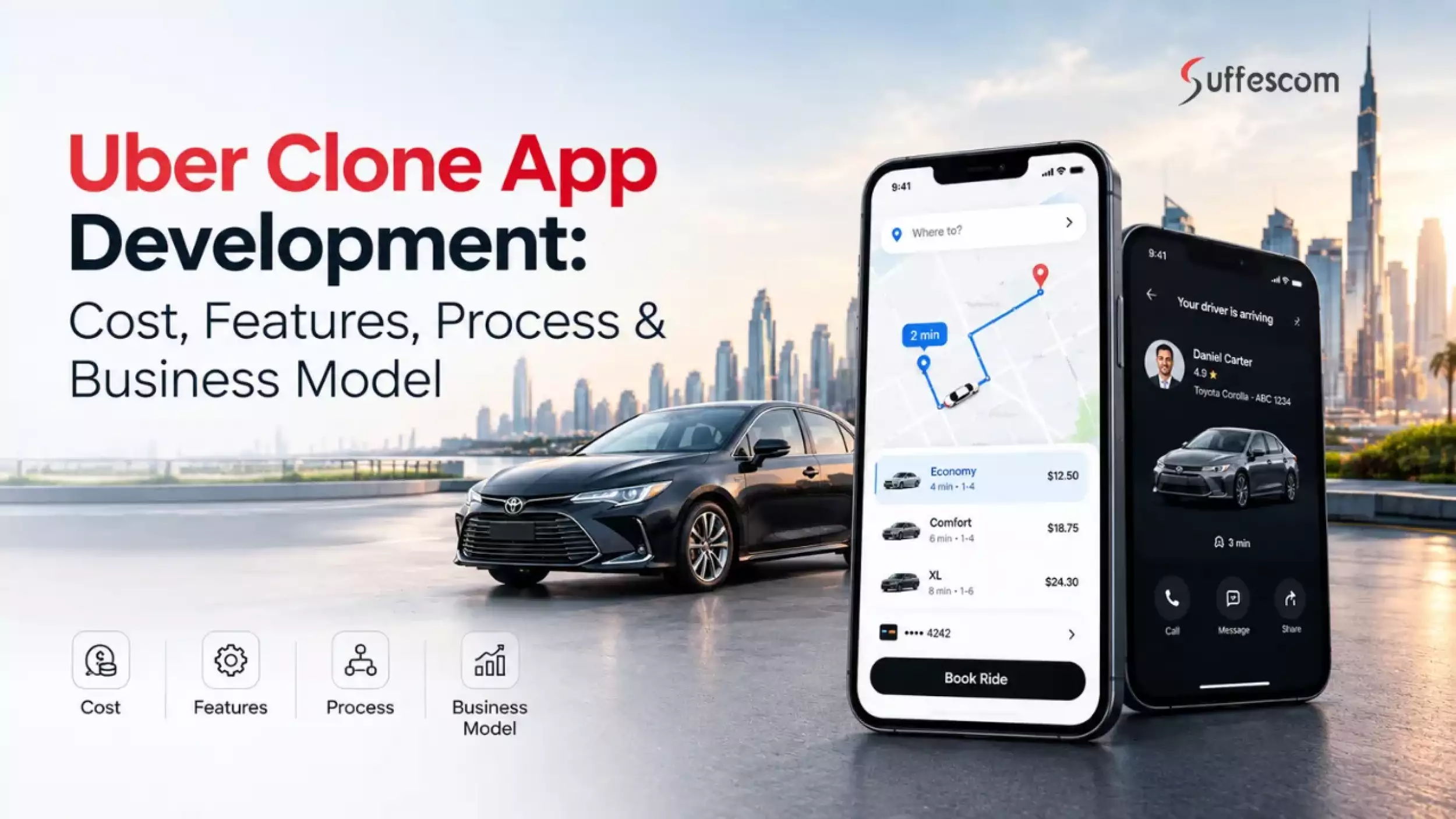
Building an Uber-like app means engineering the infrastructure behind a real-time ride marketplace. The rider app needs to initiate requests, while the back end makes sure that drivers are available and follows dispatch principles. Location services will ensure live trip tracking, whereas the payment system will take care of fare collection and driver payments. Uber-like app development becomes a lot more valuable when this foundation is adapted to a defined operating model.
The commercial case is also supported by continued market expansion. According to forecasts in a report, the global ride-hailing services market is expected to grow at a 13.2% CAGR during 2026–2034. A dedicated platform can focus on addressing a certain need, like airport transportation or enterprise mobility.
The technical scope depends on the business model. An MVP for one city would include only dispatch and payment processes. For operations in multiple cities, there will be new needs such as geofencing and regional payments. Such decisions impact the cost of the project and the complexity of scaling it.
This guide examines how to develop an Uber-like application in 2026, including its features, architecture, tech stack, development process, monetization models, and security measures.
What Is an Uber Clone App?
Uber clone app is an on-demand ridesharing platform that operates using the same marketplace business model as that of Uber. It connects drivers with passengers using mobile applications, and the administration takes care of booking trips, setting rates, handling payments, users and rules of operation.
The development focus is not on copying Uber's screens. The platform should have a dispatch mechanism, geolocation, fare calculation and a payment gateway. You can configure these features according to needs. For instance, an operator of airport transfers might require scheduling services and predetermined rates, whereas a taxi firm would be concerned about managing the fleet and dispatching drivers.
Uber Clone vs. Custom Ride-Hailing App
An Uber clone uses already defined ride-hailing workflows as the starting point. As a result, it can be used by businesses requiring features like driver allocation and payment options without the necessity to specify each workflow separately.
A personalized ride-hailing application is built on the specific needs of the business. A corporate transportation service will require an employee login and approval workflow, while the fleet operator will need vehicle assignment and driver management.
The main difference is the starting point: an Uber clone adapts an established model and custom app development defines the product around the business from the beginning.
How Does an Uber-Like App Work?
An Uber-like app coordinates the rider, driver, and backend systems throughout the trip:
- Ride request: The rider enters pickup and destination details.
- Dispatch: The backend identifies eligible drivers using location and availability data.
- Acceptance: A driver accepts the request and the trip is assigned.
- Navigation: Mapping services provide routes while location updates keep both parties informed.
- Trip completion: The system records the journey and calculates the final fare.
- Payment: The selected payment method is charged and the transaction is recorded.
- Rating: Rider and driver feedback is stored against the completed trip.
The dispatch engine is particularly important because poor matching can increase ETAs and driver idle time even when the rest of the application works correctly.
Who Can Build an Uber Clone App?
An Uber-like app can support different segments and business models:
- Taxi operators
- Fleet owners
- Transportation startups
- Regional mobility businesses
- Corporate transportation providers
- Niche mobility operators
Uber Clone App vs. White-Label Taxi App vs. Custom Development
| Approach | Speed | Customization | Scalability | Best For |
| Uber clone | Fast | Medium–High | High | Startups testing a ride-hailing model |
| White-label | Very fast | Low–Medium | Medium | Businesses seeking rapid deployment |
| Custom app | Longer | Very high | Very high | Businesses with specialized workflows |
The white-label approach usually has a faster launch route but may limit the ability to make bigger changes in the product. In contrast, an Uber clone is a flexible starting point. The custom taxi app development approach gives better control over the system in cases where dispatch algorithms, pricing rules, integrations, or fleet management need a custom architecture.
Uber's own scale illustrates the engineering demands of this category. According to its Q4 and full-year results for 2025, Uber had 202 million monthly active platform users and made 13.6 billion rides in 2025. Although a new platform will not start at this level, its architecture must allow scaling up to a higher number of rides.
How Does a Ride-Hailing App Like Uber Work?
An Uber-like application manages the entire process of a rider's request, driver's availability, and backend operations during the journey. Every step brings about certain activities that impact matching time, price calculation, and ride performance.
Step 1: Rider Enters Pickup and Destination
This is where the rider chooses the point to be picked from and the destination point. Geocoding helps to turn these chosen points into coordinates, which will help in matching a driver.
For instance, if the rider wants to travel from the airport, they can choose the terminal to pick up from and do not need to enter the full street address.
Step 2: Backend Calculates Fare & ETA
The backend forwards the route details to the price calculation and mapping services. The estimation for fare and arrival is computed using various parameters such as distance, duration, category of ride, and pricing rules.
Step 3: Matching Engine Finds Eligible Drivers
The dispatch engine filters drivers based on their availability, category of vehicle, service area, and their geographical location. The drivers are sorted by certain rules, like location and pickup time.
For instance, a premium ride request should be forwarded to drivers who have vehicles in accordance with the premium category requirements.
Step 4: Driver Receives Ride Request
The selected driver gets the ride request along with other booking information. The ride request remains active for a predefined amount of time until it gets accepted, denied, or assigned to some other driver.
Step 5: Real-Time Location Tracking Begins
Upon the driver’s acceptance of the ride, the platform begins sharing location updates between the driver app and the backend service. The rider sees the driver moving, while the platform is updating the estimated time of arrival.
The location update frequency can be controlled according to the status of the ride to get an optimal balance of tracking accuracy and network resource usage.
Step 6: Trip Starts and Navigation Runs
The driver reaches the pickup point and begins the trip through the driver app. The navigation services provide the route to the destination location while the backend service logs the ride events and locations.
Step 7: Fare Is Calculated
When the ride is completed, the backend service calculates the fare based on the actual distance and duration of the ride and any discounts applied to the trip.
Step 8: Payment Is Processed
The chosen method for payment is charged after the trip is completed. The transaction service records the payment status and then the platform calculates the applicable commission and driver earnings.
Failed payments can trigger a retry payment workflow.
Step 9: Ratings, Receipts & Settlement
The rider gets a digital receipt. The platform records the completed trip in the platform and adds the driver's eligible earnings to the payout balance.
What Happens When No Driver Accepts?
A ride request should not simply expire when the first driver declines it. A fallback plan could be implemented by the dispatch system depending on the supply and business rules of the area.
- Widened Search Radius: Searching for more qualified drivers whenever the supply nearby falls short.
- Re-dispatch: Redeploying the ride request to other suitable drivers in case of rejection or timeout.
- Incentives: Providing driver incentives whenever there is high demand and low supply.
- Queuing: Queuing ride requests in case of a temporary shortage of drivers.
- Canceling: Canceling the ride request in case the dispatcher fails to get a driver in the allotted time.
- Alternative Ride Categories: Providing another kind of vehicle whenever there is a low supply of the chosen ride category.
Falling back is critical, especially during peak hours like airport surges or events, since failed matches increase cancellation rates among riders.
Build Your Uber-Like Ride-Hailing Platform
Launch a scalable ride-hailing platform with rider, driver, admin, dispatch, payment, and real-time tracking capabilities.
Key Features to Integrate into an Uber-Like App
An Uber clone app operates as a three sided ecosystem. Let’s discuss the main features of an uber like app.
Rider App Features
Registration & Profile Management
Allow riders to register through email, phone number, or social login. Profile settings can store saved locations, preferred payment methods and account details.
Pickup & Drop-Off Location
Let riders select locations through map search or saved addresses. Address validation and geocoding help reduce incorrect pickup points.
Real-Time Driver Tracking
Display the assigned driver's live location on the map. Location updates should continue throughout the approach and trip without excessive battery or network usage.
Ride Booking
Riders can enter trip details and request an available vehicle. The booking flow should return the selected ride category, estimated fare and expected pickup time before confirmation.
Fare Estimation
Calculate an estimated fare from factors such as distance, duration, ride category, and applicable pricing rules. The backend should recalculate the amount when actual trip conditions differ.
Multiple Ride Categories
Support different services like economy or wheelchair-accessible rides. Each category can have its own vehicle requirements and pricing rules.
Scheduled Rides
Allow riders to reserve trips for a future date and time. This is useful for airport transfers and planned business travel.
Multiple Payment Options
Support cards, digital wallets and other region-specific payment methods. Payment tokenization can reduce the exposure of sensitive payment data.
Promo Codes & Discounts
Provide promotional codes or targeted discounts. Admin users can define eligibility rules and expiration periods.
Ratings & Reviews
Let riders rate drivers after completed trips. Rating data can help identify recurring service issues and driver performance patterns.
Ride History & Digital Receipts
Store completed and canceled trips with fare details. Digital receipts give riders a record they can access after each journey.
Push Notifications
Send status updates for driver assignment, arrival, trip changes, and payment confirmation. Time-sensitive notifications should be triggered by backend events rather than manual updates.
In-App Chat & Calling
Provide communication between rider and driver without exposing personal contact details. The system can support masked calling where required.
SOS & Emergency Assistance
Give riders access to an emergency action during an active trip. The workflow can share trip and location information with designated contacts or emergency services where supported.
Trip Sharing
Allow riders to share live trip details with trusted contacts. Shared information can include driver details, vehicle information and current location.
Lost & Found
Provide a structured process for reporting belongings left in a vehicle. Admins can connect the report with the relevant trip and driver.
Driver App Features
Driver Registration & KYC
Collect driver identity information and verification documents during onboarding. KYC workflows can include identity checks and background verification where required.
Vehicle Verification
Record vehicle details and supporting documents before allowing a vehicle to accept trips. Expired or rejected documents can automatically restrict eligibility.
Online/Offline Availability
Let drivers control whether they are available for new requests. The dispatch system should consider only eligible drivers marked as available.
Real-Time Ride Requests
Show incoming requests with relevant information such as pickup location, estimated distance and ride category. Request expiry prevents stale offers from remaining active.
Accept/Reject Trips
Drivers can accept or decline available requests within a defined response window. The dispatch engine can reassign unanswered or rejected requests.
Turn-by-Turn Navigation
Integrate mapping services to guide drivers to the pickup point and destination. Route updates should account for changing traffic conditions.
Earnings Dashboard
Show trip earnings, commissions, incentives and completed payouts. Drivers can use the dashboard to monitor income over selected periods.
Incentives & Bonuses
Support configurable bonuses based on completed trips or service targets. Admins can change incentive rules without modifying the driver application.
Trip History
Maintain records of completed and declined trips. Drivers can review individual fare and earnings details.
Driver Ratings
Display rider ratings and relevant feedback after completed trips. Aggregated ratings can also support driver quality monitoring.
Document Expiration Alerts
Notify drivers before licenses or vehicle documents expire. Automated alerts help prevent non-compliant vehicles from receiving trips.
Driver Safety Tools
Include features such as emergency assistance and safety notifications. The exact workflow can vary according to local operating requirements.
Payout Management
Track payable earnings and payout status. Integration with banking or payment providers can automate driver settlements.
Admin Dashboard Features
Rider & Driver Management
Give administrators control over account status, verification records and user activity. Suspensions or restrictions can be applied when operational rules are violated.
Fleet Management
Manage vehicles, vehicle categories and fleet assignments from one interface. Fleet operators can monitor vehicle availability without relying on separate systems.
Ride & Booking Management
Provide visibility into active, scheduled, completed and canceled trips. Admins can investigate booking issues using trip-level records.
Fare Configuration
Set base fares, distance rates, time charges, minimum fares and other pricing parameters. Different rules can be configured for individual ride categories or service areas.
Commission Management
Define the platform's commission structure and calculate the applicable share from completed trips. Different driver or fleet agreements can use separate commission rules.
Surge/Dynamic Pricing Controls
Adjust pricing when demand exceeds available driver supply. Admins can configure geographic zones and pricing thresholds instead of applying one platform-wide multiplier.
Promotions Management
Create and manage promo codes and referral offers. Usage limits and eligibility conditions can prevent uncontrolled discounting.
Payment & Payout Management
Monitor rider payments, refunds, platform commissions and driver settlements. Transaction records should remain linked to the corresponding trip.
Dispute Resolution
Give support teams access to trip records and payment information when resolving complaints. A case workflow can track investigation status and final resolution.
Analytics & Reports
Track operational metrics such as completed rides, cancellations, driver utilization and average ETA. These reports help identify marketplace bottlenecks.
Geofencing Management
Define service areas and city boundaries. Geofences can control where drivers may accept or complete certain ride types.
Fraud Detection
Flag suspicious booking, payment or account activity using configurable rules and risk signals. Advanced platforms can add machine learning models for anomaly detection.
Content & Configuration Management
Allow administrators to update app content and operational parameters without releasing a new app version.
Advanced Features to Make Your Uber-Like App Competitive
A competitive ride-hailing platform needs more than the standard booking workflow. Advanced capabilities can improve driver utilization, reduce failed matches, control marketplace costs and make the service easier to operate at scale.
AI-Powered Driver-Rider Matching
An AI-assisted matching algorithm can rank eligible drivers taking into account their proximity, estimated time of arrival, vehicle type, availability, and past trip history. In this way, it will be possible to avoid redundant request broadcasting.
For instance, in the case of an airport ride request, an eligible driver who can arrive at the terminal within the specified pick-up window might be preferred to a driver who is the closest to the rider.
Predictive Demand Forecasting
Demand forecasting uses historical trip data, time patterns, holidays, weather signals and local events to estimate where ride requests are likely to increase.
Using predictive demand forecasts, the company can allocate enough drivers in advance before demand increases. For example, the system that serves a stadium area can forecast a demand peak after an event and organize drivers' placement in advance when riders leave the stadium.
Dynamic Pricing Engine
A dynamic pricing engine adjusts fares according to defined supply and demand conditions. Pricing rules can consider service area, ride category, driver availability and current booking volume.
The system should provide configurable thresholds and pricing limits. This gives operators greater control over fare changes during airport peaks or major local events.
Intelligent Route Optimization
Route optimization can evaluate distance, traffic conditions, road restrictions and estimated travel time to recommend an efficient route.
A ride-hailing platform can also compare the expected arrival time of different routes when assigning drivers. This matters when a geographically close driver is separated from the rider by congestion or restricted roads.
Fraud & Account Abuse Detection
A fraud control system is capable of analyzing irregularities in bookings, payments, accounts, and cancellations. While rule-based techniques can deal with known risk factors, machine learning techniques will help detect irregularities that are not obvious.
These can be multiple accounts sharing the same payment mechanism, repeated promotional abuse, or ride irregularities across different regions.
Driver Performance Analytics
Driver analytics can move beyond simple star ratings. Operators can monitor acceptance rate, cancellation rate, completed trips, average pickup time, online hours and earnings.
These metrics can identify operational issues. A high driver cancellation rate in one service zone may indicate inaccurate pickup information, poor demand quality or an incentive problem.
Personalized Ride Recommendations
The platform can use booking history and rider preferences to surface relevant ride categories or booking options.
A rider who frequently books airport transfers could see the airport service or scheduled booking option more prominently. Personalization should remain tied to useful trip choices rather than unnecessary notifications.
Automated Customer Support
AI-powered support can handle routine requests such as fare questions, receipt retrieval, cancellation policies, and lost-item reports. Complex cases can be routed to human agents with the relevant trip context attached.
A support assistant could identify a disputed fare from the trip record and provide the calculation details before escalating the case when manual review is required.
Demand Heat Maps
Demand heat maps provide a visual view of booking activity across defined geographic zones. Admins can compare request volume against available driver supply to identify areas with potential service gaps.
A heat map showing concentrated requests around a business district during weekday evenings can help operations teams position available drivers more effectively.
EV & Sustainable Mobility Support
An Uber-like app can include EV-specific ride categories and fleet controls. Driver profiles can store vehicle type while admin tools can monitor EV availability across service areas.
For instance, an EV fleet provider can maintain separate information about available vehicles and those that are currently offline for charging purposes. Other factors to consider include using easily identifiable status icons independent of color, along with adequate touch targets and assistive technology compatibility.
Real-Time Location, GPS & Geolocation in an Uber-like App
Location services are important in ride-hailing since dispatch, navigation, and estimating times are dependent on geographical information. This application uses a combination of GPS, mapping APIs, geocoding and reverse geocoding services, and real-time communication to track the trips.
GPS Location Tracking
The driver app collects latitude and longitude through the location services. Location data is sent to the backend at controlled intervals and used for driver matching, trip tracking and ETA updates.
Map & Navigation APIs
Services like Google Maps Platform or Mapbox provide mapping and navigation services. These APIs, which include the Directions API and Routes API, are capable of calculating routes between the pick-up and drop-off points.
Geofencing
Geofencing creates virtual geographic fences based on coordinates. Geofences are used by the platform to mark service areas, airports, restricted regions or city limits.
Driver Location Updates
WebSockets or any other similar technologies can be used to send driver coordinates with low latency. Driver coordinates will be sent to the rider application via the backend during active trips.
Background Location Handling
Drivers’ apps might have to fetch location information even when the application is in the background. Location permission and policy issues related to background location have to be handled effectively.
Privacy Considerations for Location Data
Location data should be collected only when required for the service and protected during transmission and storage. TLS, access controls and audit logs can help safeguard sensitive trip-location records.
How to Develop an Uber-Like App: Step-by-Step Process
Uber-like app development involves making decisions on the marketplace model, dispatch logic, mobile user experience, payments, location infrastructure, and operational controls. Ideally, product risk should decrease as engineering effort increases.
Step 1: Define Business Model & Market
Begin by defining who the platform serves and where the service will operate. These decisions influence pricing rules and various other factors.
First, establish the target user base, the method of delivering rides and the areas in which it will be provided. These decisions impact pricing policies, driver recruitment, vehicle specifications, and geographic requirements as well as MVP scope.
Choose Your Ride-Hailing Niche
A focused niche can provide a clearer entry point than launching as a general-purpose taxi platform.
- Standard taxi: A taxi service that is available when you need it and is run by the local taxi company or private taxi drivers.
- Premium rides: Premium service and standards on vehicles, premium pricing.
- Corporate Transportation: Billing, employee booking, ride policies, and business accounts.
- Airport transportation: Scheduling pickups, selection of airport terminals, fixed charges, and airport-related workflows.
- Women-focused transportation: Service policies and safety workflows that are oriented to the target ridership group.
- Medical transportation: Scheduled trips and accessibility needs for qualifying passengers.
- Student transportation: Parent/guardian accounts, recurring bookings, and controlled pick-up areas.
- EV rides: Electric vehicle types that have vehicle eligibility and charging considerations.
- Local Taxi Marketplace: Existing taxi operators can use the digital booking and dispatching system.
Step 2: Conduct Market & Competitor Research
Research should establish how the target audience is currently booking rides, and what gaps are there in the ride booking landscape from an operational or customer perspective.
Analyze Uber, Lyft & Regional Competitors
Compare competitors in different categories. Regional operators can reveal market-specific expectations that global platforms may not address.
Identify Your Market Gap
Convert competitor information into a specific product opportunity. The gap may be in an underserved area, with corporate clients, in access, in payment methods and in riders.
Validate Pricing & Supply-Demand Assumptions
Compare expected fare levels with the cost of attracting drivers and rider demand. Model peak and off-peak periods to get an idea of whether there is enough driver supply to achieve acceptable ETAs without providing too many incentives.
Step 3: Define the MVP
The MVP should support the complete ride transaction rather than simply provide a smaller feature list. A rider must be able to request a ride, get matched, complete the trip, and pay.
Must-Have MVP Features
The initial release typically requires:
- Rider and driver registration
- Driver KYC and vehicle verification
- Pickup and destination selection
- Fare estimation
- Driver matching and ride acceptance
- Real-time trip tracking
- Navigation integration
- Ride status updates
- Digital payments
- Driver earnings and payouts
- Ratings and reviews
- Push notifications
- Admin controls for users, rides, pricing, and disputes
Step 4: Design Rider, Driver & Admin UX
The three interfaces should serve different operational goals. Riders require quick bookings. Drivers should have low-distraction trip flows. Operations teams require insight into current rides and exceptions.
User Journey Mapping
Map the complete journey from registration to ride completion. Include cancellation paths, failed payments, driver rejection, no-driver scenarios, and support escalation.
Wireframing
Develop low-fidelity screens for booking, driver acceptance, navigation, trip status, payment, and administrative workflows. This reveals missing states even prior to visual design and Uber-like app development.
Interactive Prototype
Integrate important screens into a clickable prototype. Confirm the booking process before investing engineering effort in the detailed UI implementation.
Usability Testing
Test the prototype with representative riders, drivers or operations users. Test if users can perform key activities and uncover any friction in the booking or trip experience.
Step 5: Build the Backend & Dispatch Engine
The back end coordinates the marketplace. It takes orders for rides, checks driver availability, works out the price, handles payments, and records ride state.
Ride Request Management
Record pickup points, address, type of ride, time requested, information about the rider, and booking details. A trip model for a state eliminates transitions from requested, accepted, started, completed, and cancelled states.
Driver Matching
The dispatch engine narrows down the eligible drivers using business rules such as location, availability, vehicle category, service area, etc. Ranking can then prioritize other marketplace criteria or ETA.
Pricing
Set up a fare engine with a variety of types of base fares, distance and time charges, booking fees, discounts, cancellation fees,s and dynamic pricing rules.
Payments
Connect the payment layer with secure tokenization, authorization, capture, refunds, driver payouts, and transaction reconciliation.
Notifications
Use push notifications and events to communicate ride requests and cancellations.
Step 6: Develop Mobile Applications
Separate rider and driver applications allow each experience to follow its own workflow and permission model.
Rider App
Implement registration, location selection, fare estimates, ride booking, driver tracking, payments, trip history, ratings, and safety controls.
Driver App
Support onboarding, document submission, availability status, ride requests, navigation, trip controls, earnings, and payout information.
Admin Web Dashboard
Provide operational controls for managing users, drivers, vehicles, bookings, pricing rules, service areas, payments, disputes, and platform activity.
Step 7: Integrate Maps, Payments & Communication APIs
Integrate third-party infrastructure once integration requirements for the platform have been defined. Commonly used components are Google Maps Platform or Mapbox for mapping, payment gateways like Stripe or regional payment gateways, and push notification services like FCM or APNs.
API integration should also account for authentication and provider outages.
Step 8: Perform Functional, Security & Performance Testing
Test the platform under real conditions. QA should cover everything like booking states, dispatch failures and more.
Authentication, API access, payment data handling, location data protection and common API vulnerabilities should be tested for security.
Step 9: Launch in a Controlled Geographic Area
Start with a service zone and not open the entire market. A city or selected operating district makes driver supply easier to handle and exposes dispatch or pricing issues before expansion.
Track metrics like
- Booking conversion
- Driver acceptance rate
- Cancellation rate
- Pickup ETA
- Completed trips
- Payment failures
- Support volume
Step 10: Measure, Optimize & Scale
Use production data to determine which parts of the marketplace need improvement. Low driver acceptance may indicate weak pricing or poor dispatch ranking. Long pickup ETAs can point to insufficient supply or inefficient matching.
Once core metrics stabilize, expand service zones and ride categories. Introduce advanced capabilities such as predictive demand models, dynamic pricing optimization, fraud detection, and multi-city configuration based on measurable operational needs.
Modernize Your Taxi Business With a Digital Platform
Move bookings, driver management, payments, tracking, and fleet operations into one connected ride-hailing system.
How Much Does It Cost to Build an Uber Clone App?
The cost to develop an Uber-like application is between $25,000 and $200,000+. It is based on the extent of the platform and technical specifications. A basic MVP that offers only booking and dispatch capabilities would remain at the lower end of the price scale, whereas developing a platform for multiple cities with pricing and AI integrations would push the cost beyond $300,000.
However, this represents only planning estimates and not set market costs, which may vary due to a variety of factors.
Uber Clone App Development Cost by Complexity
| App Type | Estimated Development Cost | Typical Timeline |
| Basic MVP | $25,000–$50,000 | 3–5 months |
| Mid-level platform | $50,000–$100,000 | 5–8 months |
| Advanced/custom platform | $100,000–$200,000+ | 8–12+ months |
Uber Clone App Development Cost Breakdown
The overall Uber-like app development budget is distributed across the rider and driver applications, backend infrastructure, dispatch logic, integrations, testing, and deployment. The approximate cost contribution of each component can vary based on the product scope.
| Component | Estimated Cost |
| Rider app | $8K–$25K |
| Driver app | $8K–$25K |
| Admin dashboard | $5K–$15K |
| Backend & APIs | $15K–$50K |
| Dispatch engine | $5K–$20K |
| UI/UX | $3K–$15K |
| Maps/GPS integration | $3K–$10K |
| Payment integration | $2K–$8K |
| QA & security | $5K–$20K |
| DevOps/cloud setup | $3K–$15K |
Key Factors That Affect Uber Like App Development Cost
- Number of applications
A rider app alone costs less than a complete ecosystem with separate interfaces for riders, drivers, and administrators. - Feature requirements
Features such as live trip tracking or scheduled rides can add considerable development effort. - Platform selection
Supporting iOS and Android requires additional development and testing resources. - Backend scalability
A ride-hailing platform needs infrastructure that can handle bookings and location updates at scale. - Third-party services
Map APIs and payment gateways can affect both integration effort and ongoing expenses. - AI implementation
Advanced capabilities such as intelligent driver matching require additional data and app engineering work. - Ongoing maintenance
Post-launch updates and infrastructure monitoring should also be considered when planning the budget.
Uber Clone App Business Model & Revenue Streams
An Uber clone app can have a mix of transaction-based income, plus recurring income from drivers, riders, businesses, and fleet operators. This combination will vary depending on the target market and operating model.
Commission-Based Revenue
Charge a percentage fee for every ride that is completed as the platform fee. For instance, a platform might keep 20% for a $25 journey, and the driver would get the rest after any modifications.
Booking/Service Fees
Include a fixed or variable charge with the ride charge for each booking. As more trips are booked, the service fee will become a more reliable source of income.
Surge or Dynamic Pricing Revenue
Implement higher rates when there is more demand for drivers than supply. During a stadium event, your platform might set higher charges in the surrounding service area and split the extra revenue with drivers, as per its pricing policy.
Driver Subscription Plans
Offer drivers paid plans for reduced commissions or other advantages on the platform. The driver could be paying $50 monthly for a reduced commission and enhanced earnings analytics.
Rider Membership Programs
Charge riders a recurring fee for benefits like reduced service fees or priority support. An example is a monthly membership that provides discounted airport trips.
Corporate Accounts
Provide businesses with centralized ride booking, employee profiles, pending limits and integrated billing for businesses. The platform can be utilized for arranging employee travel within the company's offices and airports.
Advertising & Brand Partnerships
Sell promotional placements to relevant brands inside the rider app. A fuel company could sponsor offers shown to drivers, while a hotel chain could promote airport transfer services to riders.
Cancellation Fees
Apply a cancellation charge when a rider cancels after a period or after the driver has started traveling toward the pickup point. The fee can compensate drivers for wasted time and distance.
How Artificial Intelligence Can Improve a Ride Hailing App like Uber
Artificial Intelligence can improve ride-hailing services by analyzing trip and behavioral data to make decisions that are hard to manage through fixed rules alone.
AI-Powered Driver-Rider Matching
ML models can rank available drivers using ETA and current demand. Example: If five drivers are available close to an airport, the system can choose the one who can reach the airport terminal first, not necessarily the closest.
Predictive Demand Forecasting
By analyzing historical bookings and other data, AI can forecast future booking demand. For example, when a concert is approaching, the platform might predict the pickup area and alert drivers in the vicinity to drive toward it at the end of the concert.
Intelligent Dynamic Pricing
AI can detect supply-demand imbalance and suggest fare changes under these rules. Example: When there are lots of ride requests at a stadium at the same time, and not many drivers, the system might suggest a temporary fare increase.
AI-Based ETA Prediction
ETA prediction can be enhanced by ML models based on trip time history and real-time location data. Example: The platform can learn that during the evening hours on weekdays and change the estimated arrival time for those trips.
Fraud & GPS Spoofing Detection
AI can detect unusual patterns in different accounts and location signals. Example: Multiple accounts repeatedly using the same promotional offer from related devices can trigger a fraud review.
AI Customer Support
An AI assistant can help with standard inquiries like fares, receipts, cancellations, and lost items. Example: If a rider asks why the final fare increased, they can get an explanation based on the length of the trip, the length of time, tolls, rules for pricing, etc.
Driver Performance Analytics
AI can identify patterns in acceptance rates, cancellations, idle time, and completed trips. Example: if cancellations consistently increase for drivers in a zone, the platform can investigate if trip distances or fares are affecting acceptance.
AI-Based Route Optimization
AI can analyze historical traffic and trip patterns to identify routes that may reduce travel time or pickup delays. For example, in case of an airport being affected by a recurrent road closure, the dispatch system could advise an alternative pick-up method.
Legal & Compliance Requirements for an Uber-Like App Development
Launching an Uber clone app in the US requires transportation regulations, driver screening, insurance, privacy, payment aspects, accessibility, and taxes. There may be variations by state/city; the compliance model should be designed on a per-market basis.
Driver Background Checks & Licensing
Onboarding a driver can include compliant background checks, driving record checks, identity verification, applicable state and local requirements, etc.
Commercial Auto Insurance
There are different insurance requirements in different jurisdictions and for different drivers. Coverage periods should include when drivers are logged on, waiting for a ride, and carrying passengers, as well as access to commercial auto insurance..
Data Privacy Requirements
An Uber clone is responsible for accurate location, identity, payment, and trip data. Applicable requirements may include comprehensive privacy laws like GDPR and CCPA.
Payment Security & PCI DSS
If applicable, card payment processing should be done according to the PCI DSS. Hosting a payment processor that is PCI-compliant and provides tokenization can minimize direct exposure to cardholder data for the platform.
Accessibility & Inclusive Design
Digital accessibility should be assessed against the Americans with Disabilities Act requirements and applicable state accessibility laws. The Uber-like app solution should also consider WCAG 2.2 practices for accessible web and mobile interfaces.
Driver Agreements & Platform Policies
Driver contracts should address compensation, platform access, safety obligations, insurance, vehicle requirements, account suspension, dispute procedures, and applicable worker classification rules.
How to Scale a Taxi App Like Uber Across Multiple Cities
After Uber-like app development, next comes scaling and if you are planning to expand your Uber clone business to other cities, you will need some centralized infrastructure along with rules that can be set for every city. The fundamental application can remain unchanged, with varying prices, service areas, currencies, and driver supply.
Multi-City Architecture
Utilize city-specific architectures with different setups for ride categories, fares, hours and zones for each city. Example: New York can launch standard and premium rides, while a smaller city can launch only standard rides with the same backend.
Multi-Currency & Localization
Configure local currencies, languages, time zones,s and payment methods. For example, a platform that supports expanding from the US to Canada can process USD and CAD while displaying localized date and currency formats.
Auto-Scaling Cloud Infrastructure
Use AWS Auto Scaling or Google Cloud autoscaling. For example, during a big concert, if thousands of riders want to travel in one day, the traffic can be scaled up automatically.
Database Scaling
With growing trip and location sizes, indexing, partitioning, and Redis caching. For example, live driver-location queries can be utilized with Redis, whereas transactional records of rides and payments can be stored in PostgreSQL.
Real-Time Event Processing
Use WebSockets or Apache Kafka to process high-frequency location and trip events. Example: If a driver accepts a ride, the event could update the rider app, dispatch service, and driver status without having to poll the backend over and over again.
Disaster Recovery
Deploy important services in multiple availability zones with automated backups and failover. Example: If an application instance or database node fails, traffic can change to healthy infrastructure while ride requests continue processing.
MVP vs. Advanced Uber Clone App: What Should You Build First?
MVP development should include the core ride marketplace functionality before advanced automation and expansion features are introduced. The right scope depends on the target market, driver supply model, and operational requirements.
| Feature | MVP | Advanced Version |
| Registration | ✓ | ✓ |
| Ride booking | ✓ | ✓ |
| GPS tracking | ✓ | ✓ |
| Fare estimation | ✓ | ✓ |
| Payments | ✓ | ✓ |
| Driver matching | ✓ | AI optimization |
| Ratings | ✓ | ✓ |
| Scheduled rides | Optional | ✓ |
| Dynamic pricing | Basic | AI-powered |
| Corporate accounts | — | ✓ |
| Predictive analytics | — | ✓ |
| EV fleet management | — | ✓ |
| Advanced fraud detection | Basic | ✓ |
Why an MVP Is Not the Same as a Cheap App
An MVP is a focused product scope. Core functionalities like dispatch, GPS tracking, payments, authentication, and security require high-quality, production-ready engineering.
A poorly engineered MVP can create technical debt before the platform has validated demand. The main goal is to decrease unnecessary feature investment and also keep the core ride transaction reliable.
When to Move From MVP to Version 2.0
Move to Version 2.0 if usage metrics indicate the need for more functionality. Growing booking volumes may require advanced dispatching. Strong corporate demand can support business accounts. Increasing fraud attempts may justify machine-learning-based detection.
The relevant metrics are repeat booking rate, ride completion rate, driver utilization rate, cancellation rate, average ETA, contribution margin, and customer support volume. This approach gives better reasons for prioritizing Version 2.0 than developing additional functionality based solely on a checklist.
Why Choose Suffescom for Uber Clone App Development?
Suffescom brings experience across ride-hailing, real-time applications, payment integrations, cloud infrastructure, and AI-enabled platforms. The development approach focuses on building the core marketplace first while keeping the architecture ready for additional cities, ride categories, and higher booking volumes.
Experience Across Complex App Projects
With 1000+ projects delivered, the engineering team has worked on mobile and web products across AI, blockchain, and enterprise technology. This experience supports the complex backend and integration needs of a multi-sided ride-hailing platform.
Rider, Driver & Admin Development
Suffescom can develop the complete ride-hailing ecosystem. This includes rider applications, driver applications, and admin dashboards with workflows designed around each user role.
AI Integration for Ride-Hailing Operations
Suffescom provides AI development services that can support operational areas such as driver matching and demand forecasting. Other applications include ETA prediction and fraud detection. Route optimization and automated support can also be considered when the available data supports these use cases.
Security & Compliance Considerations
Security can be built into the platform architecture from the start. Key areas include secure authentication, RBAC, and API security. Payment tokenization and encryption can help protect sensitive information while security monitoring supports ongoing risk management.
Post-Launch Support
Suffescom provides 24/7 support and post-launch support after deployment. The support scope can cover production issues and performance improvements. Security updates and platform changes can also be addressed as the product evolves.
Conclusion
Uber-like taxi app development is a practical way to enter the ride-hailing market with a defined service model and a focused launch strategy. Firstly, the main product itself needs to demonstrate the viability of ordering rides and delivery of orders for drivers.
The development cost can range from $25,000 to $200,000+ depending on the scope of features, integrations, infrastructure at the chosen location, and number of regions. Starting development with an MVP will help to reduce upfront costs and also collect real usage data for further product improvements.
As the platform gains traction, advanced capabilities can be added around proven business needs. Collaborating with the right app development company also matters because ride-hailing products need strong backend engineering alongside the mobile experience.
Discuss Your Ride-Hailing Product Needs With Experts
Share your business model and requirements to determine the right architecture, features, development approach, and budget.
FAQs
1. How much does it cost to develop an Uber clone app?
Uber clone app development can cost $25,000 to $200,000+, depending on the platform’s features, integrations, architecture, and customization. A basic MVP typically costs $25,000–$50,000, while a mid-level platform can range from $50,000–$100,000. Advanced and highly customized platforms with complex features may cost $100,000–$200,000+.
2. How long does it take to build an Uber clone app?
A basic MVP can take around 2 to 5 months. Mid-level platforms may require 5 to 8 months, while advanced products can take 8 to 12+ months depending on scope and integrations.
3. Can I build an Uber clone app for a specific city?
Yes. The platform can be configured for a specific city with its own service zones and operational policies. Starting with one city can also help validate driver supply and rider demand before expansion.
4. What features should an Uber clone MVP include?
An MVP should cover the complete ride workflow. Core features include:
- Rider and driver registration
- Ride booking
- GPS tracking
- Driver matching
- Fare estimation
- Payments
- Ratings
- Notifications
- Admin controls
5. How much does it cost to maintain an Uber-like app?
Maintenance costs depend on usage and infrastructure. The ongoing budget can include:
- Cloud hosting
- Maps API usage
- Payment processing
- Monitoring
- Security updates
- Bug fixes
- Technical support.
6. Can I develop an Uber clone app for both iOS and Android?
Yes. The platform can be developed using native iOS and Android applications or cross-platform frameworks such as Flutter and React Native. The choice depends on performance requirements, budget, and platform-specific functionality.
7. Should I use Flutter, React Native, or native development?
Flutter and React Native can decrease duplicated app development effort. Native Swift and Kotlin development can be preferable when the application requires deeper platform-specific capabilities or specialized background location behavior.
8. What APIs are required for an Uber clone app?
Common integrations in uber like app development include:
- Google Maps Platform or Mapbox for maps and routing
- Payment gateways for transactions
- FCM/APNs for push notifications
- SMS or voice APIs for communication
- Analytics services for product monitoring.
9. How does real-time driver tracking work?
The driver application collects GPS coordinates and sends location updates to the backend. WebSockets or similar real-time protocols can then transmit relevant updates to the rider app while the trip is active.
10. How does an Uber clone app calculate fares?
The fare engine can add base fare, distance, trip duration, ride category, applicable fare fees, discounts, and rules of dynamic pricing. The estimated fare is calculated prior to booking, and the actual fare can be adjusted based on actual trip data.
11. Can an Uber clone app support multiple cities?
Yes. A city-aware architecture can maintain different pricing, service areas, currencies, ride categories, and operating rules without creating a separate application for every city.
12. How can an Uber-like app make money?
Revenue in an Uber-like app can come from:
- Ride commissions
- Service fees
- Driver subscriptions
- Rider memberships
- Corporate accounts
- Advertising
- Cancellation fees
13. Can I add AI-powered matching and dynamic pricing?
Yes. Artificial Intelligence can support driver-rider matching, demand forecasting, ETA prediction, fraud detection, and pricing optimization. These capabilities can be introduced after sufficient operational data is available.
14. How do I choose the right Uber clone app development company?
Evaluate the company's experience with real-time applications, location infrastructure, payment integrations, backend scalability, security, and post-launch support. Review relevant case studies and confirm how the team will handle dispatch architecture, testing, integrations, and future scaling.