+971-8000321216



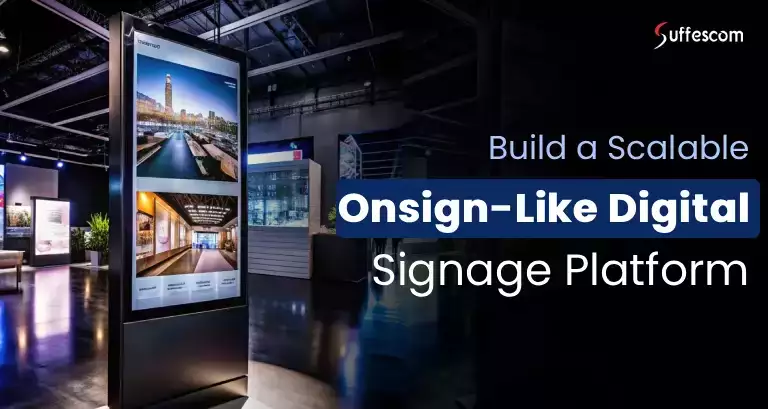
Digital signage has evolved rapidly over the last few years. Today, brands, businesses, and even government organizations rely on digital screens to communicate with customers, employees, and the public across offices, retail spaces, campuses, transit hubs, and public venues.
But as screen networks grow, managing them isn't always easy. Updating content across multiple displays, keeping messaging consistent, and handling different devices or locations can quickly become messy. This pushes marketing teams to look for better ways to control everything from a single place without adding more operational overhead.
At a market level, this growing struggle highlights a clear gap. There's strong demand for digital signage platforms like Onsign that are easy to manage, flexible, and built for scale, and founders and businesses can step in to fill this gap. An Onsign-like digital signage platform is designed around this exact need, offering a proven model for building and owning a solution that helps organizations manage their screens more effectively. Let's explore what the Onsign clone is, how it works, and why it presents a compelling investment opportunity.
Build Your Onsign-Like Digital Signage Platform
A Brief Conception of an Onsign Clone App
An Onsign clone app is a digital signage management platform built to replicate the core functionality of Onsigh. Just like Onsign, it allows businesses to manage, schedule, and control content across multiple digital screens from a centralized dashboard.
Platforms like Onsign work well when the screen network grows, and some organizations begin to look for solutions that offer more flexibility, clearer control, or better alignment with how they operate. This leaves some parts of the market underserved, particularly the teams that want to tailor their signage workflows, deployments, or user access around specific user cases rather than adapt to a fixed SaaS setup.
It’s this gap that has led founders and product teams to explore Onsign-like digital signage platforms as a way to serve more focused requirements within an already proven category.
Market Demand and Opportunity
- The global digital signage market was valued at nearly USD 29 billion in 2024 and is expected to surpass USD 45 billion by 2030.
- Growth is driven by broad adoption across sectors, including corporate, transportation, and healthcare, and public infrastructure, where digital displays are used for promotions, real-time information, and communication.
- The software layer, which includes management systems and CMS platforms that power digital signage, is one of the fastest-growing segments, with cloud-based and interactive solutions seeing especially strong uptake.
- Regional adoption trends show North America as the largest market, while the Asia Pacific is among the fastest-growing regions.
- Market reports also reflect that interactive displays, AI-enhanced signage, and data-driven content delivery are becoming key growth drivers for next-generation digital signage softwares like Onsign.
Core Features That Make the Platform Functional and Reliable
Onsign is built to solve one fundamental issue: managing large, distributed screen networks without operational complexity. The platform focuses on stability, scalability, and control, which are the key things founders and service providers look for before taking a product to market. To serve multiple clients and use cases, a platform must first get the fundamental right. Here are the core features that form the backbone of a reliable and market-ready Onsign digital signage software..
Centralized Content Management
The platform allows complete control over content from a single dashboard. This way, you can allow your clients an easy way to upload, organize, and update content across hundreds of screens without manual intervention.
Advanced Scheduling & Automation
Content can be scheduled based on time, location, date, and screen group. This reduces the dependency on constant manual updates and makes the platform reliable for long-term, recurring use cases.
Multi-screen & Multi Location Management
The system is designed to manage multiple screens across different locations smoothly. This makes it suitable for founders targeting multi-branch businesses, franchises, or organizations operating at scale.
Role-Based Access Control
Different user roles can be defined for administrators, clients, and operators. This is especially important for entrepreneurs offering the platform as a managed or white-label service, where access separation is critical.
Device & Player Management
Screens, devices, and players can be managed, configured, and monitored properly. This minimizes downtime and support overhead. These are key factors when a platform is deployed across multiple customers.
Content Layouts & Zoning
Support for flexible layouts and screen zoning allows founders to serve diverse client needs without rebuilding the product for each market. The same platform can power different business concepts with minimal changes.
Cloud-Ready & Scalable Architecture
The platform is built to scale from a small pilot deployment to a full-fledged commercial offering. This ensures founders can start lean and expand without worrying about system limitations later.
Standout Features That Can Make Your Product Instantly Popular
While the core features ensure the platform works reliably, standout features determine how well it performs in the market. These are the capabilities that help you differentiate your offerings, shorten the sales cycle, and appeal to a wider range of clients without rebuilding the product each time.
Multi-Tenant & White-Label Ready
The platform can be structured to support multiple clients under a single system, each with its own branding, screen networks, and users. This makes it ideal for founders planning to launch a white-label signage product or offer managed services at scale.
Flexible Content Types & Data Integrations
Beyond static media, the platform also supports dynamic content such as live dashboards, announcements, third-party data sources, and feeds. This flexibility allows founders to position the product as more than "just signage," opening the door to higher-value use cases.
Remote Monitoring & Health Status
Screen status, device connectivity, and playback issues can be monitored remotely. For businesses offering the platform commercially, this significantly reduces operational risk and improves service reliability.
Analytics & Performance Insights
Built-in reporting provides visibility into screen uptime, content scheduling performance, and system usage. These insights are very important to investors as they demonstrate value to their customers and justify recurring revenue models.
Interactive & Touch-Enabled Support
Support for interactive displays enables the platform to extend to kiosks, self-service screens, and engagement-driven deployments. This adds an extra layer of differentiation for founders targeting competitive or emerging markets.
Localization & Multi-Language Support
The ability to adapt the platform for different languages, regions, and regulatory environments makes it easier to expand into new markets without heavy redevelopment.
How the Platform Adapts to Your Target Market and Audience
One of the key reasons founders explore building an Onsign digital signage software is not to recreate an existing product but to adapt a proven concept to a specific market, business model, or niche. This platform is designed with that flexibility in mind.
Instead of being tied to a single use case, we have designed our system to be configured to match different client expectations, operational workflows, and regional requirements. You get the flexibility to shape how the product is positioned, whether as a standalone SaaS offering, a managed service, or a white-label solution bundled with hardware or consulting.
Market Specific Customization
The platform allows customization of workflows, content structures, and feature access depending on the target market. This makes it easier to serve industries with very different needs without maintaining separate products.
Audience Focused Feature Enablement
We acknowledge the fact that not every customer segment requires the same level of complexity, which is why we allow you to enable or restrict the features based on the audience being targeted. This helps founders keep offerings simple where needed and focus on what really matters rather than dealing with unnecessary complexity.
Regional & Compliance Flexibility
It also supports localization, language preferences, and deployment models such as Cloud, private cloud, or on-premise. The platform also fits regional regulations and data requirements, which is an important factor for businesses when they plan to expand into enterprise or government markets.
Business Model Alignment
Whether the goal is recurring subscriptions, enterprise licensing, or managed deployments, the platform supports multiple commercial approaches. This gives founders the freedom to test, refine, and scale their go-to-market strategy without technical constraints.
Room for Expansion
As the market evolves, the platform can evolve with it. You can plan on adding new integrations, modules, and new vertical-specific capabilities without disrupting existing customers.
A Clone Solution with No Lock-In Restrictions
Many platforms perform well initially, but once you start growing, their limitations become evident. This could be related to pricing constraints, dependencies, or feature sets. But we approach Onsign clone development to prevent these kinds of limitations. Here is how:
Full Ownership & Control
You get the complete ownership of the platform, deployment, and data. There will be no forced dependencies on third-party vendors, per-screen pricing models, or restrictive usage terms that limit the product's evolution.
Freedom to Scale on Your Terms
Whether you want to start with a small rollout or launch directly at scale, our platform grows with your business. You can expand features, onboard new customer segments, or enter new regions without restructuring the system.
No Forced Feature Roadmaps
Unlike off-the-shelf SaaS tools, you are not bound to someone else’s product decisions. Based on real customer demands, our clone allows you to introduce new capabilities, integrations, or market-specific enhancements.
Flexible Deployment Options
The platform can be deployed in the cloud, private cloud, or on-premises environments. This flexibility is especially valuable for entrepreneurs who are targeting enterprise, government, or regulated markets.
Long-Term Business Viability
By avoiding lock-ins, our platform supports sustainable growth, allowing businesses to refine their models, pricing strategy, and service offerings over time.
Types of Concepts You Can Explore with This Clone
Our Onsign digital signage software acts as a base product that founders can adapt and position around specific opportunities. Here are some common concepts that you can explore with our Onsign clone app development:
White-label digital signage SaaS: Launch the platform under your own brand and offer it as a subscription-based signage solution. The core system can later be extended with mobile apps, custom workflows, or client-specific features as your product evolves.
Managed signage services: Use the platform as the software backbone while offering deployment, monitoring, and maintenance as a bundled service. Over time, this model can expand into mobile app support, system upgrades, and ongoing platform maintenance, creating predictable recurring revenue.
Vertical-specific solutions: Instead of rebuilding the product, founders can adapt the platform for specific industries by adjusting features, integrations, or user flows. This approach works well for MVP app development allowing faster market validation before investing in deeper customization.
Multi-client platform for agencies or integrators: Operate the system as a single platform serving multiple customers, each with isolated access and configurations. This model supports third-party API integrations and future add-ons without disrupting existing clients.
Data-driven or interactive display concepts: You can extend beyond the static content and try something like integrating live data, dashboards, or interactive elements to support more advanced display use cases.
Regional or compliance-focused offerings: Deploy the platform in environments that require hosting models, data controls, or localization.
Expansion-ready product foundation: Start with one concept and gradually extend into adjacent markets or services without changing the underlying platform.
Beyond the core platform, we also specialize in mobile app development and can help you build fully integrated iOS and android apps for content management, remote control, or client access especially if you are targeting mobile-first use cases. Besides this, our expertise spans digital signage software development, cloud-based digital signage platforms and MVP launches.
Development Cost & Implementation Considerations
The development cost of building an Onsign clone is primarily influenced by platform scope, level of customization, and deployment preferences required for the target market. Since the foundation is based on a proven digital signage architecture, the investment is significantly lower than building a comparable system from scratch.
Below is a realistic cost breakdown based on typical implementation scenarios.
Basic Platform Setup
A basic platform setup can cost you somewhere between $5,000 to $8,000. It is suitable for teams looking to validate demand quickly. Its core content management components include the following:
- Scheduling and screen control
- White label digital signage software development
- Basic layouts and zoning
- Single-tenant or limited multi-client setup
- Standard cloud deployment
Standard Commercial Platform
You can get a standard commercial platform designed by investing between $8,000 to $15,000. This option is suitable for the founders planning to launch a market-ready product, as it is the most common starting point for commercial deployments. The core components you get in this kind of Onsign clone development are:
- Multi-tenant architecture
- White-label support
- Advanced scheduling and automation
- Role-based access control
- Device monitoring and management
- Support for common signage hardware and OS
Advanced/Enterprise-Ready Platform
If you are planning to build a digital signage platform like Onsign with an advanced platform with an enterprise-ready setup, then it would cost you around $15,000 to $25,000. This option is best suited for founders targeting enterprise, government, or regulated markets. The core components included in this sort of Onsign clone development are as follows:
- Private cloud or on-premise deployment
- Enhanced security and access controls
- Advanced analytics and reporting
- Custom integrations or data-driven content
- Multi-region or multi-language support
Monetization Methods the Platform Supports
An Onsign clone is typically designed with monetization flexibility in mind. Instead of forcing a single pricing model, the platform allows founders to choose how they want to generate revenue based on their delivery approach, market, and customer size.
Here are some common monetization methods that our platform supports:
Subscription-based pricing: You can offer the platform as a monthly or annual subscription, either per client, per location, or in tiered plans based on feature access.
Per-screen or per-network pricing: You can charge based on the number of screens or screen groups managed, which works well in retail-heavy or multi-location markets.
White-label licensing: You can license the platform to agencies, partners, or integrators who want to resell it under their own brand.
Managed service bundles: Combine the platform with deployment, monitoring, content management, and support as a recurring service offering.
Enterprise or custom licensing: Offer tailored pricing for larger organizations or public-sector deployments.
Feature-based or add-on pricing: Monetize advanced features such as analytics, integrations, interactivity, or additional user roles as optional upgrades.
Regional or vertical-specific packages: Package the platform differently for specific markets or industries without changing the core product.
Why Does Your Target Market Need This Product and How to Position It?
For most markets, the need for a digital signage platform primarily comes from the operational friction that appears once screen networks start to grow. Many organizations already use digital displays, but they struggle with the following issues:
- Fragmented tools
- Manual updates
- Limited visibility
- Platforms that don’t scale cleanly
How the Platform Solves These Issues
From a business perspective, the platform can be positioned as a control layer rather than just a display tool. Instead of asking customers to change how they operate, the platform can fit into existing workflows and gradually replace complexity with clarity. Here is how:
- It centralized control, users, and screens into one system
- It introduces structure, visibility, and automation
- It adapts as screen networks and organizational needs grow
- It reduces manual intervention across locations
How Founders Can Position It in the Market
The platform works best when positioned around operational reliability and flexibility, rather than just features alone. For example,
- As a way to simplify management across multiple locations
- As a scalable alternative to rigid tools
- As a platform that grows with the organization, rather than limiting it
Tech Stack We Use to Build an Onsign Clone Platform
| Layer | Technology | Purpose | Features Enabled |
| Frontend (Admin & Dashboard) | React.js/Next.js | Help build fast and highly responsive web dashboards | Centralized content management Scheduling UI Role-based dashboards White label UI |
| TypeScript | For improved code reliability and scalability | Stable multi-tenant architecture Fewer runtime errors | |
| Tailwind CSS/Material UI | Consistent and customizable UI | White label branding Scalable UI components | |
| Backend & APIs | Node.js (NextJS/Express) | Core application logic and APIs | Multi-tenancy User roles Workflows Scheduling engine |
| REST API/GraphQL | Communication between services and players | Third-party integrations Mobile apps Extensibility | |
| Database & Storage | PostgreSQL | Primary relational database | Multi-tenant data isolation User management Scheduling data |
| Redis | In-memory caching and queues | Fast scheduling Real-time updates Reduced latency | |
| AWS S3/Cloud Object Storage | Media asset storage | Video Image Layout storage and delivery | |
| Cloud & DevOps | AWS/Azure/Google Cloud | Cloud infrastructure | Scalable hosting Regional deployments |
Start Onsign Clone App Development Today
Bottom Line!
The market for digital signage software like Onsign is growing, showing real demand. Retail chains, public spaces, and marketers are all investing in screens to communicate and display real-time content. Yet many of these organizations are struggling with outdated, inflexible, or fragmented software. That gap is where founders can step in. By bringing a flexible and scalable Onsign clone to market quickly, you can capture demand early. A flexible Onsign clone allows you to enter the market quickly because the core functionality is already proven.
Instead of spending months building a platform from scratch, you can launch a fully functional solution that addresses the operational pain points businesses face today. This not only saves time but also gives you the freedom to validate the market and expand features based on real demand. To make your first step easier, we offer a free consultation. During the session, we can help you choose the right starting scope and decide how to position your platform effectively, helping you receive clarity and confidence before getting started.
FAQs
Can you help me build a platform that can support multi-tenant clients?
Yes, we design the platform with multi-tenancy in mind from the start, so you can onboard multiple businesses or clients with isolated data, permissions, and screen networks. During a free consultation, we usually help founders decide how complex this needs to be initially, whether you are starting with a few enterprise clients or planning a broader SaaS rollout.
How does the platform handle content approvals and workflows?
The platform can support role-based workflows such as content creators, reviewers, and administrators. This allows teams to control who can upload, approve, and publish content across screens. We typically discuss workflow requirements early on because different markets need very different levels of control, and the consultation helps us align the setup with your target use case.
Can the platform integrate with existing business systems?
Yes, the platform can be extended to integrate with internal tools such as CMS platforms, data feeds, dashboards, or custom APIs. Rather than overbuilding integrations upfront, we guide you on which connections make sense at launch and which can be phased in once real demand is validated.
Does the platform support real-time or dynamic content?
Absolutely. The platform can display live or dynamic content such as dashboards, data-driven visuals, or announcements.
Is this suitable for partnerships or reseller models?
Yes, it can be structured to support white-lable deployments, partner access, and reseller-specific controls. Many founders start by offering the solution through partnerships or service providers, and we help define a setup that supports this growth path without locking you into a rigid model..