Key Takeaways
- A car wash booking app goes beyond online scheduling. It connects customers, vehicles, services, availability, payments, staff, memberships, and business operations in one platform.
- Your business model determines the ap6p's architecture. A single-location wash needs simpler booking workflows, while mobile services, marketplaces, SaaS platforms, and multi-location chains require GPS, dispatch, vendor, subscription, or location management.
- The booking engine is the core of the platform, managing service duration, bay and technician availability, capacity, travel time, buffers, cancellations, and rescheduling to keep availability accurate and prevent double bookings.
- Advanced platforms can support memberships, subscriptions, GPS dispatch, LPR, POS integration, loyalty, fleet accounts, automated rebooking, dynamic pricing, and AI-powered analytics.
- The car wash booking app development cost typically ranges from $25,000 to $150,000+. A basic MVP may cost $25,000 to $40,000, while multi-location, marketplace, and enterprise platforms can exceed $100,000 depending on scope and integrations.
- A scalable architecture makes it easier to add locations, services, technicians, users, integrations, and higher booking volumes without rebuilding the platform as the business grows.
- Whether you're building for a local wash, mobile detailing business, growing chain, marketplace, or SaaS product, the focus should be on a secure, user-friendly booking experience backed by reliable operations and scalable technology.
Customers no longer want to dial a car wash, stand in line, and guess when the service will be available. They hope to locate a nearby facility, schedule a time, schedule their wash, and pay digitally using their mobile devices. The global mobile car wash service market is valued at $8.4 billion in 2026 and is projected to reach $12.9 billion by 2030, growing at a 10.5% CAGR. Online booking is also projected to grow at an 11.3% CAGR from 2025 to 2030.
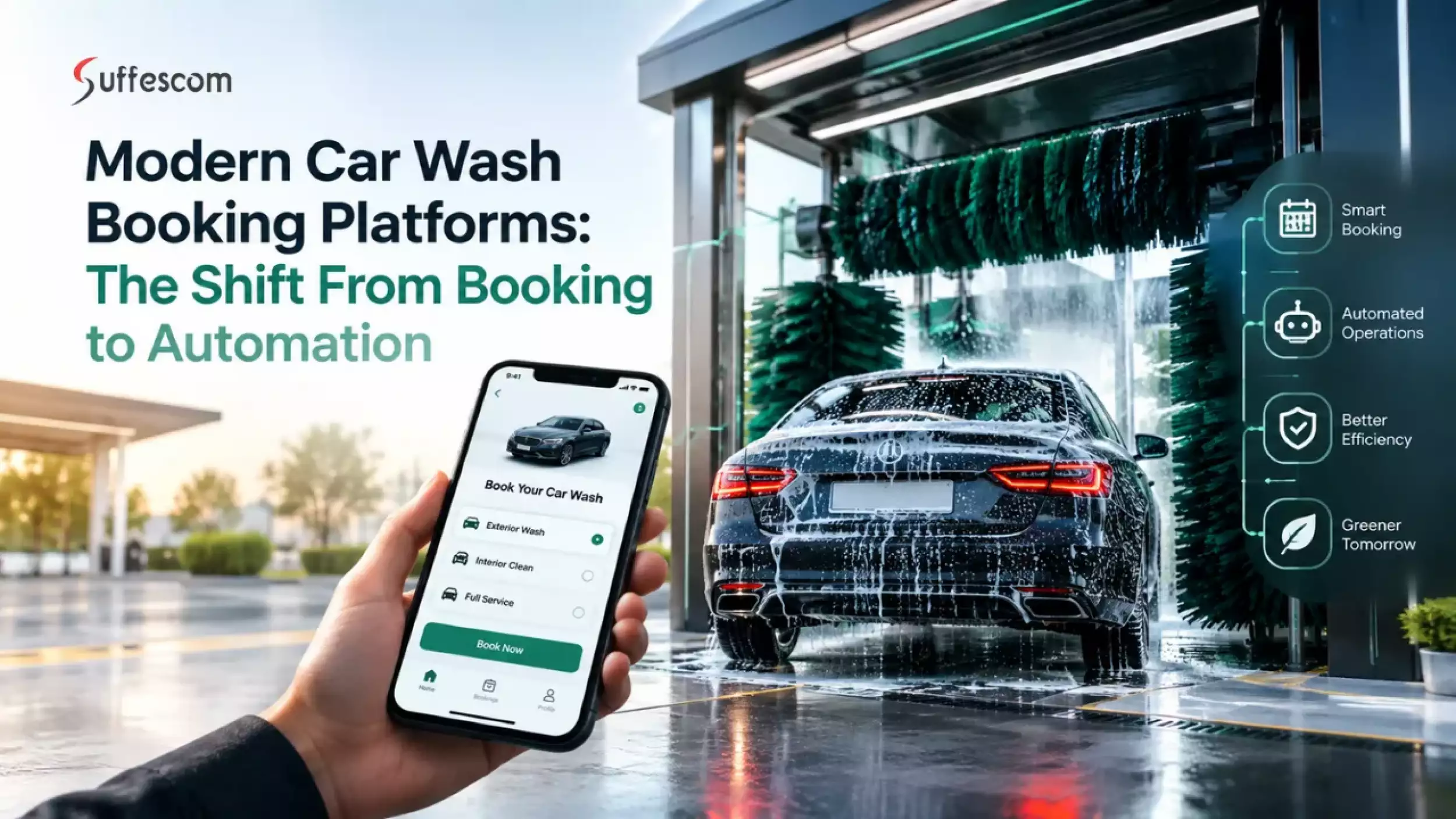
With this transition, businesses are investing in car wash booking app development to enhance the customer experience and streamline operations.
However, a booking app isn't just a digital calendar. It needs to be able to link real-time availability, service duration, vehicle information, pricing, payments, staff or technician timetables, notifications, and rescheduling rules via a secure booking engine.
If you're a car wash owner, mobile detailing business, startup, multi-location operator, marketplace entrepreneur, or SaaS provider, this guide covers everything from core features and booking workflows to integrations, technology, security, development costs, and monetization to help you build a scalable car wash booking app.
What Is a Car Wash Booking App?
A car wash booking app is a mobile application that is used by the client, and enables the client to look for car wash services, choose vehicles, confirm their availability, book their slots, pay for the services, and manage their car wash bookings. It's more than just a booking interface when it comes to development. The app brings the customer experience to scheduling, pricing, payments, staff allocation, memberships, notifications, and business operations.
Why Is the Car Wash Industry Becoming More Digital?
The car wash market is becoming more digital to enhance convenience, retention, and visibility into the operation. The expansion of recurring memberships is one factor driving this change. More than 3,000 car wash locations reported a 10.4% rise in membership revenue and a 3.9% drop in retail revenue in Q2 2026.
The operators are helping them deal with that change with mobile apps, digital payments, loyalty programs, CRM, POS integrations, and automation of customer engagement. According to industry reporting, integrated data from POS systems, memberships, and equipment is also an important aspect of today's car wash operations.
These capabilities enable multi-location operators to draw on centralized control while also controlling services and capacity at individual locations. Digital scheduling, GPS tracking, technician dispatch, and automated notifications are also available to mobile detailing and on-demand businesses.
How a Car Wash Booking Platform Works
A car wash booking platform integrates with the customer booking process, the business scheduling, payment, and service. Typical workflow is like this:
- Choose location and service: The customer chooses a nearby car wash service and selects the wash, detailing package, or add-on.
- Select vehicle: The customer selects a saved vehicle or enters the make, model, year, and vehicle type.
- Check availability: Operating hours, service duration, bay or technician availability, capacity, and other scheduling constraints are checked via the booking engine.
- Select Date and Time: Accessible slots are shown dynamically based on capacity, not a hard-coded calendar.
- Select pricing: Applies selected service, vehicle type, add-ons, membership benefits, discounts, taxes, and applicable fees.
- Authorize payment: The platform authorizes payment or sets up a payment intent prior to booking.
- Create booking: If the necessary checks are all passed, the appointment is confirmed, and a unique booking record is created.
- Assign staff or a washer: Allocate the appropriate employee, technician, or service provider to the job, based on availability, location, skills, and scheduling rules.
- Send notifications: Bookings are confirmed to the customer, reminded with a push notification, SMS, or email, and let them know about changes.
- Update service status: Staff updates the status of the booking as the vehicle progresses through the service workflow.
- Finalize payment: Capture or settle the authorized payment and create a receipt or invoice.
- Maintain the customer relationship: The platform can ask for a review once the booking is done, update loyalty/membership records, send out CRM follow-up actions, and promote rebooking.
This workflow enables a car wash booking app to manage customers, resources, payments, and operations in a single connected system.
Car Wash Booking App vs. Car Wash Management Software
| Capability | Booking App | Management Software | Combined Platform |
| Customer booking | ✓ | Limited | ✓ |
| Staff management | Limited | ✓ | ✓ |
| Online payments | ✓ | ✓ | ✓ |
| Memberships | ✓ | ✓ | ✓ |
| Multi-location | Optional | ✓ | ✓ |
| Marketplace | Optional | No | ✓ |
| Analytics | Basic | Advanced | Advanced |
Car Wash App vs. Website vs Booking Software
A website can provide basic information and booking, while booking software development focuses on scheduling and operational management. A car wash app adds a mobile-first experience with features such as saved vehicles, push notifications, GPS, memberships, loyalty, and faster repeat bookings.
| Capability | Website | Booking Software | Mobile App |
| Online booking | ✓ | ✓ | ✓ |
| Service & vehicle profiles | Limited | ✓ | ✓ |
| Push notifications | Limited | Limited | ✓ |
| GPS & mobile dispatch | Limited | ✓ | ✓ |
| Membership management | Limited | ✓ | ✓ |
| Loyalty & rebooking | Limited | ✓ | ✓ |
| Mobile-first experience | Medium | Medium | High |
| Best suited for | Basic online presence | Scheduling & operations | Connected customer experience |
Which Car Wash Business Models Can Use a Booking App?
A booking platform can be used in a number of business models, such as:
- Fixed-location car washes: Manage appointments, services, bays, and customer traffic for a fixed-location car wash.
- Mobile or doorstep car wash: Plan the service areas, travel time, location, and technicians.
- Auto Detailing Companies: Schedule Detailing Packages, Add-Ons, and Expert Services.
- Centralized bookings with location-specific availability: Multi-location wash chains.
- Car wash marketplaces: Match up multiple independent car wash providers with customers.
- Recurring wash clubs: Manage plans, entitlements, payments, and renewals.
- Fleet washing companies: Manage bookings, fleet, and business accounts.
Why Invest in Car Wash Booking App Development?
Developing a car wash booking app is not just about providing customers with another booking option. A robust platform can offer enhanced convenience, simplify day-to-day functions, generate revenue on a repeat basis, and offer valuable customer information.
Consumers Want Faster Car Wash Scheduling
Just like other on-demand services, people are accustomed to the concept of convenience with a car wash service. With a car wash booking app, users can:
- Make appointments without using the phone or standing in line.
- Locate any local car wash services.
- Make secure payments online.
- Save car information for quicker bookings.
- Rebook previous services with fewer steps.
- Operational friction can be minimized with booking software.
Manual calendars and reliance on phone bookings can be replaced with a digital booking system. The platform can take into account the duration of the service, bay availability, technician schedules, service hours, and the location's capacity when assigning appointments.
Centralized scheduling can also ensure a more efficient distribution of work, while automated reminders minimize missed bookings. The mobile services system may also take into account the location of technicians and travel time.
Recurring Revenue Through Car Wash Memberships
One-time customers can become repeat customers for a booking platform, thanks to monthly memberships, prepaid packages, family packages, fleet packages, and package renewals as well.
This model is gaining traction in the car wash market. Membership revenue rose by 10.4% year over year in Q2 2026, with retail revenue falling by 3.9% in over 3,000 locations. The platform may additionally help with loyalty incentives, reminder emails, recovery of failed payments, and membership upgrades.
Data Becomes a Competitive Asset
Each booking provides valuable data about customer activity and business operations. This information can give operators insights into the frequency of usage, popular services, peak demand, underutilization, and retention trends of customers.
This supports:
- Customer segmentation
- Retention and churn analysis
- Demand forecasting
- Service optimization
- Personalized promotions
Ready to Take Your Car Wash Business Digital?
Turn your car wash idea into a secure, scalable booking platform built around your services, locations, customers, and operations.
Choose Your Car Wash Booking App Business Model Before Development
Determine the business model for your car wash booking app before initiating car washing application development. The model directly impacts your booking logic, your user roles, integrations, payment flow, and architecture. It is better to make the right decision early on to prevent costly redesigns later.
Single-Brand Car Wash Booking App
This model is good for a single car wash or an expanding car wash chain. Customers can locate and pick up services, pick a time slot, pay online, handle vehicles, and even access memberships. Centralized pricing, location, bay, and customer management are options for multi-location chains.
On-Demand Mobile Car Wash App
In this case, customers call for service at their convenience. The platform can't just be a simple booking site. It should be equipped to track GPS, have technicians available, dispatch, travel time, and service areas, and provide real-time updates.
Car Wash Marketplace App
A marketplace is a single platform that connects various individual car wash and detailing operators. Customers do a price comparison and review the services, location, availability, and reviews. Multi-vendor management, provider onboarding, commissions, payouts, ratings, and separate provider dashboards are necessary in the architecture.
Car Wash SaaS Platform
You don't run the washes; instead, you sell the software to car wash owners. The key features of a car wash SaaS platform are multi-tenant architecture, tenant-level configuration, subscription billing, role-based access, reporting, and scalable integrations.
Hybrid Car Wash Booking Platform
A hybrid model is a hybrid of multiple revenue and service models in the same ecosystem. It can support:
- Fixed-location bookings
- Mobile car wash services
- Memberships and subscriptions
- Marketplace functionality
The latter has a more modular structure and is more flexible.
Express Car Wash / Membership-First Model
The app is more than just a booking app for many express car wash companies. Access to the membership and automated vehicle recognition can become the entire customer journey.
The architecture may need to accommodate:
- Recurring memberships
- Unlimited wash plans
- License plate recognition (LPR)
- Dedicated member lanes
- POS integration
- Kiosk payments
- Wash entitlement validation
- Loyalty programs
- Automated entry
- Vehicle identification
How Business Model Changes App Architecture
| Business Model | Core Architecture Requirement | Complexity |
| Single location | Booking + payment | Low |
| Multi-location | Location/bay management | Medium |
| Mobile wash | Dispatch + GPS | High |
| Marketplace | Multi-vendor architecture | High |
| SaaS | Tenant isolation + billing | Very High |
Your car wash booking software will need to manage today's business requirements as well as future growth, so that's why you need to choose the right model before you start building your software.
Car Wash Booking App Development: Core User Journeys
The foundation of a good car wash booking app is the actual customer, technician, and business flows. Drawing these journeys ensures that every stage of the process is linked, starting from the initial search to the completion of services and retention of customers.
Customer Booking Journey
Search → Location → Service → Vehicle → Slot → Add-ons → Payment → Confirmation
- Search: Customer looks for a similar service or a car wash in a nearby area.
- Location: The app displays locations that are near the selected area or location of the customer.
- Service: Customer selects a wash or detailing service or any other services offered.
- Vehicle: Customer selects a vehicle that is saved or enters the make, model, year, and license plate of the vehicle.
- Slot: The system verifies the time duration of the service, location capacity, and availability status, and then shows time slots with availability information.
- Add-ons: Customers can add services such as interior cleaning, waxing, or detailing.
- Payment: The customer is asked for payment using an integrated payment method and is given the breakdown of the price associated with this method.
- Confirmation: The booking has been confirmed and communicated via the app, email, SMS, or push notification.
Technician/Washer Journey
Availability → Job Assignment → Navigation → Arrival → Service Status → Proof → Completion
- Availability: Technicians set working hours and available service areas.
- Job Assignment: The system assigns a suitable booking based on the availability, location, and service requirements.
- Technician navigation: Customer and job information is fed into the technician with GPS navigation.
- Arrival: The technician arrives and starts the assigned service.
- Service Status: Indicates the status of the services being performed.
- Proof: The technician can upload before-and-after pictures, notes, or other proof of services.
- Completion: Service has been completed, payment is final, and customer service history is updated.
Admin Journey
Booking → Assignment → Monitoring → Payment → Customer Support → Analytics
- Booking: Admins see and control incoming and scheduled bookings.
- Assignment: Staff or technicians are assigned based on availability and operational requirements.
- Monitoring: Managers check the booking status, staff activity, location, bays, and current services.
- Payment: Admins can see payment activity, refute payments, see failed payments, etc.
- Customer Support: Enables teams to manage cancellations, rescheduling, complaints, and service-related requests.
- Analytics: Business owners check out bookings, income, customer activity, memberships, and performance.
Membership Customer Journey
Not all transactions are initiated in an application. Especially for membership-first businesses or express car washes, customers might just show up.
Arrival → Vehicle Identification → Membership Validation → Service/Lane Selection → Payment/Entitlement Check → Wash → Visit Recorded → Loyalty/CRM Update
- Arrival: Customers go to the car wash area.
- Vehicle Identification: The system can recognize the vehicle through the vehicle identification number or license plate.
- Membership Validation: It identifies whether the customer has an active membership or if they have a valid wash plan.
- Service/Lane Selection: Customer is guided to the right wash service or lane.
- Payment/Entitlement Check: The system checks the customer's wash entitlement, or it charges the user for a non-member visit.
- Wash: The car goes into the wash.
- Visit Recorded: The customer's completed visit is added to their membership and service history.
- Loyalty/CRM Update: Loyalty points, customer activity, and CRM data are automatically updated.
What Happens When a Booking Fails?
A good car wash scheduling app should also be able to cope with any interruptions in the standard booking process.
- Slot becomes unavailable: The system releases the unavailable slot and proposes the next available slot.
- Payment fails: The booking is temporarily reserved, and then the payment is reattempted before releasing the slot.
- Technician cancels: The system can reschedule the job or schedule an appointment for the customer.
- Customer reschedules: Check for availability again prior to moving the booking.
- Customer is late: The system can use defined grace periods or enforce rescheduling rules.
- Service takes longer: Subsequent bookings can be adjusted based on updated capacity and service duration.
- Weather disrupts mobile service: Customers and technicians can be notified, with rescheduling options provided.
- Double booking: Transaction controls and temporary booking locks should prevent two customers from securing the same slot.
- Refund request: The platform should provide for the recording of the request and make full or partial refunds based on business rules.
Must-Have Features for a Car Wash Booking App
A reliable car wash booking app needs more than a booking form. The following features should be planned as separate functional modules.
Customer App Features
The user interface of the app should be intuitive and easy to use for the end customer so that they can book services, make payments, and manage services with ease.
Account Registration and Login
Enable customers to sign up with email, phone number, or supported social login methods. Secure authentication allows users to access their bookings, vehicles, memberships, payments, and service history.
Vehicle Profile Management
Customers should be able to create and manage multiple vehicle profiles with details such as:
- Make
- Model
- Year
- Vehicle type
- License plate
- Saved vehicles
This makes repeat bookings faster and gives the platform the vehicle information needed for service selection and membership validation.
Car Wash Service Catalog
Display available services with clear descriptions, pricing, estimated duration, and applicable vehicle types. The catalog can include:
- Exterior wash
- Interior cleaning
- Detailing
- Waxing
- Ceramic coating
- Add-ons
Location-Based Car Wash Discovery
Enable location services to make it easy for consumers to locate local car wash facilities. Users can get operating hours, services offered, directions, and other information about the location before booking.
Real-Time Availability
Use schedules or show availability, depending on the time of the year. Availability should include factors like location, capacity, service duration, bays, and the availability of technicians.
Date and Time Slot Booking
It should be possible for the customer to choose a specific date and time slot. The booking engine should not allow selecting unavailable slots.
Instant Booking and Scheduled Booking
Support both immediate service requests and future appointments. Instant bookings are useful when capacity is available, while scheduled bookings allow customers to plan ahead.
Online Payments
Integrate secure digital payments so customers can pay during checkout. The system can support cards, digital wallets, saved payment methods, and other approved payment options.
Booking Modification and Cancellation
Customers should be able to reschedule and cancel appointments based on predetermined business rules. Availability should be automatically updated when a booking is made.
Booking History
Provide customers with information on past and future bookings, service information, payments, and completed car services. The historical booking data will also help with quicker rebooking.
Push Notifications
Schedule timely notifications for booking confirmation, reminders, updates on the technician, rescheduling, cancellations, payment problems, and completion of the service.
Ratings and Reviews
Enable consumers to rate services they have completed and provide reviews. Ratings can be used to keep an eye on service quality and to uncover any common issues customers may have.
Digital Receipts and Invoices
Generate digital receipts and invoices after successful transactions. Customers should be able to view or access their payment records directly from the app.
Technician App Features
For mobile and technician-assisted services, the washer app should turn each booking into a clear, trackable job.
Job Assignment
Technicians should receive relevant jobs based on their availability, location, service area, and required skills.
Accept/Reject Booking
Allow technicians to accept or reject assigned jobs within defined time limits. Rejected jobs can return to the dispatch system for reassignment.
Availability Management
The booking engine can be programmed to only book jobs that the technician can provide, in terms of hours, breaks, service areas, and availability.
Navigation and GPS
Provide customer location details, navigation, and GPS support. This is particularly important for mobile car wash and detailing services.
Service Status Updates
Technicians can change the status to accepted, on the way, arrived, in progress, and completed. Customers and admins can get updates as they happen.
Before-and-After Photos
Allow technicians to capture and upload before-and-after images. These can provide service proof and help resolve disputes.
Customer Notes
Technicians can view relevant customer instructions and add service notes, vehicle observations, or completion details.
Earnings Dashboard
Give technicians visibility into completed jobs, earnings, tips, commissions, and other applicable income details.
Payout Management
Track pending and completed payouts and provide relevant payment information. For marketplace models, this can connect with the platform's vendor payout system.
Admin Dashboard Features
The admin dashboard acts as the operational control center for the car wash booking software.
Booking Management
Admins can create, edit, and assign bookings, as well as reschedule and cancel bookings, and monitor bookings. There should be a clear view of the current and upcoming appointments on the dashboard.
Customer Management
Handle customer profiles, vehicles, booking history, memberships, payment management, and review and support request management, all in one place.
Technician Management
Admins can add technicians, set availability, schedule jobs, check job performance, and track service activity.
Location Management
Manage individual locations, operating hours, bays, service capacity, staff, and location-specific services for multi-location businesses.
Service and Pricing Management
Admins should be able to add and remove services, update the prices, set the duration of the services, add extra services, and set location-specific pricing as needed.
Coupon and Promotion Management
Generate promotional codes, discounts, offers, and rules for campaigns. Eligibility criteria, usage restrictions, and expiration dates must be included and tracked within the system.
Membership Management
Administer membership plans, subscriptions, customer entitlements, renewals, upgrades, cancellations, and usage. This is especially critical for membership-first and express car wash services.
Refund and Dispute Management
Provide tools for administrators to access refund requests, failed transactions, service disputes, and payment issues. Refund actions should not be separated from the booking and transaction.
Analytics and Reports
Provide reports covering bookings, revenue, popular services, customer activity, technician performance, cancellations, memberships, retention, and location-level performance.
These modules form an all-in-one car wash mobile app development base. The actual functionality can then be scaled depending on the business model, whether it's a single-location wash, mobile service, marketplace, SaaS, or multi-location membership.
Build the Right Features for Your Car Wash Business
From real-time booking and memberships to GPS dispatch, payments, POS, and multi-location management, we can help you define the features your platform actually needs.
The Booking Engine: The Most Important Part of Car Wash App Development
A good booking engine avoids overbooking, optimizes resource utilization, and ensures that the availability of customers is kept up to date in case of changes.
How a Car Wash Booking Engine Works
The system considers a few factors before it shows the slot as available to customers:
- Service duration: Describes the amount of time that a car will occupy a wash or detailing bay and a technician.
- Staff availability: Ensures that qualified staff or technicians are available for the required time.
- Bay availability: For fixed locations, the engine checks whether a suitable wash bay is free.
- Location capacity: Do not allow bookings to exceed the capacity of a particular location.
- Business hours: Make sure appointments are made during business hours.
- Blackout: Reserve a block during a time that is not available, such as holidays, maintenance, private events, etc.
- Buffer time: Provides preparation, cleaning, travel, or turnaround time to allow services to take place when needed.
- Vehicle/service compatibility: Restricts customers from getting services that are incompatible with the vehicle being used.
- Geographic service area: When used in a mobile service, it is used to verify that the customer is located within the service area range.
This yields an active, as opposed to a passive, availability layer, instead of a plain calendar.
Slot Allocation Logic
Imagine that someone is looking to make a booking at 2:00 pm on Saturday. The system should not believe that the time is available just because the calendar does not have anything in it.
It validates the chosen service time, staff required, availability of technicians, location availability, operating hours, buffer time, and any existing bookings. It also takes the technician's travel time and location into account when performing a mobile wash.
The engine becomes bookable only when all the conditions are met, at 2:00 PM. This logic ensures availability is accurate and allows customers to book appointments that the business won't be able to keep.
Preventing Double Bookings
If two customers make bookings for the same time slot at practically the same time, this can cause issues. A robust booking engine needs safeguards such as:
- Database transactions ensure booking changes are processed safely.
- Booking locks temporarily protect a selected slot.
- Concurrency handling to manage simultaneous booking requests.
- Reservations for the use of a slot during the checkout process.
- Payment timeout rules, which free up the slot when the payment is not finished within the specified time.
This will make sure that an appointment is not booked twice just because two users booked the appointment within milliseconds of each other.
Dynamic Availability for Mobile Car Washes
Mobile car wash scheduling complicates things further. The platform should determine if a technician is able to reach and complete the requested service.
The booking engine can consider:
- Technician location
- Travel time
- Service duration
- Geographic radius
- Route capacity
For instance, if a technician is scheduled at 3:00 PM, then he should not be made available if reaching the customer's location will prevent him from completing the next scheduled job. This makes mobile availability a mix of time, place, and resource capacity.
Rescheduling and Cancellation Logic
The rescheduling should not just be moving the original appointment, but should initiate another check for availability. The system should recalculate the capacity, staff/technician availability, service duration, and travel requirements.
The rules of cancellation may be the reason for a full or partial refund, the time and amount of cancellation fees, and who will get the released slot first.
Waitlists and Queue Management
When a preferred slot is unavailable, a waitlist can capture customer demand instead of losing the booking opportunity. If a cancellation occurs, the system can notify eligible customers and offer the newly available slot.
For high-volume fixed-location washes, queue management can also help control walk-ins and coordinate available bays without disrupting scheduled appointments.
Booking Confirmation Architecture
Once all booking conditions are satisfied and payment requirements are completed, the system moves the appointment into a confirmed state. Confirmation can be delivered through:
- App: Booking details, location, service, and appointment time.
- Email: Confirmation and receipt information.
- SMS: Short booking confirmations and reminders.
- Push notification: Real-time updates, reminders, and status changes.
A useful way to model this backend logic is through a booking state machine:
Available → Held → Payment Pending → Confirmed → Assigned → In Progress → Completed → Closed
Each state has defined rules for what can happen next. This gives developers a clear framework for handling payments, cancellations, assignments, failures, and completion without leaving bookings in inconsistent states.
Fixed-Location vs. Mobile Car Wash Booking App Development
Not every car wash booking app needs the same scheduling architecture. Choosing the right architecture early helps the platform manage capacity without creating unnecessary complexity.
Fixed Car Wash Booking Architecture
A fixed-location system revolves around the physical capacity of the wash facility. The booking engine needs to know:
- Bays: What bays are available, and what services can be provided for each bay?
- Queues: Management of scheduled appointments and walk-ins without disrupting operations.
- Location capacity: Maximum number of cars that can be processed at a specific location in a certain time.
- Service duration: The time during which a service is in a bay and the impact it has on any other services to follow.
- Operating hours: When appointments can be accepted based on business hours and configured schedules.
This architecture is particularly suitable for single-location washes and multi-location car wash chains.
Mobile Car Wash Booking Architecture
A mobile car wash requires a more dynamic approach because the service comes to the customer. The system must consider:
- Technician availability: Whether a qualified technician can accept the job.
- GPS: The technician's and customer's locations for accurate positioning.
- Availability: If the technician is able to arrive at the customer's location in the time provided.
- Service radius: Whether the customer is in a service area or not.
- Dispatch: Providing the proper technician according to availability, location, and services required.
- Job scheduling: Efficiently coordinating jobs to minimize travel between jobs and schedule conflicts.
Mobile availability is not fixed and can vary depending on traffic, the location of technicians, or work completed and new bookings made.
Hybrid Model
Both models can be accommodated in the same hybrid car wash booking platform. Customers may choose to have their boat moved to a particular site or have a mobile technician come to their location.
Shared customer, vehicle, payment, and booking information can be shared on the platform, and different scheduling rules can be applied to each service type. This allows businesses to expand from fixed-location operations into mobile services without building two completely separate platforms.
| Requirement | Fixed Wash | Mobile Wash |
| Bay management | Essential | Optional |
| GPS tracking | Useful | Essential |
| Technician dispatch | Low | Essential |
| Route optimization | Low | Essential |
| Queue management | Essential | Optional |
| Location management | Essential | Essential |
Advanced Features That Can Make Your Car Wash Booking App Stand Out
When the basic booking and operational processes are in place, a car wash booking application could be made smarter, easier, and more scalable by incorporating additional capabilities:
AI-Powered Demand Forecasting
By analyzing past bookings, seasonal patterns, demand for services, and location data, AI can predict future demand. This can assist management in better planning of staffing, bay capacity, and resources.
Smart Slot Recommendations
The app can suggest optimal booking periods according to the duration of services, available capacity in the location, availability of the technician, and preferences of the customers. Travel time and existing routes can also be taken into account when it comes to mobile services.
Dynamic Pricing
Prices can be based on the demand, time, location, service type, or availability of the business. There are benefits to rule-based pricing and data-based pricing, and they can be used together in conjunction with each other.
Automated Customer Rebooking
The platform can identify recurring service patterns and prompt customers to book again. One-tap rebooking can retain their previous vehicle, service, location, and payment preferences.
Weather-Aware Scheduling
Weather conditions can affect mobile car wash operations. Weather-aware scheduling can flag unsuitable conditions, notify customers, and offer alternative appointment times.
AI Customer Support
An AI assistant can respond to frequently asked questions regarding services, prices, locations, booking, membership, and policies. When needed, complex issues can be passed on to human support.
License Plate Recognition
When a vehicle reaches a location, license plate recognition (LPR) can link vehicles with customer/membership records. It can be used for member validation and automated entry, vehicle identification, and some fraud prevention workflows.
Membership Personalization
The platform can also provide insights into membership activity, wash frequency, vehicle profiles, and service history, and deliver more relevant plans, add-ons, reminder notifications for renewals, and loyalty incentives.
Predictive Customer Churn Detection
Analytics or AI development models can detect trends like fewer visits or non-renewals, which could signal churn. This information can then be leveraged by businesses to develop personalized retention strategies.
Fleet Account Management
Fleet customers can control a number of vehicles, drivers, locations, and recurring services by means of just one account. Centralized billing, scheduling, vehicle-level records, and usage reports are just a few features they might have.
Multi-Vehicle Booking
When customers book a vehicle, they can choose from several vehicles they have saved in their profile. The system can provide the right service, price, length of service, and membership rights per vehicle.
Digital Vehicle Service History
A digital history can capture wash data, service, treatment, add-on, date, payment, and comments from the tech for each car washed. This can help ensure quicker repeat bookings and more customized service.
Car Wash Membership and Subscription System
Memberships can turn one-time car wash customers into recurring customers and create a more predictable revenue stream.
Monthly Wash Memberships
The monthly memberships enable customers to pay a fixed amount for regular car wash services. Other features for the app include showing available plans, services included, renewal dates, and membership benefits.
Unlimited vs. Limited Wash Plans
Businesses can offer unlimited washes or plans with a fixed number of washes per month. Unlimited plans can encourage frequent visits, while limited plans provide better control over service usage.
Membership Usage Tracking
Every membership wash should be recorded against the customer's account and vehicle. The system can track washes used, remaining allowances, service types, and usage dates.
Upgrade, Downgrade, and Cancellation
The ability of the customers to modify plans without contacting support for regular requests. Upgrades, downgrades, cancellation requests, and applicable billing adjustments as per business rules are supported in the app.
Failed Payment and Grace Period Handling
Failed subscription payments should trigger automated notifications and payment retry workflows. Businesses can define a grace period before membership benefits are paused or canceled.
Family and Multi-Vehicle Memberships
Family plans can have more than one user or vehicle sharing membership benefits in a single plan. The system should enable vehicle-level eligibility, user permissions, and usage restrictions, and they should be billed together.
Membership Abuse Prevention
Subscription rules should help prevent misuse, such as repeated bookings, unauthorized vehicle usage, or excessive service claims. Controls can include vehicle verification, booking limits, account validation, and usage monitoring.
Payments and Revenue Management for a Car Wash Booking App
Payments are a core part of car wash app development, especially when the platform supports online bookings, memberships, mobile services, add-ons, and multiple service providers.
Payment Methods
A car wash booking app can accept credit and debit cards, electronic wallets, saved payment options, gift cards, promotional credits, and more. Customers should have the choice of selecting a desired option at checkout and be able to safely reuse their authorized payment for their future bookings and subscriptions.
Payment Authorization vs. Capture
Authorization confirms that the customer's payment method can cover the transaction and places the amount on hold. Capture actually collects the funds. Separating these steps can be useful when the final charge depends on the completed service, such as a mobile wash with additional services.
Refunds and Partial Refunds
The payment system should support full and partial refunds for cancellations, service adjustments, or customer service issues. Refund rules can be connected to booking status and cancellation policies. For example, payment platforms such as Stripe allow partial refunds up to the remaining unrefunded amount.
Technician / Vendor Payouts
In marketplace or mobile car wash models, the site may require sharing profits with business owners, techs, or providers of the service. The system can work out commissions, fees, tips, and adjustments prior to producing payout records and settlement reports.
Tips and Add-On Charges
Customers may be offered the option to tip technicians and pay for extra services when booking or upon completion. Extras like interior cleanings, waxing, and detailing may be included with the basic services. The application should make that clear when it is charging the customer before it updates the total.
Tax and Invoice Management
The platform should calculate applicable taxes based on the business model, service location, and configured tax rules. It can then generate digital invoices or receipts showing services, discounts, taxes, tips, and the final amount. Tax requirements should be reviewed based on the locations where the business operates.
Subscription Billing
Recurring billing should link directly to the memberships (if available) in the app. It can handle renewals, recurring charges, payment failures, invoices, and plan adjustments. A payment processor can provide a seamless way of dealing with recurring payments and help to eliminate the need for the app to store sensitive card data itself.
For payment security, developers should follow applicable PCI DSS requirements and secure software practices. The PCI Security Standards Council's Secure Software guidance provides relevant requirements for software involved in payment transactions.
Third-Party Integrations for Car Wash Booking App Development
The right integrations depend on the business model, but a scalable platform should be designed with APIs and modular integration layers from the start.
Maps and Location APIs
Maps and location APIs help customers find nearby car wash locations, select service areas, and get navigation directions. They can also be used to help with address validation, routing, distance calculations, and service area verification in the case of mobile car wash services.
Payment Gateway Integration
Payment gateways can be used to provide secure checkout for bookings, memberships, payment deposits, and add-on services. Card, digital wallet, saved payment method, refunds, and repeat billing, as needed, should all be integrated. The payment processing should also meet the compliance requirements of PCI security.
SMS & Push Notification Services
Events such as booking confirmations, reminders, technician arrivals, booking cancellations, and payment updates are communicated to customers via SMS and push notifications. Notifications can also be used for membership renewals for businesses, offers, and service follow-ups.
Email Platforms
Email integrations include booking confirmations, digital receipts, invoices, membership updates, and customer communications. For example, campaign and customer engagement workflows can be sent via marketing platforms, and booking events can be automated with transactional emails.
CRM Integration
CRM integration enables the linking of booking and customer activity to overall retention processes. Customer data, vehicle details, service history, membership status, and communication preferences can be synced with the business to facilitate targeted marketing and customer service.
POS Integration
POS integration keeps online bookings connected with in-store transactions and operational systems. It can synchronize services, pricing, memberships, payments, customer records, and redemption data, reducing duplicate entry between the app and physical car wash locations.
Accounting Software
Financial systems can import transaction data, invoices, refunds, taxes, fees, and payouts. It minimizes manual bookkeeping responsibilities and ensures that businesses can keep track of their finances more effectively as the number of bookings and locations grows.
Analytics Platforms
Analytics integrations provide visibility into bookings, conversion rates, customer behavior, revenue, cancellations, membership activity, and service performance. Connecting the app with an analytics platform helps operators make decisions using actual usage data.
Customer Support Platforms
Customer support integrations can connect app users with chat, ticketing, or helpdesk systems. Booking details and customer information can be passed to support agents, allowing them to resolve issues without asking customers to repeat basic information.
License Plate / Camera Systems
LPR and camera integrations can connect vehicles with customer or membership records when they arrive at a location. They can support automated identification, membership validation, entry workflows, and selected security or fraud-prevention processes.
IoT and Smart Car Wash Equipment
IoT integrations can connect the software platform with smart gates, wash equipment, sensors, vacuums, and other connected systems. This can enable automated service workflows, equipment status monitoring, usage tracking, and real-time operational visibility.
Key Integrations to Prioritize
| Integration | Purpose | Priority |
| Maps | Location/navigation | High |
| Payments | Checkout | Critical |
| SMS | Booking alerts | High |
| CRM | Retention | Medium |
| POS | In-store synchronization | High |
| Analytics | Performance tracking | High |
| IoT | Automated wash operations | Advanced |
Car Wash Booking App Tech Stack
The right tech stack depends on the app’s features, business model, integrations, scalability, and development goals. There is no single technology that works best for every car wash booking app.
Mobile App Development
Flutter and React Native are suitable for cross-platform apps with shared code. Native iOS and Android are better when the project needs deeper platform-specific control or advanced device features.
Backend Development
Node.js is useful for API-driven and real-time applications. Python fits data and AI-heavy workflows, while Java and .NET work well for large, enterprise-grade platforms.
Database
PostgreSQL and MySQL are strong choices for structured booking, customer, payment, and membership data. MongoDB can be considered when flexible, document-based data is more appropriate.
Cloud Infrastructure
AWS, Google Cloud, and Microsoft Azure can provide hosting, databases, storage, security, monitoring, and scaling. The choice should depend on project requirements, existing infrastructure, cost, and team expertise.
APIs and Real-Time Communication
APIs connect the app with payments, CRM, POS, maps, and other services. WebSockets or similar technologies can enable real-time booking updates, technician status, and service notifications.
Maps and Geolocation
Mapping APIs can be used for location search, navigation, address validation, distance calculation, and technician routing. Coverage, features, pricing, and location requirements should be taken into account when choosing the provider.
Analytics and Monitoring
Analytics tools monitor customers, conversions, revenue, retention, and customer behavior. Monitoring tools can be used to identify crashes, API errors, performance concerns, and infrastructure issues.
How We Choose the Stack
| Requirement | Suitable Options | Key Consideration |
| Cross-platform app | Flutter, React Native | Faster shared development |
| Native experience | iOS, Android | Platform-specific control |
| Backend | Node.js, Python, Java, .NET | Scale and application needs |
| Database | PostgreSQL, MySQL, MongoDB | Data structure |
| Cloud | AWS, Google Cloud, Azure | Cost and infrastructure |
| Real-time features | WebSockets, APIs | Live updates |
| Location | Google Maps, alternatives | Coverage and pricing |
For car wash app development, the stack should be selected based on actual product requirements, not simply current technology trends.
Security, Privacy, and Compliance Requirements
Security should be taken into account from the start of the development of a car wash booking app, particularly if the application manages customer accounts, payments, vehicle data, and location data.
Secure Authentication
Secure logon process (strong passwords, OTP, biometrics, etc., where applicable). Multi-factor authentication can provide another security layer for customers, technicians, and administrators.
Role-Based Permissions
Access to only the functions that the user needs. To minimize unauthorized access to bookings, payments, customer information, and your operational settings, customers, technicians, managers, and administrators should have separate permissions.
Payment Data Security
Do not store sensitive card data directly unless there is a specific business requirement and the appropriate controls are in place. Employ recognized payment providers and adhere to relevant PCI DSS guidelines for payment systems.
Encryption
Sensitive information is protected when it's being transmitted and also when it's being stored. Data in transit should be protected using HTTPS/TLS, and sensitive stored data should be protected using suitable encryption and key management.
API Security
APIs should implement secure authentication, authorization, input validation, rate limiting, and monitoring. Frequent security testing can enable you to discover vulnerabilities before they impact the business or any users.
Data Backup and Disaster Recovery
Frequent backups serve to safeguard bookings, customer data, and operational information from unforeseen loss or system failures. Backup frequency, restoration procedures, and acceptable recovery times should be included in a recovery plan.
Privacy and Data Retention
Only gather what is necessary to deliver and run the service. Data access and usage, retention and deletion policies, as well as requests from customers, should be clearly defined and adhere to the data privacy requirements. The FTC’s guidance on protecting personal information offers some useful principles of security and privacy.
Location Data Protection
Only collect location data when it is required for features like mobile service routing or the ability to search for locations nearby. Access should be restricted, retention curtailed, and customers appropriately informed about the use of their location data.
Secure Third-Party Integrations
Processing systems, mapping, CRMs, point-of-sale systems, and notifications should be connected via safe APIs. Ensure access tokens and credentials are safeguarded, and integrations are monitored for any failures or unusual activity.
Accessibility and Mobile UX Considerations
It's important that security is not a barrier for users using the app. All logins, check-outs, navigation, notifications, and booking flows must be accessible and usable on all supported devices. The needs of accessibility should be assessed in line with the markets and services that the app serves.
Car Wash Booking App Development Process
A development process is structured in a way that takes an idea for a car wash booking and makes it a dependable, scalable platform. The stages should be sequential, starting with business requirements definition, through to product launch and enhancement.
Step 1: Business and Technical Discovery
Outline the business model, potential customers, service areas, booking conditions, and objectives. The technical team also reviews the integrations, scalability, security, and platform requirements.
Step 2: Requirements and Feature Prioritization
Translate business requirements into functional and technical requirements. Focus on the core MVP features first and then add on advanced ones later.
Step 3: User Flow and Booking Logic
Map the journeys of customers, technicians, and admins. Outline all of the rules of availability, slots allocated, price, cancellations, rescheduling, payment details, and any other booking conditions.
Step 4: UX/UI Design
Develop wireframes and interactive prototypes for the customer app and technician workflows. and admin dashboard. It should be easy to use, and it should be an easy booking process.
Step 5: Backend and API Development
Develop application architecture, database, APIs, authentication, booking engine, payment logic, and business rules. The back end should be flexible and allow for future integration and locations.
Step 6: Mobile App Development
Implement the iOS/Android designs. Key features are account management, vehicle profiles, service selection, service availability, booking, payments, and notifications.
Step 7: Admin and Operations Dashboard
Develop booking, location, service, customer, staff, membership, payments, and report management tools. Operational controls should provide management with visibility into day-to-day activity.
Step 8: Payment and Third-Party Integrations
Integrate payment gateways, maps, notifications, CRM, POS, analytics, and more. All integrations should be tested in the relevant booking workflow.
Step 9: QA and Security Testing
Test functionality, booking scenarios, payments, APIs, performance, compatibility, and security. Payment failures, double bookings, cancellations, and rescheduling should also be included in testing for edge cases.
Step 10: Beta Launch
Test your application with a small number of users or places. Collect feedback, track in-the-wild booking activity, and address key issues before going live.
Step 11: App Store Deployment
App store deployment includes production builds, app listings, necessary assets, privacy information, and submission documents. Once approved, push the application and back-end services to production.
Step 12: Monitoring and Continuous Improvement
Track crashes, performance, bookings, conversion, customer retention, and feedback following the launch. Apply this feedback to enhance features, address problems, and make future releases.
Development-Stage Overview
| Phase | Main Deliverable | Approx. Relative Effort |
| Discovery | Product specification | Low |
| UX/UI | Clickable prototype | Medium |
| Backend | APIs + database | High |
| Apps | iOS/Android | High |
| Admin | Operations dashboard | Medium–High |
| Integrations | Payments/maps/etc. | Medium |
| QA | Tested release | Medium |
| Launch | Production deployment | Low |
How Much Does Car Wash Booking App Development Cost?
For a custom platform, the car wash booking app development cost can vary between $25,000 and $150,000+. The MVP of a booking app could be as low as $20,000, and a multi-location platform or marketplace with GPS, subscription options, vendor management, and more advanced integrations can easily cross the $100,000 mark.
Cost by Development Scope
| Development Scope | Typical Complexity | Planning Range |
| Basic booking MVP | Low–Medium | $25,000–$40,000 |
| Customer + admin platform | Medium | $40,000–$60,000 |
| Customer + technician + admin | High | $60,000–$90,000 |
| Multi-location platform | High | $75,000–$120,000 |
| Marketplace | Very High | $90,000–$150,000+ |
| Enterprise ecosystem | Very High | $150,000+ |
These are stated ranges, not definite quotes. The final price should be based on a specific feature set, technical architecture, platforms, integrations, and user roles.
Factors Affecting Car Wash App Development Cost
The final car wash app development cost depends on various factors, such as:
- The number of platforms available (e.g., iOS, Android, or both).
- Each user can be assigned to one of the role types and to one application.
- Bookings and scheduling complexity.
- Single-location architecture vs. multi-location architecture
- Payment gateway integrations
- GPS tracking and technician dispatching.
- Subscription billing and membership billing.
- Practice dashboard and administration panel.
- Marketplace/multi-vendor architecture
- Third-party APIs and integrations
- Security and data protection needs
- Sustainability and growth in the future
Custom Development vs. White-Label Car Wash Software
Both can be effective, but for different business objectives. White-label software can enable businesses to get up and running quickly, while custom software provides a higher level of control and scalability.
| Factor | Custom Development | White-Label Software |
| Upfront cost | Higher | Lower |
| Launch speed | Longer | Faster |
| Branding | Fully customised | Usually customisable |
| Features | Built to requirements | Limited to available features |
| Integrations | Flexible | Depends on provider |
| Scalability | Highly scalable | Provider-dependent |
| Booking workflows | Fully customised | Predefined or configurable |
| Ownership & control | Greater control | Provider-dependent |
| Best for | Growing brands and complex platforms | Fast, cost-conscious launches |
How to Reduce Development Cost Without Reducing Product Quality
Begin with an MVP (Minimum Viable Product) that concentrates on the significant booking journey, payments, client accounts, and key administration capabilities. Include the following features in succeeding stages if there is real customer demand: GPS tracking, membership, loyalty, AI, marketplace features, and advanced analytics.
Additionally, cross-platform development can help save the time and resources needed to develop for mobile platforms, particularly if the platform-specific features are not vital to the application.
Hidden Costs to Budget For
The first quote for development is not a final development fee. Budget separately for:
- Cloud infrastructure and hosting
- Third-party APIs and SDKs
- Payment processing fees
- App Store and Google Play fees
- Post-launch maintenance
- Security updates and audits
- Tools for analysis and tracking
- Customer and technical support
- New iOS and Android versions are supported.
How Much Will Your Car Wash App Cost?
Get a project-specific estimate based on your business model, platforms, features, integrations, user roles, and scalability requirements.
How to Monetize a Car Wash Booking App
An auto wash booking mobile application can earn income from transactions, memberships, operator charges, and superior services. You need to choose the right one for you if you run your own locations, have a marketplace, or are just developing software for other car wash companies.
Commission Per Booking
A marketplace can take a percentage or a flat rate for each booking that is completed. This model is scalable with the number of customers and car wash businesses involved.
Subscription/Membership Revenue
Can generate recurring revenues with monthly or annual memberships with unlimited washes, limited wash packages, reduced pricing, or increased value packages. This also helps to boost re-booking rates and customer retention.
SaaS Subscription for Car Wash Operators
If multiple operators are using the platform, charge a recurring fee to companies to book, manage the customer base, maintain membership, and receive analytics and administrative services. There are different plans depending on the location, users, or features.
Featured Listings
The marketplace can require payment from the provider to be more visible in the search results or just more visible. Featured placement can be provided as a paid monthly placement or campaign placement.
Advertising
Services, products, or offers can be advertised on the platform by relevant businesses. Advertisements need to be concise and pertinent; they should not disrupt the booking process.
Convenience Fees
A small service or convenience fee may be charged to eligible bookings. The price should be prominently shown before checkout, making it clear to customers.
Premium Fleet Accounts
Plans with paid subscription, bulk booking, centralized billing, multiple vehicles, service tracking, and dedicated accounts can be provided for fleet customers. This can result in a greater revenue stream for B2B.
White-Label Licensing
An app development platform that has proven success in the car wash industry can be licensed to independent washers, and then they can market with their own brand. Set-up fees, ongoing licensing fees, customization, and ongoing support are all sources of revenue.
Common Car Wash Booking App Development Mistakes
Creating a car wash application isn't simply about incorporating booking and payment screens. Many platforms don't work because they don't consider the operational rules of those features.
Treating Booking as a Simple Calendar
The service time, bay capacity, staff availability, location, vehicle type, and buffers are all considerations in a car wash booking system. If it is used to keep track of things as a simple calendar, it can easily cause scheduling problems.
Ignoring Operational Capacity
The app should be reflective of actual capacity. If there are no restrictions on bays, technicians, equipment, or service areas, customers can make reservations for services the company is unable to provide.
Building Features Before Validating the Business Model
The introduction of high-level features without knowing the target market and revenue stream can add to the cost without adding value to the product. Test the basic business process first.
No Rescheduling/Exception Logic
Customers may sometimes show up late, cancel, reschedule, or ask for a refund. Weather or technical problems can also be a concern for mobile services. There should be clear policies on these exceptions on the platform.
Poor Mobile UX
Almost always, bookings for car washes are made rapidly via the telephone. If the booking process is too complicated, has too many forms, or the pricing is not clear, the user may drop out of the booking process before they can complete it.
No Membership Architecture
The rules for membership may be hard to incorporate if membership is added on without due planning. Consider factors of recurring billing, usage caps, renewal, and vehicle eligibility as early as possible.
Hard-Coding Location Logic
Rules should be configurable, not hardcoded. This will make it much simpler to add new branches, service areas, pricing rules, operating hours, and requirements by region.
Ignoring Technician Workflows
Who's working with the customer is as important as the customer app for mobile or technician-assisted services. Technicians require clear assignments, navigation, status updates, and completion workflows.
Weak Payment Failure Handling
If the payment is unsuccessful, then retries, notifications, and booking/membership status changes should occur. This logic is what could help prevent losses in revenue or confusion among customers if it were not in place.
No Analytics From Day One
Monitor key activities from the start, including search, booking, cancellation, payment & rebooking. This provides useful data to enhance the product post-launch.
Building AI Before Solving Core Booking Problems
AI can't fix broken booking logic or poor operations. Focus on good scheduling, payments, customer management, and workflow before implementing AI capabilities.
Choosing a Tech Stack Based Only on Popularity
Popular technologies are not necessarily the best choices. Choose the stack depending on the features, integrations, scalability, security needs, and long-term maintenance of the platform.
How to Scale a Car Wash Booking App Across Multiple Locations
When creating the design of a car wash platform, it should be designed from the ground up to be scalable. The architecture that is perfect for one location can be challenging to handle once the business is expanded to dozens of locations, regions, or markets.
Designing the App for Multi-Market Expansion
Adding new branches to a database isn't enough for multi-location expansion. Tenant management, centralized pricing, location-specific services, regional operating hours, tax configuration, staff permissions, centralized CRM, and location-level analytics may all be necessary.
Planning the App for Multi-Market Deployment
The services, currencies, taxes, hours of operation, pricing, and rules of the business vary from market to market. These settings can be configured according to location or region without impacting the core application, using a configurable architecture.
Handling Peak Demand
Booking systems can become very busy during certain times of the year. The platform can be scaled up with infrastructure, queue management, capacity controls, caching, and load balancing to manage the surge in bookings without compromising the customer experience.
Keeping Booking Availability Accurate at Scale
Availability should be based on current capacity at different locations, bays, different technicians, and for different service durations. Centralized booking logic ensures that there are no double bookings and maintains availability uniformity across mobile apps, websites, POS, and admin dashboards.
Architectural Decisions to Avoid Costly Rebuilds
Utilize modular services, configurable business rules, scalable databases, API-first design, and separation of location and tenants. Proactively planning for multi-location support early can minimize significant architectural changes during business growth.
Why Does Business Choose Suffescom for Car Wash App Development?
Choosing the right car wash app development company requires more than comparing prices. Suffescom combines expertise in booking platforms, mobile applications, integrations, and scalable architecture to build solutions around your business requirements.
Car Wash App Development Expertise
Suffescom understands key car wash workflows, including service selection, vehicle management, scheduling, payments, memberships, staff allocation, and multi-location operations.
Custom Booking Solutions
Every car wash business has different scheduling needs. We build booking logic around service duration, bay capacity, technician availability, operating hours, buffers, rescheduling, and service areas.
Customer, Technician, and Admin Apps
A complete platform may need separate experiences for customers, technicians, and administrators. Suffescom can develop connected interfaces for bookings, job management, operations, and reporting.
Seamless Third-Party Integrations
From payment gateways and maps to POS, CRM, GPS, LPR, analytics, and notifications, we integrate the tools required to connect your car wash operations.
Scalable Architecture
The platform should support growth without requiring a costly rebuild. We design scalable solutions that can accommodate new locations, services, users, integrations, and higher booking volumes.
Membership and Subscription Development
Suffescom can develop recurring billing, wash plans, usage tracking, renewals, upgrades, cancellations, and vehicle-level membership management for subscription-based car wash businesses.
Security and Quality Assurance
Customer, payment, vehicle, and location data require strong protection. Security controls, testing, access management, encryption, and quality assurance can be incorporated throughout development.
Post-Launch Support
Our mobile app maintenance support can cover bug fixes, performance monitoring, security updates, OS compatibility, integration maintenance, and future feature enhancements after launch.
Transparent Development
We help define the scope, technology, integrations, costs, ownership, and development roadmap upfront, giving you greater clarity throughout the project.
Have a Car Wash App Idea? Let’s Build It.
Tell us what you want to build, and our experts will help you shape the right features, technology, integrations, and roadmap for your business.
Conclusion
An effective booking app for car cleaning requires more than online booking. It should align all customers, bookings, payments, staff, memberships, locations, and business operations in one scalable platform. The right architecture also allows for easier expansion to new locations and services without expensive rebuilds. The process of car wash mobile app development, multi-location chain, or marketplace should reflect the business model and growth strategy.
Suffescom can help you bring your car wash app concept to a secure, scalable, and ready-to-market product. Schedule a technical consultation appointment with Suffescom and get started planning your platform today.
FAQs
1. What is a car wash booking app?
A car wash booking application allows customers to find car wash services, choose a location or mobile, pick a time slot, pay, and manage the booking on their mobile device.
2. How does a car wash booking app work?
Customers choose the service, vehicle, and location before confirming payment and the time. The system then generates the booking and informs the staff or technician concerned.
3. How much does it cost to develop a car wash booking app?
The price of a custom platform ranges from $25,000 up to $150,000+, based on features, platforms, integrations, user roles, and the overall complexity.
4. How long does a car wash booking app take to develop?
The development time varies depending on the product scope, number of platforms, integrations, and complexity. An MVP typically has a lower development time compared to a multi-location or marketplace platform.
5. What features should a car wash booking app have?
It includes a service selection, vehicle profiles, availability, booking, payments, notifications, memberships, booking management, and an admin dashboard.
6. Can I build an app for a mobile/doorstep car wash business?
Yes. Mobile car wash app features may include GPS, car wash service area rules, car wash service area, real-time status updates, car wash technician dispatch, and route management.
7. Can the car wash booking app accommodate various locations?
Yes. Multi-location architecture allows individual services, pricing, operating hours, staff, availability, and reporting of performance for each location.
8. Can I add monthly car wash subscriptions to the app?
Yes. Recurring memberships, unlimited or limited wash plans, automated billing, renewals, wash usage tracking, and wash cancel workflows can be supported by the app.
9. How does real-time car wash booking availability work?
The booking engine verifies availability for the service, the duration of the service, the staff and bay availability, the availability time range of the service, and existing bookings before showing the availability.
10. Can the app assign bookings automatically to washers?
Yes. Availability, location, workload, skills, type of service, and estimated travel time are some of the factors that can be used for bookings.
11. Can I integrate GPS tracking into a mobile car wash app?
Yes. GPS can be used to help with locating technicians, navigating, route planning, calculating distance, estimating arrival times, and verifying your service area.
12. Should I build a native app, Flutter app, or React Native app?
There is no one best answer. Flutter and React Native are good options for cross-platform applications, and native app development gives you more control over the platform.
13. Can a car wash app integrate with POS and payment systems?
Yes. APIs can integrate payment gateways, point-of-sale, CRM, accounts, maps, notifications, and other business software with the app.
14. How can I monetize a car wash booking app?
Examples are booking commissions, memberships, SaaS subscriptions, convenience fees, featured listings, advertising, fleet plans, and white-label licensing.
15. What is the difference between custom and white-label car wash software?
Custom software is designed for your workflow and provides more control and flexibility. White-label software can be quicker to launch but can offer less customization and integration.
16. How do I choose the right car wash app development company?
When selecting a partner, try to assess their experience in the industry, knowledge of the booking system, architecture, integrations, security, QA, source-code ownership, post-launch support, and overall development cost.