Key Takeaways:
- DOOH aggregator platform development connects media owners, screen inventory, advertisers, and programmatic buying systems in one platform.
- A reliable architecture needs inventory management, booking, campaign orchestration, publisher integrations, proof-of-play, and billing.
- The ideal development process starts with an MVP and expands to programmatic transactions, optimization, and AI capabilities as business needs and data grow.
- Multi-tenant support, flexible integrations, and a scalable data model must be planned for if your ultimate goal is to expand.
- A focused proof of concept can validate core workflows and integration feasibility before full-scale development.
Booking one DOOH campaign across five screen networks can mean multiple contracts, rate cards, and invoices. Most advertisers won't put up with that. They move their budgets to channels that are easier to buy.
If you own screens or run a media network, that gap is your opening. A DOOH aggregator platform puts every network's inventory, pricing, booking, and billing in one place. Buyers plan once and run everywhere.
Building one takes more than listing screens on a website. You need to handle messy publisher data. You need to prevent double bookings. You need accurate proof of play and fair payouts.
But developing this kind of ad tech platform is more than just connecting screens with buyers. What is needed is a solid inventory management module, transactions engine, integration layer, and delivery process that can handle various publisher platforms and buying procedures.
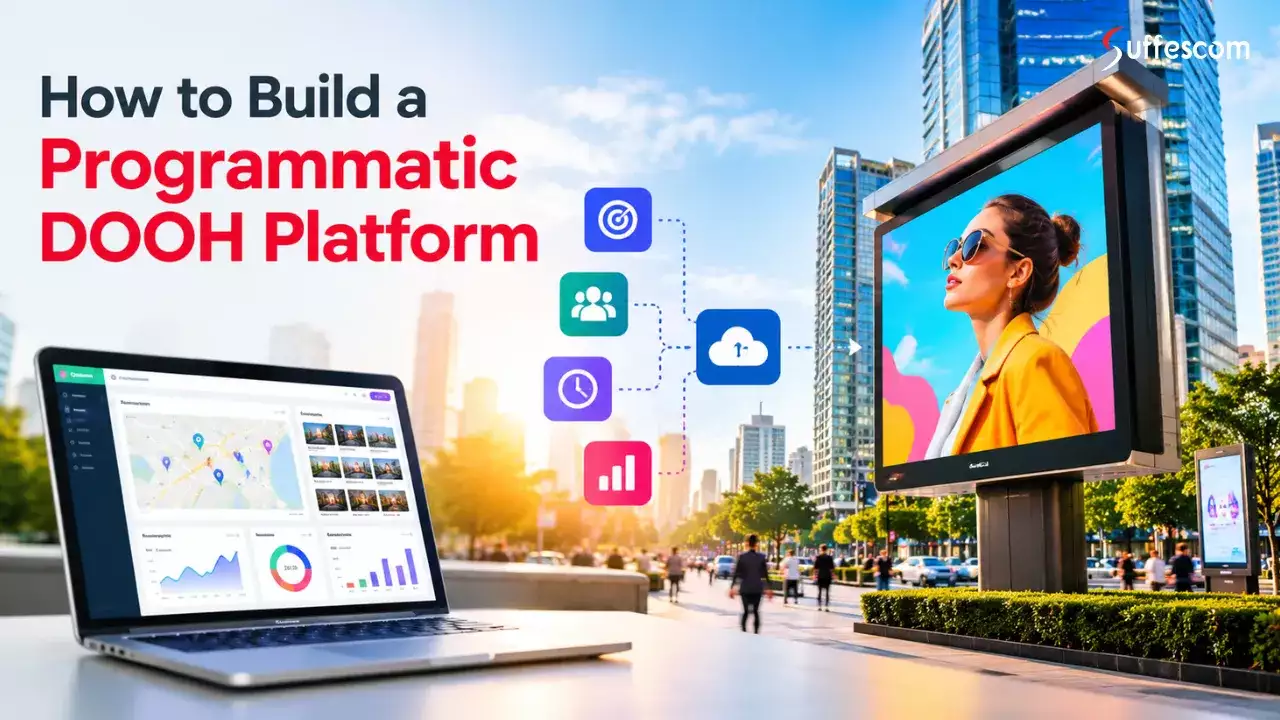
This article focuses on developing a programmatic DOOH platform. It covers the architecture, modules, technology stack, roadmap, potential issues, cost estimates, and timelines for development.
What You Are Building: Platform Scope and Position in the Ecosystem
The DOOH aggregating program acts as an intermediate market layer for connecting the screen providers with ad buyers by collecting the inventory information from different sources, making it searchable, arranging transactions, and delivering campaigns on connected screen networks.
As opposed to the content management system (CMS) and ad serving, an aggregator does not have to have direct control of the screens. Instead, it can be integrated with current systems to access inventory, schedule campaigns, report on playbacks, and make transactions.
These are five essential features that the platform possesses:
- Supply connection: Connect with screen owners, networks, CMS systems, ad servers, and supply-side platforms.
- Inventory management: Develop an inventory where everyone keeps the same data on properties, their location, format, availability, and pricing.
- Booking and transaction: Offer booking services both direct and programmatic, as well as auctions.
- Campaign management: Handle campaigns' creative review and delivery, as well as budgeting and delivery on the networks.
- Billing and settlement: Provide billing according to agreed prices and proof of play, invoice generation, and settlements.
- AI-powered audience measurement: Integrate computer vision and audience analytics systems to estimate audience exposure, reach, and screen-level performance.
It very much depends on how your organization is structured and whether or not you require all of these features. A system that is just starting to be utilized by a single media owner will probably not require such an extensive degree of integration and reservation capabilities, but it is essential in a two-sided market system.
Decisions to Make Before Development
Before discussing the architecture, identify what should belong to the platform and what capabilities it will gain from the integrations.
1. Choose your transaction model
- Direct Booking: Buyers book available screens at agreed prices. This can be a practical approach for a network with few publishers.
- Programmatic Buying: The platform integrates with programmatic supply and demand side platforms to enable automated trades.
- Hybrid Buying: Buyers can buy direct and have access to programmatic trades through one platform.
With the hybrid approach, there is flexibility but also additional requirements for pricing, availability, deals, and transaction settlement.
2. Define the platform's role
Decide which platform will favor the advertisers over the publishers and vice versa.
In a buyer-centric platform, there are certain areas that one needs to consider, like sourcing the inventory, creating campaigns, budgets, and reports. In the case of supplier-oriented platforms, some of the important areas include onboarding, inventory management, pricing, and revenue reconciliations.
3. Choose between custom development, white-label software, and integration
| Approach | Best suited for | Main trade-off |
| Custom software development | Businesses needing control over workflows, integrations, and product direction | Higher initial investment and longer build time |
| White-label solution | Businesses prioritizing faster market entry with established functionality | Customization limits and potential vendor lock-in |
| Integration-led approach | Businesses extending existing CMS, ad server, or adtech infrastructure | Depends on the capabilities and constraints of existing systems |
The methods can also be combined. Thus, one could develop an enterprise's inventory and transaction processing system and utilize third-party systems for tasks such as authentication or billing.
4. Select a revenue model
The business model will dictate how payments and charges should be structured. For media owners, it also determines how to monetize your digital signage with DOOH advertising through direct bookings, programmatic ad sales, or a combination of both.
- Transaction charge: Charges based on completed bookings or spending.
- Subscription service: Charges based on a subscription model to publishers, advertisers, and networks.
- Margin of resale: Buy or reserve at one price and resell at another.
- Hybrid revenue model: A combination of subscription and transaction charges and margins of resale.
Define who pays whom, timing of revenue recognition, commission deduction, and cancellation/underdelivery. This will be the input for the billing engine and the transaction data model right from the beginning.
With all this defined, you can design the architecture of the platform based on the real business processes.
Need a Clear Roadmap for DOOH Platform Development?
Define your MVP, technical requirements, and development priorities before investing in a full-scale build.
Reference Architecture for Programmatic Digital Out-of-Home Platform Development
A programmatic DOOH aggregator needs a system architecture that integrates multiple inventory suppliers, supports several purchasing methods, and synchronizes campaign delivery without requiring all participants to change their existing systems.
One possible strategy would be to arrange the platform according to certain layers, each of which is responsible for one aspect and communicates with other layers via API events or scheduling.
Key Layers of a Programmatic DOOH Platform
The following are the layers in the reference architecture:
- Supply side connection point: Connects publishers' CMS, ad servers, SSP, and any other source of inventory using APIs, webhooks, and feeds.
- Inventory normalization layer: Normalizes various screen types, location data, discount data, and price data to a uniform data model.
- Availability & Booking Engine: Checks the availability of the inventory and takes the booking to ensure that there is no double booking.
- Pricing Engine: Can be used to calculate the price via rate card, floor, day part, deals, and confirmed multiplier.
- Transaction Layer: In charge of performing all bookings on behalf of participants, all applications of deals, and asynchronous storage of all data along with tokenized or interconnected DSPs and SSPs.
- Campaign Management Layer: For campaigns, budgets, scheduling, creatives, and delivery instructions. To ensure that all elements, starting from video shooting quality to lighting and sound, correspond to industry standards on screens.
- Delivery and proof of play layer: Receives approved schedules from the systems. Delivers to the systems. Sends proof of play feedback for each scheduled content.
- Billing and Reconciliation Layer: Translates the agreements and deliveries into fees, bills, commission percentage, and publisher payout.
- API Gateway, Portal and Administration: Facilitates secure access for buyers, publishers, administrators, and third-party entities.
How These Layers Exchange Data
The architecture needs two complementary communication patterns.
Request-response communication is used for transactions where an immediate output is needed. This includes inventory search, availability check, rate card retrieval, and booking request.
Event-based communication is employed for activities that happen over time. An example includes a campaign approval to schedule, delivery confirmation to update the delivery status, and campaign completion to bill reconciliation.
The message queue or event broker is useful in processing the events in such a way that all services do not have to be up at the same time. Moreover, this will allow for retries whenever the publisher's system is down.
Idempotency will be required for transaction reliability in order to avoid duplicate booking or billing if the request is made again. Audit logs will need to be maintained for any changes in pricing, reservations, campaigns, and accounting.
Modular Monolith vs. Microservices
The architecture should match the platform's expected transaction volume, integration complexity, and development resources.
| Architecture | When it fits | Considerations |
| Modular monolith | MVPs and early-stage platforms with a manageable number of integrations | Faster to develop and deploy, but modules must remain clearly separated to support future growth. |
| Microservices | Larger platforms with independently scaling workloads, multiple teams, or complex integration demands | Allows independent deployment and scaling but introduces service coordination, monitoring, and operational overhead. |
A modular monolith is often a sensible starting point when the transaction model and inventory requirements are still being validated. The codebase can separate inventory, booking, pricing, campaign management, and billing into distinct modules.
As demand grows, resource-intensive or independently changing components can be extracted into services. For example, bid processing, inventory synchronization, and proof-of-play ingestion may eventually need separate scaling strategies.
Scalability and Reliability Requirements
Several design decisions should be made early, even if the first release serves a small publisher network.
- Handling of low-latency transactions: Programmatic bid requests are often time-sensitive to reply. Reduce the number of steps in the bid flow and avoid making synchronous callouts to publisher external systems.
- Age of inventory: Include the last time inventory was updated and any rules the platform uses to track stale inventory.
- Correctness of transaction: Use reservation locks, idempotency keys, and expose explicit transaction states to prevent double booking and double entry.
- Fault tolerance: Whenever appropriate, incorporate retries, timeouts, and dead-letter queues so that a single failed integration does not block other processes.
- Auditability: Track booking modifications, deal parameters, campaign delivery, and billing calculation.
In order to increase your speed of operation, you will have independent scalability. Design your ingestion, searching, transactions, and reporting processes in such a way that the higher activity in one department does not affect the performance of the other departments on your platform.
The goal is not to create the most complex architecture right from the beginning. It is to define module boundaries and establish data exchange and transaction consistency in order to expand your platform in the future.
Core Modules and How to Build Each One
The architecture defines how the platform's parts work together. For programmatic DOOH platform development, every module should have a clear role and defined integrations. This makes it easier to add new publishers. It also supports all buying methods and screen inventory without rebuilding existing workflows.
1. Supply Integration and Publisher Onboarding
Supply integration connects the aggregator to the media owner and its current infrastructure. This integration handles many functions. These include screen inventory, sync availability and delivery data, etc.
Here is what you have to build in this part:
- Integration adapters: Integrate with publishers' APIs, CMS, ad-serving systems, and SSPs.
- Data ingestion: Ingest screen data, rates, availability, limitations, and delivery data via APIs, webhooks, or scheduled feeds.
- Publisher setup: Set up network details, API credentials, file format, business rules, and synchronization schedule.
- Connection monitoring: Monitor failed requests, expired feeds, authentication issues, and synchronization problems.
Key data model: Publisher, network, integration configuration, credentials repository, synchronization task, and ingestion status.
Common mistake: Thinking that all the publishers provide similar data or similar functionality. One can offer real-time availability, and the other offers inventory through CSV files delivered periodically.
How to avoid it: Create a connector framework with a common internal interface. All adapters need to convert the particular format used by each individual publisher to the common data model of the platform. In case the publisher does not have an API, allow import of files and manual onboarding.
2. Inventory Catalog and Normalization
The inventory catalog will provide a common platform for all screens that are present on connected networks. It should allow buyers to compare their inventories without the need to know the inner workings of publishers' systems.
What to build:
A schema for screens, venues, networks, formats, resolution, and types of creatives supported.
- Location data such as geographic information like coordinates, addresses, venue category, and geographic filters.
- Availability periods, dayparts, minimum booking time, and creative restrictions.
- Searching and filtering by location, screen type, venue, budget, and availability.
- Handling of duplicate entries and tracking changes if the same inventory is ingested via different feeds.
Important Data Model: Screen, venue, publisher, format, location, day-part, restriction, rate card, and availability snapshot.
Common Mistake: Considering each screen as an individual inventory unit. Sometimes, a buyer will want to purchase a collection of screens across malls, venues, and even citywide.
Solution: Utilize a hierarchy in your inventory model involving publisher, network, venue, zone, and screen. Make sure that the normalized catalog is separate from any source-based information in order for all changes to be traceable to the original publisher.
3. Availability and Booking Engine
The booking engine will determine whether the inventory is bookable and avoid conflicts. The booking engine should take into consideration current bookings, campaign timelines, publisher limitations, and variations in supply availability.
What to build:
- Availability checks for the requested dates, dayparts, and screen sets.
- Holding inventory temporarily during the checkout and confirmation process.
- States for reservations like requested, on hold, confirmed, canceled, and expired.
- Integration with external booking and scheduling systems.
- Conflict resolution in case of any changes in the external inventory system.
Important data entities: Inventory slot, reservation, bookable window, allocation of campaigns, hold expiration, and book status.
Common trap: Thinking that having an inventory match means that you have reserved it. The screen can be shown as open for booking while being booked through another system by a publisher.
What can be done about it: Verify the availability before reserving the item. Perform atomic reservation actions, use proper locking, and use idempotency keys to ensure that no duplicates are created through multiple bookings. In the case when the inventory is managed outside of your system, define clear rules of confirmation.
4. Pricing Engine
The pricing engine incorporates the business rules that govern buyer payments and revenue allocation. It should be able to handle various publisher deals and transaction models without having to incorporate pricing logic into the booking process.
Things to build:
- Rate cards of publishers and customized pricing for advertisers.
- Floor prices, daypart prices, venue pricing, and pricing for negotiated deals.
- Pricing for fixed-price bookings and programmatic transactions.
- Commissions, transaction costs, and margin on resales.
- Pricing rules versioning and audit of changes.
Key data model: Rate card, pricing rule, agreement, currency, commission, pricing version, and calculation log.
Common mistake: Use of one pricing algorithm for all inventory. Fixed price reservation, private market agreement, and auction sale can operate under different commercial logic.
Solutions: Keep pricing rules configurable and not part of the transaction logic. Save versions of rules and parameters of calculations used to prove that the invoice and disputes are based on the original agreement.
Proof-of-play and impression multiplier can impact the billing calculation as well. The system needs to use these parameters according to the rules of the relevant agreement, not as equivalent units.
5. Programmatic Transaction Layer
The transaction layer provides connectivity between automated purchase processes and external demand and supply systems. This layer deals with information about transactions, bids, transaction results, and records necessary for coordinating delivery of the campaign.
What to build:
- Interfaces for supported DSPs, SSPs, and exchange partners.
- Deal setup for open, private, and programmatic guaranteed deals where available.
- Bid request/response processing for supported auction workflows.
- ID validation, price validations, campaign validations, and transaction validations.
- Timeouts, error handling, traceability, and transaction logging.
Key data model components: Deal, bid request, bid response, auction result, buyer, seller, transaction ID, and campaign ID.
Pitfall: Expecting that all programmatic partners employ the exact same protocol and provide the same DOOH capabilities.
Mitigation: Create your own transaction interface and adaptors for specific partners. Check the current protocol specifications as well as how this is implemented by partners before completing the integration process. Separate time-critical bid processing from other activities like billing and inventory synchronization.
6. Campaign Management and Budget Allocation
The campaign management system translates customer needs into a series of planned inventory commitments. It manages campaign goals, budgets, scheduling, and allocation on chosen screens or networks.
Things to build:
- Campaign creation, approval, and management throughout its lifecycle.
- Start and end dates, dayparts, budgets, and spend caps.
- Allocation over venues, screens, or publishers.
- Pacing rules for managing the campaign spending period.
- Handling under-delivery and budget adjustment.
- Campaign status from start to finish.
Data model essentials: Campaign, flight, budget, allocation, schedule, approval, and deliverable target.
Typical problem: Allocating the total budget according to availability at first and not taking into account any cancellations, changes in supply, and deliveries not made.
Solution: Monitor planned, reserved, delivered, and chargeable amounts independently. Use configurable pacing and reallocation rules, and prevent any overallocation above approved budget or agreement levels.
7. Creative Management
The creative management component handles the advertising content that is uploaded as part of the campaign and makes sure that the advertising material is suitable for the screens and networks selected.
Things to Build:
- Image, video, and other content upload and storage facility.
- Dimensions, aspect ratios, file size, duration, codecs, and file types validation.
- Conversion/Adaptation as per the network rules.
- Creative management processes like version control and approvals.
Core data model: Creative Asset, Asset Version, Technical Specifications, Validation Result, Approval, and Campaign Assignment.
Typical mistake: Thinking that a creative approved on one network will fit on all chosen screens.
How to overcome this mistake: Ensure that there are screen- and publisher-specific technical specifications, and validate creatives according to the specifications of their destination screens and store approval data for the networks.
8. Delivery Orchestration and Proof-of-Play
This is how the delivery module manages the delivery of approved campaigns to the screens that are networked together.
What to build:
- Schedule creation and distribution.
- Integration with the CMS of the publishers and ad servers.
- Processing of delivery confirmations and re-deliveries.
- Validation of proof-of-play files.
- Management of missed plays and rejection of schedules/deliveries.
- Delivery details tied to specific campaign, creative asset, screen, and time window.
Key data model: Instruction, scheduling, play event, proof of play, delivery status, and exception.
Common mistake: Assuming that the successful transmission of a schedule is proof of the display of the ad on screen.
Fixing the issue: Make a distinction between the scheduling, acceptance, and confirmation of play events, and determine what constitutes valid proof of play in each case.
9. Billing and Reconciliation
The billing component transforms the completed transactions and terms of delivery into accounting entries. It should cater to both billing the buyer and calculating the amount payable to media owners.
What to Build:
- Calculation of charges using either bookings, transaction results, or delivery proof.
- Deduction of commissions and platform fees.
- Buyer bills, debit and credit memos, and publisher bills.
- Multi-currency processing and applicable taxes.
- Matching of the internal records with those of the publisher or partner.
- Dispute procedures for cancellations and under-delivery.
Main data model: Invoice, invoice item, charge, payout, commission, tax, reconciliation item, and dispute.
Main mistake: Computing charges on buyers and payouts to publishers using different versions of transaction or delivery data.
How to avoid: Define a single source of truth for accounting events. Log the initial transaction, its commercial terms, valid proof of play, and computation of the charges per item. Apply idempotent processing so duplicate delivery events cannot result in multiple charges.
Payment processing and money movements have to be considered separately. Depending on the business model and legal environment, the platform can employ services of a payment processor, process invoices external to the platform, or have another settlement mechanism approved.
10. User Roles and Admin Controls
A multi-party DOOH market requires specific permissions for the advertiser, advertising agency, media owner, and the administrator. Everyone involved in such a market must have access to those assets that are pertinent to them.
What to build:
- Role-based access control and tenant permission controls.
- Publishers and advertisers account controls.
- Booking, creative, and pricing approval controls.
- Controls for integrations, disputes, and failures.
- Audit logs for sensitive processes.
- Authentication, credentials management, and account controls.
Main data model: User, organization, tenant, role, permission, approval object, and audit log.
Main mistake: Assigning general permissions to administrators for standard activities or granting users access to data that belongs to a different publisher or advertiser.
How to fix: Implement permissions at the backend level, separate tenant data, and follow the least privilege principle. Record all significant actions and ask for approval for important activities like changing commercial terms or financial settlements.
These modules comprise the backbone of the DOOH aggregator system. They must be built in a way that their APIs will use common identifiers and transaction states so that a booking can be tracked from inventory choice to campaign delivery and eventually to billing.
Technology Stack and Third-Party Services
The technology stack for a DOOH aggregator platform must be able to enable inventory search, booking transactions, programmatic integrations, campaign scheduling, and financial reconciliation. Your choices will depend on transaction volume, required integrations, team expertise, and how much control you want over the underlying infrastructure.
Recommended Technology Stack
| Component | Technology options |
| Backend development | Java with Spring Boot, C# with .NET, Node.js with NestJS, or Python with FastAPI |
| Primary database | PostgreSQL or MySQL |
| Search and discovery | OpenSearch or Elasticsearch |
| Geospatial queries | PostGIS with PostgreSQL |
| Message queues | RabbitMQ or cloud-managed queue services |
| Event streaming | Apache Kafka or a managed equivalent |
| Caching | Redis |
| Frontend development | React or Angular |
| Cloud infrastructure | AWS, Microsoft Azure, or Google Cloud |
| File and creative storage | Cloud object storage |
| Monitoring and logging | OpenTelemetry with compatible monitoring and log platforms |
Third-Party Services to Consider
Some capabilities are better obtained through established providers than built from scratch.
| Service | Integration requirement | Build or buy? |
| Authentication and identity | Secure login, organization-level access, multi-factor authentication, and role management | Use an established identity provider unless custom requirements justify building more. |
| Maps and geocoding | Convert addresses into coordinates and support geographic inventory search | Integrate a mapping provider or use suitable open-source geospatial tools. |
| Payment processing | Collect payments or facilitate approved settlement workflows where required. | Use a suitable payment provider; verify marketplace and payout support for your jurisdiction. |
| Invoicing and tax | Generate invoices, apply tax rules, and maintain financial records. | Integrate accounting or tax services where they meet local requirements. |
| Creative processing | Validate file formats, transcode media, and inspect assets | Use established media-processing tools or services, with publisher-specific validation rules. |
| Programmatic connectivity | Exchange deal, bid, and transaction data with DSPs, SSPs, and exchanges | Build adapters around verified partner protocols and available integration specifications. |
| Security and secrets management | Store credentials, rotate secrets, and manage encryption keys | Prefer managed security services and established libraries. |
Step-by-Step Development Roadmap
A phased approach lets you test critical functionality with live publishers and advertisers while adding new features incrementally, based on how you run the business.
Step 1: Discovery and Requirements
Start by identifying the business model, audiences, and supply and demand sources.
What is the first release going to support: direct booking, programmatic, or both? Capture publisher integration, inventory characteristics, pricing rules, creative guidelines, campaign procedures, and billing.
Key deliverables:
- Business and technical requirements
- User roles and workflow definitions
- Initial publisher and buyer integration list
- MVP scope and acceptance criteria
- Preliminary budget and delivery plan
Step 2: Architecture and Data Model Design
Translate the specifications into a technical design. Determine the inventory hierarchy, booking lifecycle, campaign status, pricing rules, and financial records before implementing the core workflows.
Pick your first architecture, database, search algorithm, integration pattern, and cloud. Decide how external systems will send inventory feeds, campaign commands, and playback records.
Key deliverables:
- Reference architecture and technical specifications
- Inventory, booking, campaign, and billing data models
- API contracts and integration designs
- Security and access-control plan
- Deployment and monitoring strategy
Step 3: Build the MVP
The first release should prove that the platform can manage inventory and complete a basic commercial transaction.
Focus on the essential capabilities:
- A searchable inventory catalog with standardized screen and venue details
- Availability checks and booking confirmation
- Basic campaign creation, scheduling, and budget controls
- Initial pricing and billing rules
- User accounts, permissions, and administrative controls
If the business begins with its own screen network, verify the workflow using its inventory before onboarding more publishers. Ensure the data model is extensible enough to support several suppliers later.
A live platform that can take a buyer from discovering inventory through booking and basic financial reconciliation.
Step 4: Add Supply Integrations and Creative Handling
Link MVP with the first external CMS platforms, ad servers, or publisher systems. Integrate synchronization of inventory, availability, schedules, and delivery records to the capabilities of each integrated system.
Add creative validation, approval flows, and message execution features to handle incompatible files or unreached schedules.
Key deliverables:
- Tested publisher connectors
- Automated or scheduled inventory synchronization
- Creative validation and approval workflows
- Delivery status tracking
- Integration monitoring and recovery procedures
Step 5: Implement Programmatic Transactions and Optimization
When the direct booking and direct delivery flows are working reliably, then add the programmatic aspect needed for your model.
Set up the required DSP, SSP, or exchange connections. Incorporate supported deal types, process the bid request and response, log the transaction, and provide the required latency and timeout controls.
Set campaign pacing, budget, and underdelivery rules. Before going live, check that you support your partner's protocol and requirements.
Key deliverables:
- Tested programmatic integrations
- Deal and transaction management
- Pacing and allocation controls
- Bid-path monitoring and failure handling
Step 6: Complete Security, Compliance, and Load Testing
Prior to going live, ensure transactions will be processed accurately and efficiently at the anticipated volume.
Test for simultaneous bookings, inventory inconsistencies, duplicate events, billing and calculation of charges, and campaign delivery exceptions. Audit and understand access, credentials, data security, audit logs, and contractual and regulatory requirements.
Key deliverables:
- Integration and regression test results
- Load and performance test results
- Security assessment and remediation plan
- Verified billing and reconciliation workflows
- Operational monitoring and incident procedures
Step 7: Run a Pilot and Launch
Begin with a narrow set of publishers and advertisers. Have them run with authentic inventory and representative campaign workflows to ensure the process works in a live setting.
Track completed bookings, integration issues, creative rejection rates, shortfalls in delivery, shortfalls in reconciliation, and support needs. Solicit feedback from both sides of the marketplace prior to opening up access.
Key deliverables:
- Pilot campaign results
- Prioritized defect and improvement list
- Publisher and advertiser onboarding process
- Production launch checklist
- Support and escalation procedures
Step 8: Scale and Iterate
Once the initial Marketplace is up and running, broaden inventory coverage, add integrations, and enhance automation based on usage.
Further possible improvements include more sophisticated pricing strategies, more programmatic partners, auto reconciliation, better inventory suggestions, and supporting new types of venues.
In total, use workload and operational bottlenecks as indicators to drive infrastructure modifications. For example, if high-volume playback ingestion remains a bottleneck or transaction load of a programmatic demand increases, each will likely eventually be large enough to require independent processing capacity.
Building a Programmatic DOOH Marketplace?
Get support with platform architecture, publisher integrations, transaction workflows, and future scalability.
Use Case: Building a DOOH Aggregator for Shopping Centers and Other Venue Networks
Shopping centers are a real-world use case for DOOH aggregator platforms because their advertising can involve multiple malls, zones, screen formats, and media owners. Buyers need a solution that lets them build campaigns across all of these without separate booking management.
The platform for shopping centers should allow:
- Venue-based inventories
- Multi-venue reservations
- Promotional timing
- Content approvals
- Budget distribution
Choosing the Right DOOH Platform Development Partner
Developing a DOOH aggregator requires knowledge of adtech software development, inventory management, transactions, and campaign delivery. The developer must understand how all these elements fit together, not just how to build the market interface.
Evaluate Programmatic Advertising Experience
Assess the experience with
- DSP integration
- SSP integration
- Publisher system integration
- Content management system integration
Review Architecture and Integration Capabilities
Ask questions about how the team will standardize
- Inventory information
- Availability
- Booking conflicts
- API needs for each partner
Check Transaction Security and Billing Accuracy
Review the proposed solution for
- Access control
- Audit trails
- Proof of play
- Commission calculations
- Publisher payments
Confirm Post-Launch Support
Integration Maintenance is essential for a DOOH aggregator's success because partner APIs, creative requirements, and business needs change constantly. Select a partner capable of providing such services post-launch.
Need Help Defining Your DOOH Platform MVP?
Identify the essential features, technical integrations, and first release scope before committing to full development.
Conclusion
Building a DOOH aggregator platform implies combining screen inventory, media owners, advertisers, and programmatic buying platforms in a single process. In order to build a robust platform, one needs not just a list of screens that are available for sale, but also proper inventory data, booking, integrations, orchestration of campaigns, proof of play, and billing.
First of all, define the transaction model and business requirements. Start building an MVP on a certain supply network and booking process, and then proceed with programmatic integrations and other features depending on demand.
The right architecture will make it easy to onboard new publishers and venues and scale inventory without rebuilding the whole platform.
In case you plan to build a DOOH aggregator, we at Suffescom can help you with architecture and integration solutions according to your business requirements. Start with a pilot of your core processes.
FAQs
Will we own the source code and IP of the platform once it's built?
Ownership depends on the development agreement. The contract should define the transfer of custom source code and intellectual property rights, and deliverables.
Can we start with only our own screen inventory and add third-party publishers later?
Yes, we will design the platform so it can launch with your own screens and expand to external publishers when you're ready.
Can we run the platform under our own brand for our clients or sub-networks?
A multi-tenant architecture can support white-label branding, separate client accounts, role-based permissions, and tenant-specific pricing. Each client or sub-network can manage its permitted inventory and campaigns. At the same time, you retain control over platform-wide settings.
We already run a CMS and ad server. Do we have to replace them, or can the platform sit on top?
You usually don't need to replace existing systems if they can support the required integrations.
How do you handle publishers whose systems have no API?
Publishers without APIs can sometimes be onboarded through scheduled file imports, structured feeds, or manual-assisted workflows. If their systems expose data through another supported interface, a middleware adapter may also be an option. For more information, talk to our expert and get your doubts resolved for free in a non-obligatory consultation.