Key Takeaways:
- AI note-taking app development combines speech recognition, speaker diarization, language models, structured data storage, and searchable interfaces.
- An MVP should prioritize reliable transcription, editable notes, summaries, action items, and secure recording management.
- Production systems require additional work around real-time processing, integrations, quality evaluation, access control, scalability, and monitoring.
- Development costs depend on product scope, supported platforms, transcription volume, AI model selection, integrations, and security requirements.
- AI-generated notes should be traceable to source transcripts wherever possible, so users can verify important decisions and action items.
- The right architecture balances transcription quality, response time, privacy, operating costs, and future product growth.
Introduction
Meetings, interviews, lectures, consultations, and business discussions generate information that teams must capture, organize, and retrieve later. Traditional note-taking tools rely heavily on manual input, while basic transcription software primarily converts speech into text. AI-powered note-taking products can go further by turning spoken conversations into structured summaries, decisions, action items, and searchable knowledge.
For startups, an AI note-taking app can become a standalone SaaS product with subscription-based access. For enterprises, it can serve as an internal productivity solution connected to existing collaboration platforms, document systems, and business workflows.
However, building a reliable software product requires more than connecting a speech-to-text API to a language model. Developers must account for audio quality, speaker attribution, transcription errors, contextual summarization, data retention, third-party integrations, and the cost of processing large volumes of recordings.
This guide explains how to approach AI note-taking app development, from product planning and feature selection to system architecture, technology choices, implementation costs, and deployment.
What Is an AI Transcription and Note-Taking App?
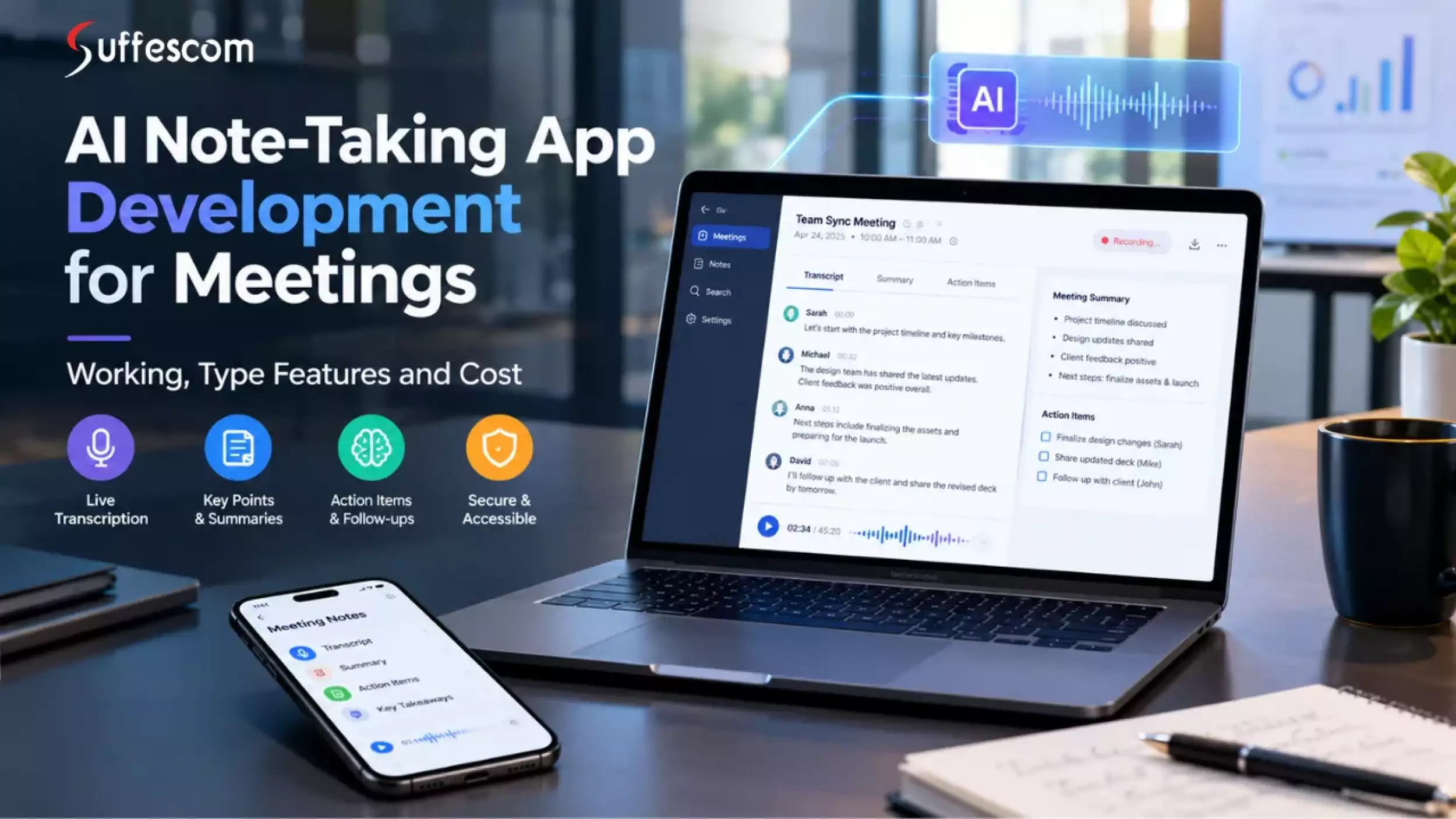
An AI transcription and note-taking app is a software product that captures spoken information, converts it into text, and uses AI to organize that information into useful notes.
Depending on its intended use, the application may support live meeting transcription, uploaded audio and video files, speaker labels, automatic summaries, task extraction, searchable transcripts, and integrations with business tools.
The core capabilities serve different purposes:
| Capability | What it does |
| Speech-to-text transcription | Converts spoken audio into written text. |
| Speaker diarization | Separates speech into segments associated with different speakers. |
| AI summarization | Condenses a transcript into a structured summary. |
| Action-item extraction | Identifies proposed tasks, owners, and deadlines when stated or supported by context. |
| Semantic search | Helps users find relevant information by meaning, not just exact keywords. |
| Conversational retrieval | Answers questions using stored transcripts and notes, ideally with source references. |
| Workflow integration | Sends notes, tasks, or summaries to connected business applications. |
These capabilities are related but not interchangeable. For example, speaker diarization does not automatically establish a speaker's real identity, and a language model may infer an action item incorrectly if the transcript is incomplete.
A well-engineered product therefore combines AI processing with user review, clear source attribution, and controls for correcting mistakes.
How Does an AI Note-Taking App Work?
An AI note-taking application typically follows a processing pipeline that converts audio into structured, accessible information.
1. Capture or import audio
Record a live conversation, import a file, or receive audio through an authorized meeting integration.
2. Prepare the audio
Validate the file, normalize supported formats, divide long recordings into manageable segments, and apply preprocessing when useful.
3. Transcribe speech
Use an automatic speech recognition (ASR) model to generate text, timestamps, and available confidence information.
4. Process speakers
Use diarization to associate transcript segments with speaker labels when the selected system supports it.
5. Generate structured notes
Use an LLM to create summaries, decisions, topics, and proposed action items from the transcript.
6. Store and index results
Save audio references, transcripts, metadata, and notes; index the content for keyword or semantic retrieval.
7. Present and distribute notes
Let users review and edit results, search the conversation, export notes, or send approved outputs to integrated tools.
Example: Turning a business meeting into actionable notes
Suppose a product team records a discussion about launching a new payment feature. The transcription service converts the conversation into text, and the note-generation workflow organizes the result into sections such as:
- Summary: The team discussed payment integration, testing, and launch readiness.
- Decision: The team agreed to complete integration testing before release, if that decision is explicitly supported by the conversation.
- Action item: The assigned engineer will complete the agreed testing task.
- Open question: The transcript indicates that the launch date still needs confirmation.
- Source reference: Each important item links to the relevant transcript segment or timestamp.
The final output should reflect what was actually discussed. It should not invent task owners, deadlines, or decisions to make the notes appear more complete.
Types of AI Note-Taking Apps You Can Build
Before selecting the technology stack, define the product category and intended users. Different use cases have different requirements for recording, accuracy, privacy, integrations, and response time.
1. AI meeting assistant
Captures online or in-person meetings, creates transcripts and summaries, extracts decisions, and organizes follow-up tasks. AI Integrations with meeting platforms and calendar services may be central to the product.
2. AI lecture and study notes app
Converts lectures into structured notes, key concepts, revision materials, and searchable transcripts. Useful capabilities include multilingual support, timestamps, and exportable study documents.
3. Interview and research transcription software
Supports recorded interviews, speaker separation, timestamps, transcript editing, quotation retrieval, and exports. Accuracy and preservation of the original wording are particularly important.
4. Healthcare dictation and clinical note assistant
Converts authorized clinical dictation or consultations into structured documentation. This category requires careful attention to consent, patient privacy, clinical accuracy, access restrictions, and applicable healthcare regulations.
5. Enterprise knowledge assistant
Connects transcripts and notes across teams, enabling authorized users to retrieve previous decisions, search discussions, and find relevant information across projects. Permissions must carry through to search and AI-generated answers.
A startup may begin with one category and a tightly defined target audience. An enterprise may require multiple use cases, centralized administration, identity management, custom retention policies, and integrations with existing systems.
Essential Features of an AI Note-Taking App
Feature selection should reflect the product's intended users and value proposition. Building every possible capability into the first release increases cost, testing effort, and delivery risk.
Core features for an MVP
| Feature | Implementation considerations |
| Audio recording and upload | Support approved file formats, recording permissions, upload limits, and error recovery. |
| Speech-to-text transcription | Select models based on language support, accuracy, latency, and cost. |
| Transcript editor | Allow users to correct words, adjust speaker labels, and review timestamps. |
| AI-generated summaries | Offer structured summaries appropriate to meetings, interviews, or lectures. |
| Action-item extraction | Capture tasks, owners, and dates only when supported by the transcript or clearly marked as unconfirmed. |
| Note organization | Organize notes using folders, tags, projects, and dates. |
| Search | Start with keyword and metadata search; add semantic retrieval if it addresses a demonstrated need. |
| Export and sharing | Support useful formats and controlled sharing permissions. |
| User accounts and access control | Protect recordings and notes through authentication and appropriate authorization. |
| Usage and billing controls | Track processing usage, enforce plan limits, and manage account entitlements. |
Advanced features for production products
- Real-time transcription with partial and final transcript updates.
- Speaker diarization and customizable speaker labels.
- Multilingual transcription and translation.
- Custom terminology for product names, acronyms, or domain-specific vocabulary.
- Meeting platform and calendar integrations.
- Semantic search across past conversations.
- Retrieval-augmented generation (RAG) with transcript citations.
- Team workspaces, shared notes, and administrative controls.
- Automated follow-up workflows with user approval.
- Analytics for usage, transcription quality, and processing costs.
Designing features around user needs
Consider a team that conducts 20 customer interviews each week. Its priority may be accurate transcripts, consistent interview summaries, topic tagging, and the ability to retrieve evidence across interviews.
An internal enterprise meeting assistant may instead prioritize identity-provider integration, role-based access control, meeting permissions, data residency, audit logs, and administrative retention policies.
The same AI capabilities can support both products, but the implementation and product design should be different.
Advanced AI Features That Differentiate Your Product
A competitive product should deliver more than a transcript and a generic summary. The strongest differentiators usually come from adapting AI processing to a specific workflow.
1. Context-aware summaries
Allow users to select summary formats based on the type of conversation. A project meeting may need decisions, blockers, and next steps, while a lecture may need key concepts, explanations, and revision prompts.
Use structured output schemas to make generated notes consistent. Validate required fields before saving the result, and let users edit generated content.
2. Custom vocabulary and domain adaptation
General speech recognition may struggle with uncommon names, acronyms, product terminology, and specialized language. Evaluate model-supported contextual hints, custom vocabulary, or domain-specific adaptation using representative recordings.
Do not assume that adding a glossary will eliminate transcription errors. Test the selected approach with real examples from the target audience.
3. Conversational search across notes
A user might ask, “What did we agree about the payment integration last month?”
A robust implementation retrieves relevant transcript segments, applies the user's access permissions, and generates a response grounded in those sources. The interface should link to supporting passages and make it clear when the evidence is insufficient.
4. AI-generated follow-up workflows
The application can propose tasks, draft follow-up emails, or prepare updates for connected project management tools.
For consequential actions, such as sending an email or assigning a task to another employee, require appropriate user confirmation and permissions. Generated recommendations should not silently become real-world actions.
5. Personalization and reusable templates
Let teams define templates, preferred terminology, summary formats, and project-specific instructions. Store these settings separately from the transcript and apply them through controlled processing logic.
Personalization should improve usefulness without weakening security boundaries or exposing one customer's information to another.
Technology Stack for AI Note-Taking App Development
The technology stack should follow the product requirements rather than a fixed list of fashionable tools.
Suggested technology stack
Frontend
React or Next.js for web applications; React Native or Flutter for cross-platform mobile applications; native Swift or Kotlin when platform-specific requirements justify them.
Backend
Python with FastAPI or a TypeScript/Node.js backend for APIs, business logic, authentication, and AI orchestration.
Speech recognition
A managed ASR API or a self-hosted speech recognition model selected through quality, language, latency, privacy, and cost testing.
Language models
Hosted or self-hosted LLMs for summarization, extraction, classification, and question answering.
Database
PostgreSQL for users, workspaces, permissions, metadata, and structured notes.
Audio and file storage
Object storage with encryption, scoped access, lifecycle rules, and controlled download links.
Search
PostgreSQL full-text search or a dedicated search engine; vector search when semantic retrieval warrants the additional complexity.
Asynchronous processing
A durable queue and background workers for uploads, transcription, summarization, retries, and export jobs.
Cloud infrastructure
AWS, Microsoft Azure, or Google Cloud, selected according to deployment requirements, service availability, regional needs, and existing enterprise systems.
Observability
Centralized logs, metrics, tracing, error monitoring, usage metering, and alerts for failed or delayed processing.
Selecting the right speech recognition model
Model selection is a core engineering decision. OpenAI's current transcription documentation distinguishes workflows for completed audio files and incoming live audio, and identifies different models for speaker-labeled transcripts and timestamped output.
OpenAI API
Other providers, including Google Cloud Speech-to-Text and Amazon Transcribe, offer alternative speech recognition services. Their pricing, supported languages, features, regional availability, and integration requirements should be checked against the product's needs.
Google Cloud
Evaluate at least the following:
- Word error rate on representative audio.
- Accuracy with accents, background noise, and overlapping speech.
- Supported languages and language switching.
- Speaker diarization and timestamp quality.
- Streaming latency and recovery after connection failures.
- Data handling, retention, and regional processing options.
- Cost per audio hour at expected usage.
- Availability of model versions and migration options.
The lowest-priced API is not necessarily the least expensive solution overall. A model that requires extensive corrections or creates unreliable summaries may increase support costs and reduce user retention.
Choosing hosted AI APIs versus self-hosted models
| Consideration | Hosted APIs | Self-hosted models |
| Initial implementation | Usually faster to integrate | Requires model-serving and infrastructure work |
| Infrastructure ownership | Provider manages much of the serving layer | Your team manages serving, capacity, and updates |
| Scaling | Provider capacity and quotas apply | Requires capacity planning and scaling operations |
| Cost model | Often usage-based | Infrastructure, engineering, and operations costs |
| Customization | Depends on provider capabilities | More control over model serving and adaptation |
| Data governance | Depends on provider terms and configuration | More direct control, but your team owns security and operations |
A hybrid architecture is also possible: use a managed speech recognition service, a separate LLM for summaries, and self-host selected components when privacy, latency, or unit economics justify it.
For an MVP, managed services are often a sensible starting point. Self-hosting should be an evidence-based decision driven by measured requirements, not an assumption that owning the model will automatically reduce costs.
AI Note-Taking App Architecture: How to Design a Scalable System
A production-ready AI note-taking application needs to coordinate audio processing, AI inference, persistent storage, user-facing interfaces, and external integrations. These components should be designed to handle failures independently rather than relying on one long-running request.
Reference system architecture
Client applications: Web · iOS · Android · Meeting integrations
API gateway and identity layer: Authentication · Authorization · Rate limits · Tenant isolation
Audio ingestion: Upload validation, streaming sessions, temporary file handling
Application services: Workspaces, billing, permissions, note management
Durable job queue and workflow orchestration: Job status · Retries · Idempotency · Processing state
ASR workers: Transcription and diarization
AI workers: Summaries and extraction
Integration workers: Exports and approved actions
Data and retrieval layer: Relational database · Object storage · Search index · Optional vector store
This is a conceptual design, not a requirement to deploy every component as a separate microservice. A small product can start with a modular backend and background workers, then separate services as usage and operational needs grow.
Key architectural decisions
1. Separate audio processing from user requests. Uploading a recording should create a processing job instead of forcing the browser or mobile client to wait for the entire pipeline to finish.
2. Make processing recoverable. Use job states, idempotency keys, bounded retries, and error handling so a temporary provider failure does not create duplicate transcripts or duplicate billing events.
3. Support real-time and batch processing independently. Live transcription needs streaming transport and incremental transcript updates. Uploaded recordings can use asynchronous processing, even when the application streams partial results to the user interface.
4. Track transcript versions. When a user corrects a transcript or regenerates notes, preserve the relationship between the transcript version and the generated summary. This makes it easier to explain which source produced a particular result.
5. Enforce permissions at every layer. Authorization must apply to APIs, transcript retrieval, search results, generated answers, shared links, and integrations—not only to the user interface.
6. Instrument the processing pipeline. Monitor queue delays, transcription failures, model latency, retries, token usage, audio duration, and cost per completed recording.
Data model and storage design
A practical initial data model may include:
- users and organizations
- workspaces and memberships
- recordings and processing_jobs
- transcripts and transcript_segments
- notes and note_versions
- action_items and source_references
- integrations and integration_jobs
- subscriptions and usage_records
- audit_events and retention_policies
Use a relational database for structured application records. Store large audio files in object storage and maintain references, metadata, and access policies in the database. Add a vector index only if semantic retrieval provides a clear benefit over simpler search.
Step-by-Step AI Note-Taking App Development Process
A successful development project starts by validating the user problem and then expanding the implementation according to demonstrated needs.
Step 1: Define the product and business requirements
Identify the target users, recording sources, supported languages, core workflows, pricing model, privacy requirements, and success criteria.
Deliverables: Product requirements document, user journeys, MVP scope, acceptance criteria, and initial cost assumptions.
Step 2: Design the user experience
Design the recording interface, transcript editor, summary view, search experience, processing states, error handling, and account settings.
Deliverables: Wireframes, clickable prototype, design system, and usability feedback.
Step 3: Validate AI models and technical feasibility
Test candidate speech recognition and language models with representative recordings. Compare accuracy, speaker handling, latency, output quality, and operating costs.
Deliverables: Model evaluation report, architecture decision, and documented limitations.
Step 4: Build the application foundation
Implement authentication, workspace management, recording ingestion, storage, background processing, transcription, and the transcript editor.
Deliverables: Working application with the core recording-to-transcript workflow.
Step 5: Implement AI note generation
Add summaries, structured notes, action-item extraction, source references, and optional semantic search. Validate generated output and provide editing controls.
Deliverables: Tested AI processing pipeline and note-generation features.
Step 6: Test security, quality, and scalability
Test noisy audio, long recordings, concurrent uploads, failed jobs, authorization boundaries, data deletion, and provider outages.
Deliverables: Test reports, security review findings, performance measurements, and release criteria.
Step 7: Deploy, monitor, and improve
Deploy the product, establish usage metering and alerts, monitor real-world quality, and improve the experience using authorized feedback.
Deliverables: Production release, operating procedures, monitoring, and a prioritized improvement roadmap.
How long does development take?
The timeline depends on platform coverage, integration complexity, the amount of custom AI engineering, and security requirements. The following are planning estimates rather than guaranteed delivery commitments.
| Product scope | Illustrative timeline |
| Focused MVP with file uploads, transcription, and summaries | 8–12 weeks |
| Production-ready SaaS with billing, integrations, and stronger operational controls | 3–6 months |
| Complex enterprise platform with SSO, governance, advanced integrations, and tailored deployment | 6–12+ months |
These ranges assume reasonably clear requirements and access to required APIs. Native applications for multiple platforms, custom model training, extensive compliance reviews, and complex enterprise integrations can extend delivery.
AI Note-Taking App Development Cost
The cost of developing an AI note-taking app depends on the product scope, team composition, platform requirements, AI processing volume, integrations, and security expectations.
The following ranges are illustrative budgeting estimates in USD, not Suffescom quotations or verified market averages. Actual estimates require a scoped project assessment.
| Product scope | Indicative budget | Indicative timeline | Typical inclusions |
| MVP | $25,000–$50,000 | 8–12 weeks | Focused web app, uploads, transcription, AI summaries, basic editing, accounts, foundational storage and access controls. |
| Production SaaS | $50,000–$120,000 | 3–6 months | More complete product with real-time or improved processing, subscriptions, search, integrations, usage controls, monitoring, and stronger security. |
| Enterprise platform | $120,000–$300,000+ | 6–12+ months | Complex identity management, governance, auditability, custom integrations, high-volume processing, advanced retrieval, and potentially private or self-hosted AI. |
These are planning bands for software implementation. They are not fixed prices and may exclude taxes, third-party licenses, ongoing cloud and AI consumption, and post-launch support.
Factors that influence development costs
| Cost driver | Why it matters |
| Platform coverage | Separate web, iOS, Android, and desktop experiences require additional engineering and testing. |
| AI capabilities | Diarization, multilingual processing, contextual retrieval, and custom model adaptation increase complexity. |
| Real-time processing | Streaming, reconnect handling, low-latency updates, and concurrent sessions need additional engineering. |
| Integrations | Each meeting platform, calendar, CRM, or task system may require separate authentication, API handling, and testing. |
| Security and governance | SSO, granular permissions, audit trails, data residency, and retention policies require additional work. |
| Scalability | Higher concurrency and availability targets may require more infrastructure, testing, and operational tooling. |
| Custom AI infrastructure | Self-hosting may add GPU capacity, deployment, optimization, and model operations costs. |
Example: Estimating transcription API usage
Consider a product that processes 10,000 minutes of recorded audio each month. Using an illustrative listed rate of $0.0045 per minute for a particular transcription model:
10,000 minutes × $0.0045 = $45
This is a calculation for that transcription component only, not the full operating cost of the application. It excludes summarization, separately charged diarization, hosting, storage, database and search services, monitoring, retries, support, and applicable taxes. Verify current provider pricing and the selected model before using this estimate commercially.
Before setting subscription prices, model typical user consumption, heavy usage, and peak concurrent usage. Use the resulting cost-per-user model to set plan limits, included minutes, overage pricing, and gross-margin targets.
Ongoing maintenance and operating costs
Budget separately for production operations after launch. Recurring expenses can include:
- Cloud compute, database, storage, and network traffic.
- Transcription and language-model API consumption.
- Error monitoring, logging, and security tooling.
- Third-party integration maintenance.
- Dependency updates, bug fixes, and compatibility testing.
- Support, incident response, and AI quality evaluation.
For a hosted-AI product, usage-based charges may grow with processed audio and generated text. For a self-hosted product, compute capacity and model operations become more prominent. Estimate both using the expected usage profile rather than a generic monthly infrastructure figure.
Data Privacy, Security, and Compliance
An AI note-taking application may process conversations containing personal information, confidential business plans, financial details, or healthcare data. Security and privacy requirements should therefore shape the product architecture from the beginning.
Essential security controls
Recording consent and permissions: Make recording status clear, obtain required consent, and follow applicable laws and platform rules before capturing or processing conversations.
Encryption: Protect data in transit and at rest. Manage encryption keys and access permissions according to the product's risk profile.
Access control: Apply least-privilege access, secure session management, tenant isolation, and authorization checks for transcripts, notes, exports, and search results.
Data retention and deletion: Define how long audio and derived transcripts are retained. Ensure deletion workflows account for object storage, database records, search indexes, caches, and backups according to the documented policy.
Third-party AI governance: Review vendor terms, data retention, processing locations, training-use policies, access controls, and contractual requirements before sending customer audio or transcripts to external providers.
Auditability: Log security-relevant actions, administrative changes, sharing events, and access to sensitive information where appropriate. Avoid unnecessarily storing sensitive transcript content in application logs.
Human review: Provide correction and approval workflows for outputs that could materially affect clinical records, business decisions, or other consequential processes.
Healthcare and enterprise requirements
Healthcare products may need to address HIPAA obligations in the United States when applicable, including the roles of covered entities and business associates, contractual arrangements, and safeguards for protected health information. HIPAA compliance is not achieved simply by using a particular cloud provider or transcription API.
Other deployments may require GDPR obligations, contractual data-processing arrangements, regional data residency, or sector-specific controls. Applicability depends on the users, data, locations, and intended use of the product. Engage qualified legal and security professionals when requirements warrant it.
For enterprise deployments, consider SSO, SCIM provisioning where needed, role-based access control, audit logs, configurable retention, and administrative policies for AI-generated outputs.
Challenges in AI Note-Taking App Development and How to Address Them
A product can generate impressive demonstrations and still fail in production. The main engineering challenge is delivering dependable results across real-world audio, diverse users, and varying workloads.
| Challenge | Recommended approach |
| Background noise and accents | Evaluate multiple ASR models using representative recordings and test preprocessing where appropriate. |
| Overlapping speakers | Test diarization performance and let users correct speaker labels. |
| Incorrect summaries | Use structured outputs, source references, evaluation datasets, and human editing. |
| Hallucinated action items | Require supporting transcript evidence and distinguish explicit commitments from inferred suggestions. |
| Long recordings | Process audio in manageable segments, preserve context across chunks, and reconcile duplicate or missing content. |
| Real-time latency | Measure time to first transcript, update delay, and finalization time; use streaming workflows where needed. |
| Provider outages | Use bounded retries, job queues, failure states, and tested recovery procedures. |
| Rising AI costs | Meter usage, select models according to task requirements, and optimize unnecessary processing. |
| Sensitive information | Apply access control, retention policies, encryption, and vendor governance throughout the pipeline. |
How to evaluate transcription and summary quality
Do not rely on subjective demonstrations alone. Establish an evaluation process before launch.
Transcription evaluation: Word error rate (WER) is a common metric for comparing a transcript against a reference transcript. It accounts for substitutions, deletions, and insertions:
WER=S+D+I/N
Here, S is substitutions, D is deletions, I is insertions, and N is the number of words in the reference transcript.
Lower WER generally indicates fewer transcription errors, but it does not capture every issue. For example, a single incorrect negation or financial figure can be more consequential than several minor wording errors.
Summary evaluation: Measure whether summaries preserve important facts, decisions, and context. Review unsupported statements, omitted decisions, incorrect task owners, and fabricated deadlines.
Operational evaluation: Track processing failures, latency, retry rates, user corrections, and cost per recording. Break results down by language, recording quality, and use case.
For Suffescom's content, a useful original asset would be a documented comparison of candidate transcription workflows using a disclosed dataset, consistent evaluation rules, and actual measured results. Publish numerical claims only after conducting the evaluation.
How to Monetize an AI Note-Taking App
The business model should reflect the target market, the value delivered, and the cost of processing audio and generating notes.
Freemium model
Provide a limited free plan with capped recording minutes, basic transcription, or a restricted number of AI summaries. Charge for higher limits and advanced functionality.
Subscription plans
Offer monthly or annual plans with defined transcription allowances, storage, search, and integrations. Model the included usage against expected AI and infrastructure costs.
Usage-based pricing
Charge according to processed audio minutes, recording hours, or another clearly defined consumption unit. Provide usage visibility and safeguards against unexpected charges.
Enterprise licensing
Offer team administration, SSO, governance, integrations, configurable retention, support arrangements, and negotiated usage or deployment terms where required.
A hybrid model can combine a recurring subscription with additional usage charges. Before finalizing pricing, calculate the cost of transcription, summarization, storage, support, and other services at different usage levels.
How to Choose an AI Note-Taking App Development Company
For startups and enterprises, the development partner influences architecture, delivery risk, AI quality, and long-term maintainability.
Use the following evaluation checklist when comparing software development companies.
Development partner checklist
- Experience building AI-enabled applications and production software
- Ability to evaluate speech recognition and language models using real test data
- Clear architecture for audio processing, queues, storage, and search
- Demonstrated experience with the required platforms and integrations
- Documented security, access-control, and data-retention practices
- Transparent scope, milestones, dependencies, and cost assumptions
- Defined testing, deployment, monitoring, and post-launch support
- Relevant case studies and authentic client references
Ask prospective partners to explain how they would handle an inaccurate transcript, a failed transcription job, a sudden increase in concurrent sessions, or a user requesting permanent deletion of a recording.
A credible partner should be able to discuss implementation trade-offs and failure handling, not simply promise to integrate AI features.
Why Consider Suffescom for AI Note-Taking App Development?
Building an AI transcription and note-taking product involves application engineering, AI integration, backend development, data management, cloud solutions, testing, and ongoing optimization.
Suffescom can position its relevant AI product engineering and software development capabilities around these project requirements, subject to the actual scope and capabilities available for the engagement.
A prospective engagement may involve:
- Product discovery and architecture: Defining the MVP, user workflows, model requirements, integration dependencies, and scalability objectives.
- Custom application development: Building the web or mobile interface, backend services, user accounts, transcript editor, and note-management workflows.
- AI integration: Connecting speech recognition and language models for transcription, summarization, structured extraction, and contextual retrieval.
- Cloud engineering: Designing audio storage, asynchronous processing, deployment, monitoring, and capacity management.
- Security and quality assurance: Testing authorization, data handling, processing failures, transcript quality, and generated outputs.
- Ongoing product improvement: Monitoring production performance and refining the application based on measured quality and user feedback.
The appropriate implementation depends on the client's use case. A startup validating demand may need a focused MVP using managed AI APIs, while an enterprise may require deeper integration, governance, identity management, and deployment controls.
Relevant project examples, technical evidence, and genuine client testimonials should be added to this section only when Suffescom can substantiate them.
If your team is planning an AI-powered note-taking product, contact Suffescom to discuss the intended workflows, platforms, integrations, and implementation scope.
Frequently Asked Questions
1. How do you develop an AI note-taking app?
Start by defining the target users and core workflows. Design the application, evaluate speech recognition and language models, implement audio ingestion and transcription, add summaries and note management, then test security, accuracy, and scalability before launch.
2. How much does it cost to build an AI note-taking app?
An illustrative budget is $25,000–$50,000 for a focused MVP, $50,000–$120,000 for a more complete production SaaS product, and $120,000–$300,000 or more for a complex enterprise platform. These are planning estimates, not fixed quotations; actual costs depend on scope, integrations, AI infrastructure, security, and platform coverage.
3. How long does AI note-taking app development take?
A focused MVP may take approximately 8–12 weeks. A production SaaS product may take 3–6 months, while a complex enterprise platform may require 6–12 months or longer. Requirements, integrations, testing, and compliance reviews can change these timelines.
4. Which AI models are used for speech-to-text transcription?
Applications can use managed speech recognition APIs or self-hosted ASR models. The right choice depends on language coverage, accuracy, latency, speaker handling, deployment constraints, and cost. Test candidate models against representative recordings before committing to production.
5. Can an AI note-taking app transcribe meetings in real time?
Yes. Real-time transcription uses a streaming audio workflow to process speech as it arrives and update the transcript incrementally. It requires suitable streaming support, connection recovery, latency management, and handling for incomplete or corrected transcript segments.
6. How can an AI note-taking app generate meeting summaries and action items?
The application sends the transcript or relevant segments to a language model with instructions for producing structured notes. It should validate the output, retain references to supporting transcript passages, and allow users to correct or approve generated action items.
7. Can an AI note-taking app integrate with Zoom, Microsoft Teams, or Google Meet?
Potentially, yes. The available approach depends on each platform's APIs, permissions, supported events, and access to meeting audio or transcripts. Integration design should account for authorization, recording consent, platform policies, and changes to third-party APIs.
8. How do you improve transcription accuracy?
Evaluate models with representative audio, test relevant languages and accents, provide supported contextual vocabulary, and review errors involving names, numbers, technical terminology, and overlapping speakers. Track word error rate alongside errors that materially affect meaning.
9. How do you protect recordings and transcripts?
Use encryption, authentication, granular authorization, tenant isolation, controlled sharing, retention policies, and secure deletion workflows. Assess third-party AI providers and meet applicable legal, contractual, and sector-specific requirements.
10. Should you use third-party AI APIs or self-hosted models?
Managed APIs often simplify early development and operations. Self-hosted models can provide more infrastructure and deployment control but require model-serving expertise, capacity planning, and ongoing maintenance. Compare both approaches using measured quality, cost, privacy, and latency requirements.
11. How can an AI note-taking app be monetized?
Common options include freemium access, monthly or annual subscriptions, usage-based billing, and enterprise licensing. Pricing should account for audio-processing costs, AI inference, storage, support, and the amount of usage included in each plan.
12. Can Suffescom build a custom AI transcription and note-taking application?
Suffescom can be approached for a project assessment covering custom application development, AI integration, cloud infrastructure, and product engineering. The proposed scope, delivery timeline, and budget should be confirmed after evaluating the specific requirements.