Live commerce is changing how businesses demonstrate products and interact with customers online. Instead of relying exclusively on static product images and written descriptions, brands can use live video to showcase products, answer questions, demonstrate functionality, and guide viewers toward a purchase.
However, building a live shopping platform involves more than integrating a video player into an ecommerce application. Businesses investing in ecommerce app development for live product selling must coordinate video delivery, real-time interactions, product information, inventory, checkout, payment processing, and order management. These systems need to work together even when a live session attracts a sudden increase in viewers or customers attempt to purchase the same product simultaneously.
Streaming app development for live product selling requires a combination of video engineering, ecommerce functionality, scalable backend services, and user-focused design. This guide explains the essential features, business problems, technical challenges, architecture, development process, and estimated costs involved in building a live shopping application.
Overview of Live Product Selling App
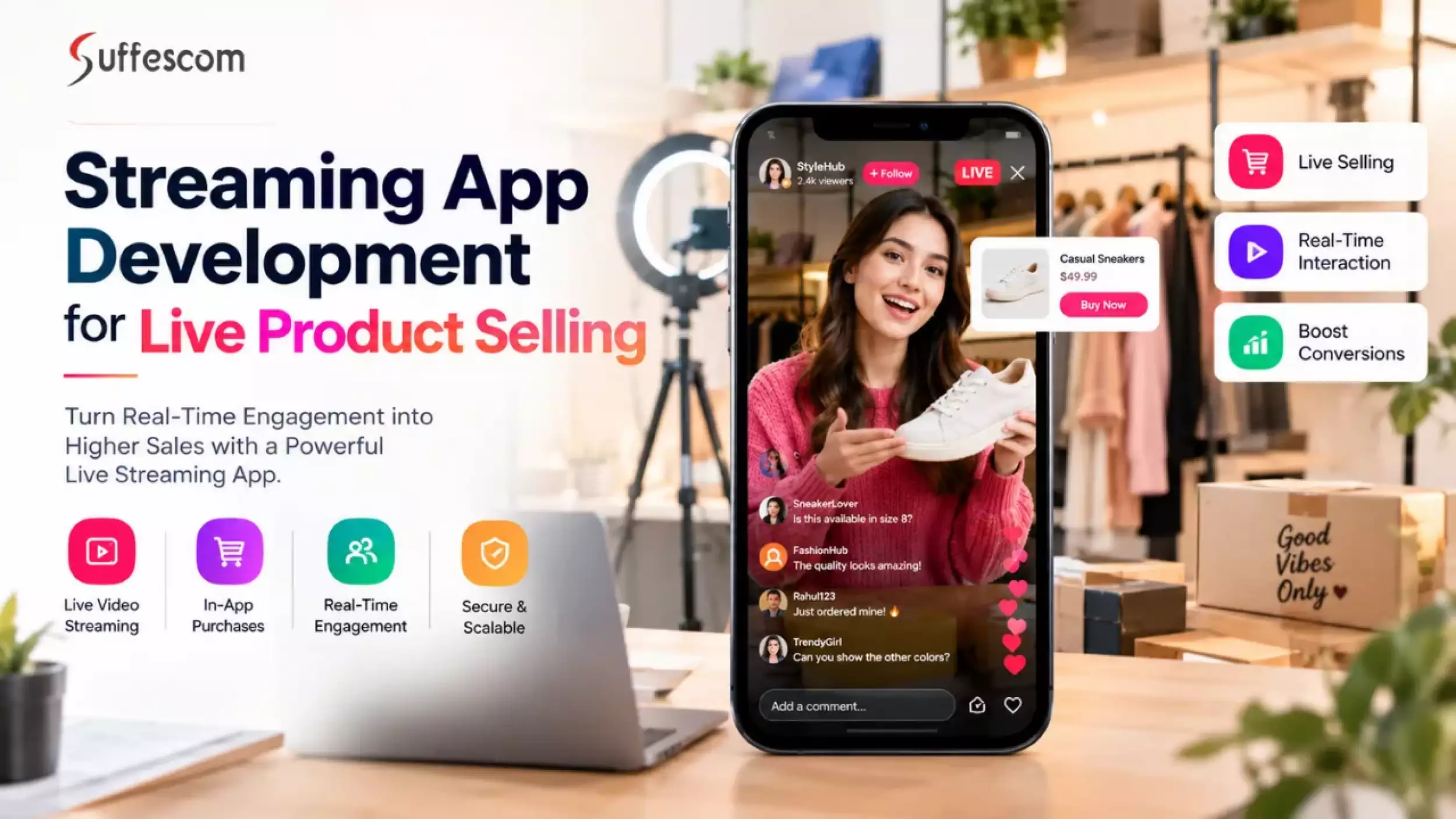
A live product selling app is a mobile or web application that enables businesses, creators, retailers, or marketplace sellers to showcase and sell products through live video sessions.
Viewers can watch demonstrations, ask questions, interact with the host, explore featured products, add items to their carts, and complete purchases without leaving the shopping experience.
Depending on the business model, a platform may support:
- Brand-owned shopping apps: Businesses host live product demonstrations and sell directly to customers.
- Creator-led commerce: Influencers or brand representatives demonstrate products and direct viewers to purchase.
- Multi-vendor marketplaces: Multiple sellers host live sessions and sell products through a shared platform. Businesses planning this model can explore a custom eCommerce marketplace to understand the broader marketplace functionality that may be required alongside live streaming.
- Social commerce applications: Live streaming, community interactions, and shopping features operate within one application.
- B2B product demonstration platforms: Manufacturers and distributors present products, answer buyer questions, and collect purchase inquiries or orders.
The required features, AI integrations, and architecture depend on whether the application serves a single retailer, multiple sellers, or an enterprise commerce operation.
Live Streaming App vs. Live Shopping App
Although these applications may use similar video technology, their primary objectives differ.
| Capability | Live Streaming App | Live Shopping App |
| Primary purpose | Broadcast video content | Demonstrate and sell products |
| Main interaction | Chat, reactions, and audience engagement | Product questions, demonstrations, and purchase interactions |
| Product catalog | Optional | Core functionality |
| Inventory management | Usually unnecessary | Required for purchasable products |
| Checkout and payments | Optional or external | Integrated into the shopping journey |
| Order management | Usually not required | Essential for processing purchases |
| Business metrics | Views, watch time, and engagement | Engagement, product clicks, conversions, and sales |
A live shopping application combines video streaming with the operational requirements of ecommerce. A successful implementation must therefore account for both the viewing experience and the complete purchase lifecycle.
How Does a Live Shopping App Work?
A live shopping application coordinates several systems to deliver video content and process purchases during a live session.
- The host starts a live session. A seller or presenter streams video from a supported mobile device, camera, or broadcasting setup.
- The video pipeline processes the stream. The system ingests the video, encodes or transcodes it when required, and prepares it for delivery.
- The streaming infrastructure distributes the video. A streaming origin and content delivery network (CDN) distribute video to viewers according to the selected delivery technology.
- Viewers interact with the session. Customers watch the demonstration, ask questions, react, and select featured products.
- The commerce backend processes shopping actions. Catalog, pricing, inventory, cart, and order services validate customer actions and maintain authoritative product and transaction data.
- The payment provider processes checkout. The payment service processes the transaction and returns payment status through verified server-side responses or webhooks.
- The application confirms the order. After the backend validates the relevant payment and order states, the customer receives an appropriate confirmation.
- The platform records performance data. Streaming quality, user interactions, product clicks, purchases, and errors are collected for monitoring and business analysis.
The video stream, real-time interaction system, and commerce backend operate as connected but separate components. This separation helps the application handle video delivery and purchase traffic without making every viewer interaction dependent on the streaming pipeline.
What Business Problems Can Live Shopping Apps Solve?
Live shopping applications can help businesses address customer-experience and ecommerce conversion problems that traditional online storefronts may not fully resolve.
1. Customers Struggle to Evaluate Products Online
Static images and written descriptions do not always communicate a product's size, functionality, texture, fit, or practical use. This can make purchasing decisions difficult, particularly for products that benefit from demonstration.
How live shopping helps: Hosts can demonstrate products in real time, compare available options, answer customer questions, and explain product details. Viewers receive more context before deciding whether to purchase.
2. The Shopping Journey Is Disconnected
When customers move between a video platform, product page, external checkout, and another application, the additional steps can interrupt the buying process.
How live shopping helps: Integrated product cards, in-session product details, cart functionality, and checkout allow viewers to move from product discovery to purchase within a connected experience. The application can preserve the live session while customers explore products and complete transactions.
3. Sellers Have Limited Visibility Into Shopping Behavior
Traditional ecommerce analytics may reveal page visits and completed orders without fully explaining how live demonstrations influence customer decisions.
How live shopping helps: Event tracking can connect viewer engagement with product clicks, cart additions, checkout activity, and completed purchases. Businesses can use these insights to evaluate product demonstrations, improve session formats, and identify friction in the purchase journey.
Live commerce does not automatically resolve these problems. Results depend on the quality of product demonstrations, audience relevance, checkout usability, inventory accuracy, and the overall shopping experience.
Essential Features of a Live Shopping App
Feature selection should reflect the business model and the problems the application needs to solve. A focused MVP should establish a reliable viewing and purchasing experience before introducing advanced capabilities.
1. Live Video Streaming
Live video is the foundation of the application. The streaming system should support stable playback across the devices and network conditions expected from the target audience.
Key capabilities include:
- Host video and audio broadcasting
- Adaptive bitrate playback where supported
- Stream start, stop, and reconnection handling
- Video quality selection based on network conditions
- Session scheduling and live status indicators
- Support for the required mobile and web platforms
The selected delivery approach should balance video quality, latency, audience size, infrastructure cost, and implementation complexity.
2. Product Catalog and Live Product Cards
Product information should be accessible while customers watch a live demonstration.
Essential capabilities include:
- Product images, descriptions, and variants
- Current pricing and promotional details
- Featured products linked to the live session
- Product availability and stock status
- Product selection without losing the live session
- Links to detailed product information when needed
Product cards should display current information from the commerce backend rather than relying solely on data embedded in a live video or cached client state.
3. Real-Time Chat and Audience Interaction
Interactive features allow customers to engage with presenters and other viewers during a live session.
Common features include:
- Live chat and question submission
- Reactions and audience engagement
- Host responses and pinned messages
- Product-related questions
- Moderator controls and reporting
- Rate limits and spam prevention
Moderation becomes especially important as audience size grows. The system should allow hosts or moderators to restrict abusive behavior without interrupting the video stream.
4. Shopping Cart and Checkout
The purchase flow should be accessible from the live session and remain consistent with the application's normal ecommerce operations.
Core features include:
- Add-to-cart functionality
- Product variant and quantity selection
- Shipping and tax calculation where applicable
- Coupon and promotion validation
- Checkout and payment method selection
- Order confirmation and purchase history
The backend must revalidate price, stock, promotions, and other purchase conditions at checkout. A product being displayed during a live session does not guarantee that it remains available.
5. Inventory and Order Management
Inventory and order management services help prevent overselling and provide a reliable record of purchases.
The application should support:
- Authoritative inventory checks
- Stock updates following purchases or cancellations
- Order creation and status tracking
- Failed-payment and cancellation handling
- Reservation or stock-hold rules where required
- Order history and customer notifications
For a multi-vendor platform, additional requirements may include seller-specific inventory, commission calculations, refunds, settlements, and dispute workflows.
6. Host and Seller Dashboard
Sellers need tools to manage live sessions and product information without relying on technical teams for routine operations.
Useful dashboard capabilities include:
- Schedule and manage live sessions
- Select and pin featured products
- Update session details and promotional content
- Moderate audience interactions
- View live engagement indicators
- Review sales and post-session analytics
The dashboard should enforce role-based access so hosts, moderators, sellers, and administrators can perform only their permitted actions.
7. Notifications and Reminders
Notifications can help audiences discover upcoming sessions and return for relevant product demonstrations.
Common options include:
- Upcoming live session reminders
- Notifications when a followed seller goes live
- Back-in-stock alerts
- Order and payment status updates
- Relevant promotional notifications
Notification frequency, user preferences, consent, and regional privacy requirements should be considered during implementation.
8. Analytics and Reporting
Analytics connect streaming activity with business performance.
Important measurements include:
- Concurrent viewers and unique viewers
- Average watch time and viewer retention
- Video startup time and playback failures
- Product-card clicks and cart additions
- Checkout completion and conversion rate
- Revenue and average order value
- Refunds, cancellations, and payment failures
A well-designed analytics implementation uses consistent event names and identifiers to connect session activity with product and order outcomes.
Technical Challenges in Live Commerce and How to Solve Them
Live shopping platforms have to coordinate video delivery, user interactions, and transaction processing under changing traffic conditions. The following five challenges address distinct engineering concerns and their practical solutions.
1. Maintaining Video Quality and Acceptable Latency
The challenge: Viewers may experience buffering, poor video quality, or delays between the host's demonstration and what appears on their screens. These issues can be particularly disruptive when a presenter announces a limited-time offer or answers a question in real time.
How to solve it:
- Use adaptive bitrate streaming to adjust playback quality to available bandwidth.
- Choose a delivery protocol according to audience size and interactivity requirements.
- Use a CDN and suitable origin infrastructure to distribute video efficiently.
- Monitor startup time, rebuffering, playback errors, and end-to-end latency.
- Coordinate time-sensitive product promotions with the playback experience rather than assuming all viewers see the same frame simultaneously.
WebRTC is appropriate for some interactive, low-latency use cases. Low-latency HLS can suit larger one-to-many broadcasts where a modest delay is acceptable. Standard HLS may be suitable when delivery scale and compatibility are more important than immediate interaction.
The right choice depends on the application, streaming provider, audience size, and latency target. See the Amazon IVS low-latency streaming documentation for an example of managed streaming options and their latency characteristics.
2. Preventing Inventory Conflicts During Purchase Spikes
The challenge: During a popular live session, multiple customers may attempt to purchase the last available units of the same product. If inventory is checked only in the client application, concurrent requests can lead to overselling or incorrect availability messages.
How to solve it:
- Maintain authoritative inventory in the backend.
- Use concurrency-safe database updates or transactional inventory operations.
- Apply stock reservation rules where the business requires temporary holds.
- Revalidate availability before confirming an order.
- Use idempotency keys to prevent retried requests from creating duplicate purchases.
- Define clear reservation expiration, cancellation, and payment-failure behavior.
The client should display availability information, but the server must make the final decision about whether a purchase can proceed.
3. Handling Payment Failures and Inconsistent Order States
The challenge: A payment may be declined, delayed, retried, or completed even when the customer does not receive an immediate response. Network interruptions can also cause the same checkout request to be submitted more than once.
How to solve it:
- Define explicit order and payment states, including pending, paid, failed, cancelled, and refunded where applicable.
- Verify payment status through trusted server-side provider responses.
- Validate webhook signatures and process notifications securely.
- Use idempotency for payment and order operations.
- Handle delayed notifications and retryable failures without creating duplicate orders.
- Reconcile payment records against order records and provider reports.
Order confirmation should follow verified business rules. A success message in the browser or mobile app is not sufficient proof that a payment has been completed.
4. Scaling Video Delivery and Application Services
The challenge: A live event can attract more viewers than expected. Video delivery, chat, product requests, authentication, and checkout may experience different traffic patterns. Scaling the entire application as a single unit can create unnecessary cost and performance bottlenecks.
How to solve it:
- Use a CDN or managed streaming infrastructure for video distribution.
- Separate video delivery from commerce and user-facing application services.
- Scale stateless backend services independently where possible.
- Use queues or asynchronous processing for suitable background tasks.
- Establish capacity limits and rate controls for chat, notifications, and other real-time events.
- Load-test expected concurrent viewers, checkout bursts, and downstream service dependencies.
- Monitor latency, resource utilization, error rates, and service availability during live events.
Capacity planning should account for more than viewer count. A session with many passive viewers may produce a different workload from one in which many customers interact with products and check out simultaneously.
5. Keeping Live Interactions and Product Information Consistent
The challenge: Product prices, featured items, stock status, chat messages, and promotional events may update at different times. Delayed or duplicated events can cause customers to see stale product information or conflicting session states.
How to solve it:
- Use stable product, session, and event identifiers.
- Attach timestamps, sequence information, or version numbers where appropriate.
- Define explicit state transitions for sessions, promotions, and product availability.
- Make event processing retry-safe and handle duplicate messages.
- Revalidate price, stock, and purchase conditions on the server.
- Apply moderation controls, rate limiting, and validation to audience-generated content.
- Monitor event delivery failures and provide recovery mechanisms for disconnected clients.
Real-time events can improve the viewing experience, but they should not become the authoritative source for financial or inventory decisions. The commerce backend remains responsible for validating purchases and maintaining transaction records.
Live Shopping App Architecture and Technology Stack
A live shopping platform benefits from a modular architecture in which video delivery, real-time interaction, commerce operations, and analytics have clearly defined responsibilities.
Example Architecture Flow
Host or Broadcaster
v
Video Ingestion and Processing
(encoding, transcoding, packaging as required)
v
Stream Origin and CDN
v
Customer App or Web Player
(video playback, product cards, shopping interface)
The video pipeline above represents the primary video-delivery path. Other services connect to the customer application through separate application APIs or real-time communication channels.
Related systems operate alongside the video pipeline:
- Real-time interaction service: Handles chat, reactions, moderation, and product or session events.
- Commerce backend: Manages catalog data, pricing, inventory, cart operations, order creation, and order status.
- Payment provider: Processes payment requests and sends verified transaction updates to the backend.
- Analytics and monitoring: Collects video quality metrics, application errors, engagement events, and shopping-funnel data.
A purchase typically follows a separate path: the customer submits a checkout request, the backend validates product and inventory data, the payment provider processes the transaction, and the backend verifies the resulting payment state before updating the order. Depending on the business model, inventory may be reserved before payment and released if the transaction fails or expires.
The exact architecture depends on the chosen streaming service, delivery protocol, audience size, platform requirements, and existing commerce systems. This is a logical reference architecture rather than a requirement that every component must be implemented as a separate microservice.
Recommended Technology Stack
| Layer | Possible Technologies | Purpose |
| Mobile application | Swift, Kotlin, Flutter, React Native | iOS and Android user experiences |
| Web application | React, Next.js, or another suitable web framework | Browser-based shopping and host interfaces |
| Backend services | Node.js, Java, Python, or .NET | Business logic, APIs, user management, and order processing |
| Video streaming | Managed streaming services, WebRTC, HLS, or MPEG-DASH as appropriate | Video ingestion, processing, and delivery |
| Real-time communication | WebSockets, managed messaging services, or WebRTC data channels where suitable | Chat, reactions, and live product events |
| Data storage | PostgreSQL, MySQL, Redis, or other fit-for-purpose databases | Orders, product records, caching, and temporary state |
| Cloud architecture | AWS, Microsoft Azure, Google Cloud, or a suitable provider | Hosting, scaling, security, and operational services |
| Data Analytics and monitoring | Product analytics, logs, metrics, tracing, and alerting tools | Performance monitoring and business reporting |
These are options, not a mandatory combination. Technology selection should follow the product's functional requirements, existing systems, team expertise, budget, compliance needs, and expected traffic.
Step-by-Step Live Shopping App Development Process
A structured development process helps businesses validate the product concept, control scope, and reduce technical risk before scaling.
Step 1: Define the Business Model and Requirements
Establish who will use the platform, how products will be sold, and how the business will generate revenue.
Decisions may include:
- Brand-owned store versus multi-vendor marketplace
- Target audience and supported regions
- Mobile, web, or cross-platform delivery
- Host, seller, moderator, and customer roles
- Payment, shipping, refund, and commission rules
Expected concurrent viewers and purchase volume
These decisions influence the architecture, development scope, and operating cost.
Step 2: Prioritize the MVP Scope
Identify the smallest feature set that can support a complete live shopping experience.
An MVP may include host broadcasting, customer playback, a product catalog, featured product cards, chat, cart, checkout, order confirmation, and basic monitoring.
Features such as AI recommendations, automated highlights, advanced creator tools, and complex marketplace settlements can be evaluated after the core purchase journey is validated.
Step 3: Design the User Experience
Create user flows for hosts, viewers, sellers, and administrators. The interface should allow viewers to explore products and make purchases without unnecessarily interrupting video playback.
UX design should account for different screen sizes, connectivity interruptions, accessibility, product selection, checkout errors, and clear order-status feedback.
Step 4: Select the Architecture and Streaming Approach
Choose the streaming technology, cloud infrastructure, data storage, communication channels, and commerce architecture.
Define service boundaries and decide which components will use managed services and which require custom development. Validate latency targets, expected audience size, security controls, scaling requirements, and third-party dependencies before finalizing the design.
Step 5: Develop the Application and Backend
Build the customer-facing interface, host tools, backend APIs, data models, authentication, and role-based access controls.
Implement the core business rules for product availability, cart updates, order creation, session management, and customer permissions. Keep critical business logic on the server rather than relying on client-side checks.
Step 6: Integrate Streaming and Commerce
Connect the video pipeline with the live shopping interface, product catalog, inventory, checkout, payment provider, and order management system.
Test the complete journey from a host starting a session to a customer watching the stream, selecting a product, completing checkout, and receiving a verified order status.
Step 7: Test Performance, Security, and Reliability
Testing should cover more than whether the application works under normal conditions.
Key test areas include:
- Video startup, buffering, reconnection, and playback quality
- Concurrent purchases and inventory contention
- Payment retries, duplicate requests, and delayed webhooks
- Load testing for expected viewer and transaction volumes
- Authentication, authorization, data protection, and API security
- Accessibility and device compatibility
- Failure recovery, logging, and monitoring
Testing should also simulate a live-event traffic spike, including a sudden increase in checkout activity.
Step 8: Deploy and Monitor the Platform
Release the application using a controlled deployment process, with production monitoring and operational alerts in place.
Track streaming performance, backend errors, payment outcomes, order consistency, and infrastructure usage. Establish incident-response procedures for live events so the team can identify and resolve issues quickly.
Step 9: Improve the Experience After Launch
Use real usage data and customer feedback to prioritize improvements.
Potential enhancements include personalized product recommendations, automated live-session highlights, seller analytics, loyalty features, improved moderation, and more advanced audience segmentation.
Prioritize improvements according to measurable customer and business needs rather than adding features solely for technical novelty.
Third-Party Integrations for Live Commerce
The required third-party integrations depend on the business model, existing systems, and target market.
- Payment gateways: Payment authorization, transaction verification, refunds, and supported payment methods.
- eCommerce platforms: Product catalogs, pricing, promotions, and order synchronization.
- Inventory and ERP systems: Stock availability, warehouse operations, and fulfillment data.
- Shipping providers: Shipping rates, tracking, and delivery updates.
- CRM and marketing tools: Customer segmentation, campaign management, and follow-up communications.
- Analytics platforms: Event tracking, funnel analysis, attribution, and reporting.
- Streaming services: Video ingestion, playback, recording, and stream-health events.
- Communication services: Push notifications, email, SMS, and transactional messages.
Before choosing integrations, establish which system owns each business record. If an external eCommerce platform is the source of truth for inventory, the live shopping backend should not silently maintain a conflicting stock count.
How Much Does Live Shopping App Development Cost?
The cost of live shopping app development depends on the application's scope, streaming infrastructure, platform coverage, ecommerce complexity, integrations, and reliability requirements.
The following figures are illustrative USD planning ranges, not verified market averages or a formal Suffescom quotation. They assume custom application development; the actual estimate may vary substantially by delivery model, region, team rates, and technical requirements.
| Application Scope | Estimated Development Cost | Illustrative Timeline |
| Basic live shopping MVP | $25,000–$50,000 | 3–5 months |
| Feature-rich branded shopping app | $50,000–$100,000 | 4–7 months |
| Multi-vendor live commerce platform | $100,000–$200,000+ | 6–10+ months |
| Enterprise platform with advanced AI or complex integrations | $200,000–$350,000+ | 9–12+ months |
These timelines are indicative and may overlap depending on team size, parallel work, integration availability, and approval cycles.
Factors That Influence Development Cost
1. Platform coverage: Building for iOS, Android, and web can require additional interface work, testing, and maintenance. Cross-platform frameworks may reduce duplication in some projects but do not eliminate platform-specific engineering.
2. Streaming requirements: Low-latency communication, recording, transcoding, high availability, and geographic distribution can increase engineering and infrastructure costs.
3. Ecommerce complexity: Product variants, promotions, inventory reservations, refunds, shipping, tax calculations, and order management affect backend scope.
4. Marketplace functionality: Multi-vendor onboarding, seller dashboards, commissions, settlements, dispute management, and seller-specific inventory introduce additional workflows.
5. Third-party integrations: Payment providers, ecommerce platforms, customer relationship management systems, analytics tools, and notification services each require integration and testing.
6. AI capabilities: Personalized recommendations, automated highlights, speech transcription, and content moderation can increase development and operating costs. The impact depends on whether the application uses existing services or requires custom models and pipelines.
7. Security and quality requirements: Strong access controls, security testing, operational monitoring, accessibility, and high-availability requirements add to the implementation effort but are important for production readiness.
Ongoing Costs to Budget For
Development cost is only one part of the total cost of ownership. After launch, businesses may need to budget separately for:
- Video ingestion, transcoding, recording, and delivery
- Bandwidth and cloud infrastructure
- Database, storage, and data transfer
- Payment processing and other provider fees
- Analytics, monitoring, and messaging services
- Bug fixes, security updates, and compatibility maintenance
- Customer support and operational incident response
Video delivery expenses are especially sensitive to viewing time, video quality, audience size, and provider pricing. Estimate operating costs using realistic traffic assumptions rather than relying on development cost alone.
Before approving a budget, request a scoped estimate that identifies included features, third-party fees, assumptions, exclusions, milestones, and post-launch support.
How AI Can Improve Live Shopping Apps
AI can extend a live shopping platform after its core streaming and transaction workflows are reliable. Businesses exploring AI in ecommerce can apply relevant capabilities to live commerce, including personalized product recommendations, automated video highlights, natural-language product discovery, and customer support assistance. The right features depend on the use case, available data, and expected business value.
Personalized Product Recommendations
Recommendation systems can use permitted behavioral signals, product attributes, and purchase history to surface relevant items. Recommendations should be evaluated against meaningful measures, such as product engagement and conversion, rather than clicks alone.
Automated Video Highlights
Speech recognition and video analysis can help identify notable moments, product demonstrations, frequently asked questions, or promotional segments. Generated highlights should be reviewed where accuracy, brand safety, or product claims matter.
AI-Powered Search and Product Discovery
Natural-language search can help customers find products using conversational queries. The system should ground responses in current catalog data and avoid presenting unavailable items or unsupported product claims.
Customer Support Assistance
AI assistants can answer common questions about product specifications, shipping policies, and order procedures. Access to private order information should be controlled, and sensitive actions should require appropriate authentication and confirmation.
Content Moderation Support
AI-assisted moderation can flag potentially abusive messages or spam for review. Automated decisions should be evaluated for accuracy, false positives, language coverage, and the ability to escalate uncertain cases to human moderators.
AI features should be introduced with clear success criteria, privacy safeguards, and monitoring. They should not replace authoritative inventory checks, secure payment processing, or the validation of critical transaction states.
Why Choose Suffescom for Live Shopping App Development?
Building a live shopping application requires coordinated work across mobile or web development, backend engineering, streaming integration, ecommerce workflows, security, and ongoing platform operations.
Suffescom Solutions provides AI development and mobile app development services for businesses planning custom digital products. For a live shopping project, the engagement should begin by defining the business model, audience requirements, streaming expectations, commerce workflows, and integration constraints.
A development partner should be evaluated on its ability to:
- Design an architecture that separates video delivery from commerce operations
- Build customer, host, seller, and administrative experiences
- Integrate streaming, payment, catalog, inventory, and order systems
- Test concurrency, transaction reliability, and performance under load
- Establish monitoring, security controls, and post-launch support
The appropriate scope depends on the product's requirements. A focused MVP may be sufficient for a single retailer, while a multi-vendor marketplace or enterprise platform may need more complex seller operations, integrations, and scalability planning.
Conclusion
Streaming app development for live product selling requires more than reliable video playback. Businesses need a coordinated platform that combines real-time demonstrations, interactive product discovery, accurate inventory, secure checkout, and scalable infrastructure. Addressing challenges such as video latency, concurrent purchases, payment failures, and inconsistent product information is essential to delivering a dependable shopping experience.
The best approach is to start with a clearly defined MVP, select streaming technology according to audience and interactivity requirements, and validate the entire purchase journey before scaling. After launch, performance monitoring and shopping-funnel analytics can help businesses identify technical issues and improve the customer experience.
Choosing the right app development company is an important part of this process. Businesses should evaluate the provider's application engineering capabilities, streaming and commerce integration experience, testing practices, and ability to support the platform after launch. Suffescom can discuss the technical requirements, architecture options, and development scope for businesses planning a custom live shopping application.
Frequently Asked Questions
1. How long does it take to develop a live shopping app?
A basic live shopping MVP may take approximately 3–5 months, while a feature-rich platform may take 4–7 months. Multi-vendor or enterprise platforms can require 6–12 months or longer, depending on integrations, streaming requirements, and testing scope.
2. How much does it cost to build a live shopping app?
An illustrative planning range is 25,000–50,000 for a basic MVP, 50,000–100,000 for a feature-rich branded application, and 100,000–200,000+ for a multi-vendor platform. Enterprise systems with advanced AI or complex integrations may exceed $350,000. A project-specific estimate is necessary to confirm the budget.
3. What are the essential features of a live shopping app?
Essential features typically include live video streaming, product cards, a catalog, real-time interaction, a shopping cart, checkout, payment integration, inventory management, order tracking, and analytics. A seller dashboard and moderation tools are also important for managing sessions.
4. Which streaming technology is best for a live shopping app?
The choice depends on latency, audience size, interactivity, device support, and operating cost. WebRTC can suit low-latency interactive experiences, while HLS or MPEG-DASH can suit broad video distribution. Managed streaming services may reduce infrastructure complexity, but their capabilities and pricing should be evaluated against the requirements.
5. How can a live shopping app prevent overselling?
The application should use an authoritative backend inventory system, concurrency-safe stock updates, server-side validation, and appropriate reservation rules. Idempotent purchase operations also help prevent duplicate orders when customers retry requests or experience network interruptions.
6. Can a live shopping app integrate with an existing ecommerce platform?
Yes. Depending on the existing platform's APIs and data model, the application can integrate product catalogs, pricing, inventory, customer accounts, payments, and order management. The integration design should identify the source of truth for each data type and define how updates and failures are handled.
7. Can AI be integrated into a live shopping app?
Yes. Potential uses include personalized recommendations, automated video highlights, natural-language product search, support assistants, and moderation assistance. Each feature should be evaluated for accuracy, privacy, cost, and measurable business value.
8. What should businesses consider before launching a live shopping app?
Businesses should validate the target audience, product catalog, streaming quality, checkout flow, inventory accuracy, payment handling, moderation, and expected traffic. Load testing, monitoring, security checks, and operational support planning should be completed before major live events.