+971-8000321216



Key Takeaways:
- Inspection apps substitute paper inspection forms with electronic checklists, photos, defect registration, and inspection records management.
- The correct app architecture should be chosen based on what inspection the application is going to support: fleet management, rental process, dealership operations, insurance services, logistics, car buying, etc.
- You can automate vehicle inspection by implementing AI to identify damage, conducting inspections offline, and integrating the app with vehicle telematics.
- An effective inspection app should cope with harsh conditions, photo quality, data synchronization, security issues, and integration complexity from the very beginning.
- Vehicle inspection app development may cost from $25,000 to $150,000+.
- Future platforms would unite inspection information, vehicle telemetry data, automatic report generation, and predictive maintenance processes.
Automotive inspection technology has evolved into a large automobile technology market as inspections shift from manual to digital and AI-based methods. The worldwide automotive inspection software market size will grow at a CAGR of 13% during the forecast period, from USD 1.48 billion in 2026 to USD 4.53 billion by 2035.
The investments in technology give us insight into how well the industry is doing. For instance, an AI vehicle inspection technology company, UVeye, received an additional $191 million in investment in 2025, bringing the total to $380.5 million. The company's inspection technology has been adopted by car dealerships, fleets, auctions, and other environments where automobiles are present.
This rising market can be a chance for companies that want to create and monetize their own car inspection solution.
If you want to build automotive software for vehicle inspection, then this guide will provide you with information on all the necessary aspects such as app types, features, AI, technology stack, development, timelines, cost, integration, compliance, monetization, challenges, and trends.
What Is a Vehicle Inspection App?
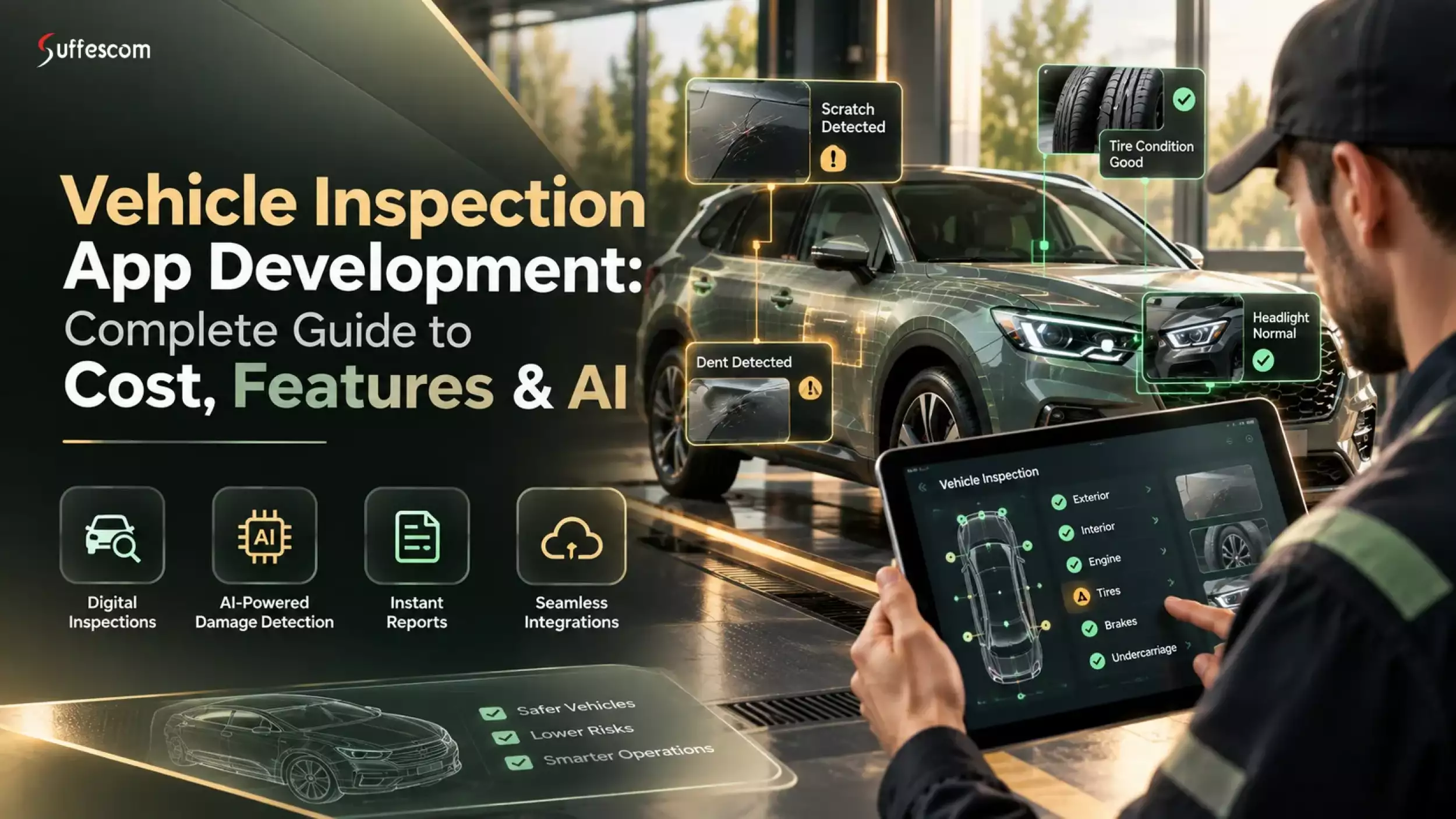
A vehicle inspection app is a mobile application that helps businesses track vehicle inspections digitally.
A Digital Vehicle Inspection (DVI) system is able to link the vehicle inspection data with fleet management, maintenance, and even other business-related software. It offers the manager the ability to get a clear view of the condition of the vehicle.
Large-scale businesses that are using a fleet of vehicles would find it easy to adopt DVIs over paper checklists.
Digital Vehicle Inspection (DVI) vs Paper-Based Checklists
Physical checklists can work for basic checks, but they become increasingly challenging as the number of cars, people, and inspection locations grows. The records could be lost, the handwriting might not be legible, and the managers have to input data from the inspections manually.
A DVI application automates all that by maintaining electronic records of the checks done. Adopting this, the inspectors are able to use the checklist, take pictures, and report on defects at the very instant.
| Aspect | Paper-Based Checklist | Digital Vehicle Inspection |
| Inspection records | Paper forms | Centralized digital records |
| Evidence | Separate photos or handwritten notes | Photos, videos, notes, and timestamps |
| Checklist updates | Requires reprinting | Can be updated digitally |
| Report generation | Mostly manual | Automated |
| Record retrieval | Physical files | Searchable database |
| Defect tracking | Manual follow-up | Digital status and notifications |
| Data sharing | Scanning or physical copies | Instant digital sharing |
| Offline use | Naturally available | Supported through offline-first design |
Who Uses Vehicle Inspection Apps?
Inspection applications are helpful in cases where there is a requirement to document vehicle condition, identify any faults, certify inspections, and retain a history of inspections. Here are the top businesses and use cases for vehicle inspection apps:
- Vehicle fleet managers can utilize them to standardize daily, pre-trip, post-trip, and regular inspections of vehicles and drivers. Inspection reports can also be linked with maintenance processes so that downtime is minimized.
- Car rental businesses can use them to keep records about vehicle condition before and after renting, such as scratches, dents, internal damage, and other problems. It helps in conducting discussions about the issue with customers.
- Vehicle condition report applications are helpful for dealerships in trade-in evaluation, used vehicle inspection, reconditioning, and resale documentation.
- The insurance companies and claims management staff can use the digital inspection report, photographs, videos, and inspection condition report for claim validation and damage assessment.
- The logistics firms and trucking companies can have their roadworthiness inspection and driver inspection process digitized, especially for vehicles that require frequent pre-trip and post-trip inspections.
- The owner-operators can also utilize the inspection app for managing their vehicle inspection process and maintaining an inspection record.
Vehicle Inspection App User Segments
| User Segment | Primary Goal | Inspection Frequency |
| Fleet Managers | Compliance, vehicle condition tracking, and downtime reduction | Daily/pre-trip |
| Car Rental Companies | Damage documentation and vehicle condition verification | Per rental cycle |
| Dealerships | Trade-in, resale, and reconditioning reports | Per transaction |
| Insurance Providers | Damage assessment and claims verification | Post-incident |
| Logistics/Trucking | Roadworthiness and defect reporting | Pre-trip and post-trip |
| Owner-Operators | Vehicle records and routine condition checks | Regular/pre-trip |
Have a vehicle inspection app idea but need a clear development budget?
Types of Vehicle Inspection Apps
Vehicle inspection applications can be built using various types of inspection techniques, data sources, and processes. While some of these applications are based on structured inspection checklists, there are also those that use computer vision, connected cars, remote inspections, and maintenance-based processes.
Checklist-Based Inspection Apps
These apps digitally transform inspection checklists and help users conduct inspections at predefined inspection points. Users have the option to tag components as 'Passed', 'Failed ', or 'Needs attention' along with their comments.
They are extensively used for conducting regular vehicle and fleet inspections.
Example: Fleetio
Photo and Video Inspection Apps
The apps use visual proof as a core element for inspections. The inspectors have the ability to take pictures or videos of the car, record particular problems, add annotations to the pictures and attach the evidence to each inspection item.
These apps prove to be helpful when there is a need to show proof regarding the condition of the vehicle.
Example: Ravin AI
AI-Powered Vehicle Inspection Apps
These apps are inspection software that use AI to analyse pictures of the car and help identify visible problems like dents, scratches, cracks, or broken parts.
Depending on the type of AI system and training data used, AI can help detect damage, classify it, estimate its severity, and review the inspection process.
Example: UVeye
Vehicle Condition Reporting Apps
The applications are based on the production of standardized vehicle condition reports from the inspection data. The application can create a vehicle report that integrates the checklists, photos, videos, notes, damage points, and scores from the inspection.
This report can be used when buying, selling, trading in, renting, auctioning, or transferring a vehicle.
Example: Inspektlabs
Connected Vehicle Inspection Apps
Connected inspection applications integrate manual inspection processes with information gathered from telematics devices, OBD systems, IoT sensors, GPS, and other sources of vehicle information.
Example: Samsara
Remote Vehicle Inspection Apps
Remote inspection software lets you evaluate vehicle condition without conducting every inspection in person. The system is capable of guiding the user on which pictures or videos to take and upload to undergo remote inspection.
The system can help in conducting inspections remotely, as well as in other instances where the inspector is not physically present.
Example: RavinAI
Inspection and Maintenance Apps
These applications link inspection findings to maintenance tasks. A maintenance task, work order, service reminder, or escalation can be initiated after finding a problem during an inspection.
This approach works well for instances where inspection results have to be used in fleet maintenance or workshops.
Example: Fleetio
Consumer Vehicle Inspection Apps
Consumer-oriented vehicle inspection apps are designed for car owners and buyers who want to assess and document a vehicle's condition without professional inspection equipment. Rather than using professional equipment to conduct the inspection, the app could provide an inspection checklist, visual guides, and a report on the car's condition.
Such applications may help consumers document the car's condition before buying/selling/maintaining their cars.
Example: Carly
App Types Compared
| App Type | Primary Capability | Typical Use Cases |
| Checklist-Based | Structured digital inspections | Fleet, pre-trip, post-trip, compliance |
| Photo & Video | Visual evidence collection | Damage documentation, handovers, claims |
| AI-Powered | Automated image analysis | Damage detection and assessment |
| Condition Reporting | Standardized vehicle reports | Sales, rentals, trade-ins, auctions |
| Connected Vehicle | Telematics, diagnostics, and sensor data | Fleet and connected vehicle operations |
| Remote Inspection | Digital inspection without physical presence | Claims, transactions, distributed inspections |
| Inspection & Maintenance | Inspection-to-maintenance workflows | Fleets and workshops |
| Consumer Inspection | Guided self-service checks | Vehicle buyers and owners |
Top 5 Vehicle Inspection Apps
The vehicle inspection market includes platforms focused on digital checklists, AI-powered damage detection, remote inspections, and connected fleet operations.
| Inspection App | Focus | USP |
| Fleetio | Fleet inspections | Digital inspections integrated with fleet maintenance |
| UVeye | Automated inspections | AI-powered vehicle scanning and damage detection |
| Inspektlabs | Remote inspections | Smartphone-based inspections with AI damage assessment |
| Ravin AI | AI vehicle inspection | Automated visual inspection using computer vision |
| Samsara | Fleet & telematics | Inspections connected with vehicle and telematics data |
Must-Have Features for a Vehicle Inspection App
Customizable Digital Checklists
Inspectors must be able to fill out digital checklists that encompass varying types of vehicles, different inspection types, and even administrative needs. Administrators would be able to customize, edit, and re-order checklist items without having to modify the whole software.
Photo and Video Capture Functionality
The mobile application development should be focused on enabling inspectors to take photos and videos right during the course of the inspection. Relevant metadata like timestamps, vehicle numbers, and even location details can be attached to the gathered evidence for better traceability.
Offline Inspection Mode
Inspections can occur in garages, remote areas, fields, or places with poor internet connectivity. Considering this, vehicle inspection software development must include an offline inspection mode as a core feature.
Digitally Signed Inspection Forms
The drivers, inspectors, managers, or customers can digitally sign off on their completed inspection forms. This feature will allow you to store this signature with the inspection form and log who filled in or signed off on it.
Defects and Issues Reporting
It is essential to allow users to report any defects that have been found using the checklist tool. You will also need to provide users with the ability to rate the defect and write some comments or even include images.
Vehicle History
Vehicle history will keep a record of all past inspections, defects, fixes made to vehicles, and other documentation.
Report Generation
The system should allow inspection results to be generated in the form of standard digital or PDF reports. The report may contain checklist results, defect information, photos, signatures, vehicle information, and inspection dates.
Notifications/Alerts
Push notifications and email notifications may be used to remind users about upcoming inspections, unfinished checklists, serious defects, expired inspections, and any maintenance work needed.
Role-based Dashboards
Dashboards must provide information based on the user's role. For instance, inspectors will see their inspections, while fleet managers will see information on vehicles, defects, and inspections.
Inspection Analytics & Reporting
The application should turn accumulated inspection data into useful operational insights through dashboards and analytics. Managers can track inspection completion, recurring defects, failed inspections, and vehicle condition trends across weeks, months, or years.
Advanced & AI-Powered Features
AI Damage Recognition
Using an AI damage recognition tool, vehicle images can be examined to identify visible damage, including dents, scratches, cracks, and damaged parts. Damages can be highlighted by the system rather than being evaluated without supervision.
AI-Enabled Inspection Report Generation
With generative AI development, inspection results can be turned into understandable condition descriptions or descriptions of damage. The human element can still be included in the process.
Damage Mapping
Inspection staff can put marks on a diagram of the vehicle indicating the damaged part and linking it to images, degree of damage, and other information.
Inspection Risk Scoring
The app must allow collection of inspection data, defect history, mileage, and other relevant data to determine which vehicles need more attention.
Telematics Integration
Telematics integration would make available mileage, engine diagnostics, location, driving events, and other vehicle-related data within the inspection process. This will decrease data entry and increase fleet management capabilities.
Maintenance Workflow Integration
The findings from the inspection can be turned into maintenance jobs or work orders. For instance, a failed tyre inspection would create a maintenance job that would refer back to the original inspection record.
Inspection Scheduling
Inspections can be scheduled according to time, mileage, vehicle type, usage, or business policies. Inspections that are pending and overdue can be tracked by managers from a single dashboard.
Managing Multiple Vehicles & Multiple Locations
Organizations with more than one vehicle, branch, depot, or inspection team can manage all these through a centralized system.
Feature Breakdown
| Feature | What It Does | Business Value |
| Digital checklists | Provides structured, customizable multi-point inspections | Standardization |
| Photo/video capture | Records visual evidence with relevant inspection metadata | Better documentation |
| Offline mode with auto-sync | Allows inspections without continuous connectivity | Field reliability |
| Digital signatures | Captures driver, inspector, or customer sign-off | Traceability |
| Defect reporting | Records issues, severity, notes, and evidence | Faster follow-up |
| Vehicle history | Maintains previous inspections, defects, and reports | Better vehicle visibility |
| Automated report generation | Creates standardized digital or PDF reports | Faster turnaround |
| Role-based dashboards | Provides different views for admins, inspectors, and managers | Better governance |
| Notifications and alerts | Reminds users about inspections and critical issues | Fewer missed inspections |
| AI damage detection | Identifies potential visible damage from images | Reduced manual review |
| Damage mapping | Records the location and details of vehicle damage | More precise documentation |
| Telematics integration | Connects inspection data with vehicle telemetry | Broader vehicle monitoring |
| Maintenance integration | Converts inspection findings into maintenance actions | Faster issue resolution |
| Automated scheduling | Schedules inspections based on defined business rules | Improved workflow management |
How Computer Vision Detects Vehicle Damage Automatically
AI-based damage detection utilizes machine learning algorithms to assess pictures of vehicles and detect any defects present. An inspection application based on AI would allow for analysis of the picture taken by the inspector or driver and provide the detected damage, as well as the location and other characteristics of the defect.
Accuracy depends on factors such as the training dataset, the camera used, the vehicle type, the type of damage, and the inspection environment. Thus, AI should be seen as inspection support.
Research indicates that computer vision is effective for vehicle damage detection. The CarDD (Car Damage Detection) dataset is designed for vehicle damage detection and segmentation using computer vision technology and comprises 4,000 high-quality pictures of car damage with over 9,000 labelled damages classified into six categories. The research also examines deep learning approaches to vehicle damage detection and segmentation.
How Damage-Detection Models Are Trained
Training is performed using a dataset of images of vehicles. The images are labelled with information about the presence or absence of damage and, for more sophisticated models, with the location of damage in the images.
Different methods of computer vision can be used depending on output requirements.
- Image classification: The model decides whether there is any damage in the image or in a predefined vehicle area. The approach is relatively simple but can be helpful at the initial stage of inspections.
- Object detection: The model detects damage and applies a bounding box to the detected object. In addition, the model classifies the detected problem, such as a dent or scratch.
- Instance segmentation: The model decides which pixels belong to the detected damaged area. It allows for a more precise border than just a bounding box and enables measurements or visualisation.
Both models are trained and tested on different sets of images. Data augmentation techniques can provide some variations in brightness, rotation, scale, blur and so on to help the model cope with differences between training and inspection images.
Finally, the model can be incorporated into the inspection process to perform analysis of inspected images and to show the result to the inspector.
Accuracy Benchmarks and Real-World Limitations
Damage detection by AI should not be assessed in terms of just one percentage of accuracy. Various metrics can assess various elements of the process, such as whether damage has been detected, whether the damage category is correct, and localization accuracy of the damaged part.
The real conditions of the inspection can also influence the performance of the model. Such challenges include:
- Lighting: Reflections, shadows, and dim or overly bright lighting can complicate detection of scratches and dents.
- Camera angle: The image taken from different angles or at different distances can depict damage differently.
- Occlusion: Dirt, objects, body panels, and other obstacles can occlude part of the damaged area.
- Subtle damage: Minor scratches, paint problems, and dents can be more difficult to distinguish from regular wear and tear.
- Low-quality images: Image blur, out-of-focus images, image compression, low resolution, and other factors can limit the amount of data available to the model.
- Variability: Various colours, body designs, materials, and shapes of components can also increase variability.
Therefore, the testing of models for production purposes should be done based on images used for actual inspections, and not only using benchmark datasets.
AI-Based Fraud Detection in Insurance Inspection
It makes perfect sense since you have already explained how AI is analyzing car images. Thus, you will be able to mention how AI-based insurance inspection can assist insurers in spotting fraud.
Include such aspects as:
- Comparing current images of the car to the previously obtained inspection results.
- Determining if there is some discrepancy between the reported damage and vehicle appearance.
- Checking whether the same images are used in various claims.
- Matching the reported damage with actual vehicle conditions.
- Checking additional factors like metadata, time and location stamps, and so on.
- Referring suspicious cases to humans rather than immediately denying the claim.
Ready to turn your inspection workflow into a custom digital solution?
Edge AI vs Cloud-Based Inference — Which to Choose and When
The inference environment determines where the trained model processes an inspection image.
Edge AI runs the model directly on a smartphone, tablet, or other local device. It can provide faster feedback and continue working when connectivity is limited. However, mobile hardware has constraints on processing power, memory, battery consumption, and model size.
Cloud inference sends the image to a server where the model performs the analysis. Server infrastructure can support larger models and centralized model updates, but the approach requires network connectivity and introduces data-transfer and latency considerations.
A hybrid architecture can also be used. For example, a lightweight model can perform an initial check on the device while more detailed analysis is performed in the cloud when connectivity is available.
AI Damage Detection: Model Approaches
| Approach | How It Works | Trade-off |
| CNN-based classification | Determines whether damage is present within an image or predefined vehicle zone | Fast and relatively simple, but provides limited localization |
| Object detection | Identifies damage and places bounding boxes around detected areas | Provides location and category information but is less precise than segmentation |
| Instance segmentation | Identifies the individual pixels belonging to each detected damage area | More precise localization, but generally requires greater compute and more complex training |
| On-device edge inference | Runs the model directly on a phone, tablet, or inspection device | Supports offline or low-connectivity workflows but is constrained by device resources |
| Cloud inference | Sends images to a server for model processing | Can support larger models and centralized updates but depends on connectivity and adds data-transfer considerations |
Tech Stack for Vehicle Inspection App Development
The tech stack of a vehicle inspection app depends on various aspects. This includes the inspection process flow, user size, offline capability, AI features, and integration. In the case of basic inspection software, all that may be required is mobile technology, backend, database, and cloud service, whereas an advanced vehicle inspection application will have telematics, IoT, AI/ML, and enterprise system integrations.
Recommended Tech Stack
| Layer | Technology Options |
| Frontend (Mobile) | Flutter, React Native, Kotlin, Swift |
| Backend | Node.js, Django, .NET |
| Database | PostgreSQL, MongoDB |
| AI/ML | TensorFlow, PyTorch, OpenCV |
| Cloud & Storage | AWS S3, Google Cloud Storage, Azure Blob Storage |
| Integrations | Telematics APIs, GPS, OBD/vehicle data, ERP, fleet management systems, maintenance platforms, payment gateways |
Step-by-Step Vehicle Inspection App Development Process
Creation of a vehicle inspection application is more than developing checklist applications. The whole process of creating an application should take into account such issues as working conditions, inspection workflow, image and video capturing capabilities, offline work, synchronisation, and reporting for the business.
Discovery & Compliance Mapping
First, you need to describe how inspections are conducted and the information that the application should keep track of. The developers collaborate with the stakeholders to create the mapping of the users, vehicles, types of inspections, approval processes, reporting, and integration requirements.
The key aspects include:
- Definition of inspection workflow and user roles
- Identification of the checklist items and inspection criteria
- Understanding what type of information (photos, videos, signatures, documents) needs to be captured during the inspections
- Integration of the inspection data into maintenance, claims, fleet or other business systems
- Definition of offline capabilities and synchronization
- Identifying compliance requirements
The compliance requirements have to be identified based on the application's market, users, data, and purpose and not simply assumed to be universal for all vehicle inspection apps.
UX/UI Design for Field Conditions
Vehicle inspections often occur away from the workshop or office setting, thus requiring an interface that will function properly in such settings.
Some important aspects of the design process must consider gloves, direct sunlight, lack of connectivity, motion, and limited time to perform vehicle inspection.
Some critical elements of the user experience design include:
- Large touch targets that are easily usable in gloves
- High-contrast interface that is still readable in sunlight
- Steps in performing an inspection which are short and grouped together
- Guidelines on how to capture photos using the camera
- Reducing the need for typing by using predefined options and responses
- Workflows that support offline mode for areas lacking connectivity
- Status information indicating whether the vehicle inspection data was stored or synced
- Auto-recovery once the connectivity has been restored
- Clickable prototype that will allow testing by actual inspectors even before development.
App Development
Once the workflows and UI have been finalized, the developers design the mobile app and add the inspection capability to it. The core development may consist of authentication, vehicle selection, inspection checklists, media capture, defect logging, signatures, inspection history, notifications, and report generation.
The app can have advanced functionalities including AI-based damage detection, barcode scanning, GPS capture, speech recognition, and offline storage.
The development can be phased, with the core inspection process coming first, followed by the advanced functionalities and integrations.
Backend & API Architecture
The backend offers the necessary functionality for managing inspection data and connecting the mobile app to other systems through APIs that may include authentication, permission levels, vehicle records, inspection templates, inspection submissions, media references, reports, and synchronization functionalities.
Other architectural requirements of a scalable system include:
- Data encryption: Encrypt sensitive data in transit with TLS and encrypt stored data via encryption at rest.
- Secure authentication: Implement strong authentication techniques including MFA where appropriate, as well as secure sessions and token management.
- API security: Implement authorization, input validation, rate limiting, and other API security techniques to safeguard inspection and vehicle data.
- Media storage: Safeguard vehicle pictures, video recordings, reports, and other documents through access control and secure object storage.
- Audit logging: Log significant events like inspection creation, modification, approval, and administrative activities.
In case of an offline-first application, it is better to implement synchronization logic at the beginning than when the rest of the application is done.
QA, Pilot Testing, and Phased Rollout
Tests must encompass both typical application operations and actual inspection conditions. Testing of checklist procedures, camera performance, offline capabilities, synchronization, permissions, integrations, reporting capabilities, and device compatibility could be done by the QA team.
Field testing will be especially valuable. Inspectors or drivers may use the application for actual inspections and share information about issues that arise, including reflections, usability concerns, interruptions, picture quality, and time taken for an inspection.
Following field testing, the development team would address all usability and technical problems before the wider rollout. The gradual rollout of the application could include more vehicles, locations, or users while observing application performance, synchronization problems, inspection completion rate, and user feedback.
Integrating Telematics & IoT for Predictive Maintenance
Vehicle inspection software is not necessarily based only on data entered by an inspector. In fact, by integrating the software with telematics, OBD-II readers, and IoT sensors, businesses will be able to integrate the data obtained during periodic inspections with vehicle data.
It will result in a wider picture of the vehicle's condition and possible detection of new problems between inspections.
Connecting OBD-II Devices and IoT Sensors to Inspection Data
Depending on the particular car and OBD-II adapter used, OBD-II devices can offer a means of accessing vehicle diagnostic information.
The inspection platform can utilize this information in combination with inspection results that are manually documented.
IoT sensors can also offer other information like:
- Engine or machinery temperature
- Tire pressure
- Battery or voltage measurements
- Vibration
- Energy/fuel consumption
- Location and movement of the vehicle
- Operating hours/mileage
The inspection application would obtain this information via the telematics platform, device gateway or API instead of communicating with every sensor individually. This information would then be linked to a particular vehicle as well as inspection history.
In a scenario where an inspector documents a problem with the tyres when doing a manual inspection, the connected system also indicates tire-pressure variance.
From Reactive Checklists to Predictive Maintenance Alerts
Conventional inspection processes usually detect issues during inspection operations. A connected solution can enhance such pre-scheduled inspections with triggers based on vehicle data or operating trends.
A predictive maintenance process may be built according to this logic:
- Gather data from the vehicle
- Detect abnormal trends
- Estimate risks
- Send a notification
- Inspect the vehicle
- Establish a maintenance task
Unusual temperature variation, unexpected vibration readings, diagnostic codes, or deteriorating battery performance are some factors that might trigger an alarm to conduct an inspection.
It is not essential for the system to predict the exact component breakdown. In some cases, detecting abnormal trends and prioritizing the vehicle for inspection or maintenance would be a more realistic goal.
Predictive algorithms will grow in value as more historical information about past inspections and repairs, sensor data, and operation data of the vehicle become available in the platform. Such algorithms must be tested using appropriate historical and practical data.
Data Fusion — Merging Manual Inspection Logs with Real-Time Vehicle Telemetry
The greatest advantage of a connected inspection system is the combination of various sources of information rather than their isolation into different documents.
Manually conducted inspections may collect data which is difficult to measure via sensors, for example, body damage, loose parts, abnormal noises, or anything else noticed by the driver/inspector. Telematics will allow for constant gathering of information like mileage, location, diagnostics, etc.
A unified vehicle record can therefore contain:
- Manual checklist results
- Photos and videos
- Reported defects
- Inspection timestamps
- GPS and mileage data
- Diagnostic information
- Sensor readings
- Maintenance and repair history
- Previous inspection outcomes
Analytics can use these combined records to identify recurring defects, correlate sensor changes with inspection findings, and prioritize vehicles for follow-up.
Manual Inspection vs. Telematics-Augmented Inspection
| Aspect | Manual-Only Inspection | Telematics-Augmented Inspection |
| Data source | Human observation and checklist responses | Sensors, vehicle data, and human observation |
| Detection timing | Primarily during scheduled inspections | Can provide continuous or event-based monitoring |
| Failure prediction | Limited to observed conditions and inspection history | Can support trend analysis and predictive models |
| Historical context | Inspection records | Inspection records combined with vehicle telemetry |
| Implementation cost | Lower | Higher due to hardware, connectivity, integration, and data infrastructure |
| Connectivity dependency | Can operate offline with synchronization | Depends on the connected devices and data transmission architecture |
Regulatory & Compliance Frameworks to Design Around
The requirements for vehicle inspection apps depend on the type of vehicle, purpose of inspection, location where the inspection will take place, and the nature of information that is being collected.
Compliance Needs for Commercial Fleet Operators
Applications for commercial vehicle inspections might have to include a mandatory inspection schedule, defect logging, maintenance logs, and confirmation of inspection completion.
Depending upon the jurisdiction of operation and class of the vehicle, the application might require:
- Customizable pre/post trip inspection workflows
- Mandatory inspection items and defect categories
- Date and time stamping
- Identification of the vehicle and the driver
- Signature of digital form
- Defect escalation and corrective actions log
- History of inspections and maintenance
As the regulations for commercial vehicles vary by jurisdiction, these rules must be customizable rather than hard-coded into the application.
Compliance Needs for Passenger Vehicle and Consumer Markets
Passenger vehicle inspections can include routine roadworthiness, safety, emissions, and registration inspections, depending on jurisdictional needs.
Among the considerations in the design of such an application would be:
- Jurisdiction-specific inspection checklists
- Identification of the vehicle and its inspection history
- User authentication and authorization
- Data storage and secure transport of inspection data
- Data retention and deletion policies
- Recording significant changes to the records
The application must also make a distinction between recording the status of the vehicle versus acting as a legitimate inspection system.
Designing a Configurable Rule Engine for Multi-Region Compliance
A globally deployed inspection platform should avoid hard-coding regulatory requirements into a single workflow. A configurable rule engine can determine which requirements apply based on factors such as country, region, vehicle class, inspection type, or business model.
It can control:
- Applicable inspection checklists
- Mandatory inspection items
- Inspection frequency
- Defect severity and escalation rules
- Required inspection data
- Approval and sign-off requirements
- Record-retention periods
- Inspection expiry and renewal rules
This allows one platform to support different regulatory workflows across markets without developing a separate application for every jurisdiction.
Data Security & Privacy Considerations
Inspection platforms can capture the identifiers of vehicles and drivers, location, images, videos, signatures, and inspection details. The security and privacy controls will be dependent on the nature of the data being captured, the location of the users, and how the platform is deployed.
Based on the market and business needs of the organization, the following types of security controls could be implemented:
- Data encryption while transferring and at rest
- Role-based access control and least privilege principle
- Multi-factor authentication for privileged and sensitive accounts
- Authentication and authorization of API calls
- Audit log for important record changes and administrative actions
- Data retention and destruction controls
- Storage and access controls for inspection images and videos
- Privacy controls for location data and driver information
If the platform is being used by an organization that operates in regions with regulations that govern the use of personal data, such as the GDPR, the architecture of the application must incorporate those requirements. In addition, enterprises can demand frameworks for assurance in security, such as SOC 2, depending on their procurement policies.
Compliance Considerations by Region Type
| Use Context | Typical Requirement | App Design Implication |
| Fleet Management Software | Scheduled inspections and defect records | Timestamped records, vehicle/driver identification, audit trails |
| Passenger vehicle markets | Periodic roadworthiness or safety checks | Configurable inspection templates and schedules |
| AI-Insurance software development | Secure handling and retention of inspection evidence | Access controls, secure storage, audit logs |
| Consumer applications | Protection of personal and vehicle-related data | Privacy controls, secure APIs, retention settings |
| Cross-border fleets | Different requirements across jurisdictions | Configurable rules, localized checklists, and reporting |
Cost to Develop a Vehicle Inspection App
The development cost of a vehicle inspection app can range from $25,000 for an MVP to $150,000 or more for an enterprise-level app with artificial intelligence, telematics, reporting capabilities, and integrations. This is the estimated range rather than the exact price on the market. The exact quote will depend on the features, technology stack, platforms, integrations, and compliance of the app.
Cost Estimation by Complexity
| App Complexity | Typical Scope | Estimated Development Cost | Estimated Timeline |
| Basic MVP development | Checklists, photo capture, basic reports, user accounts | $25,000 – $45,000 | 8–12 weeks |
| Mid-Tier | MVP features + offline sync, dashboards, signatures, inspection history, integrations | $45,000 – $90,000 | 4–6 months |
| Enterprise/ AI-Enabled | Advanced reporting + AI damage detection, telematics, automation, enterprise integrations | $90,000 – $150,000+ | 7–10+ months |
Factors That Influence Development Cost
Factors which might affect the development budget size include:
- Feature scope: The amount of development is greater for features such as damage detection using artificial intelligence, predictive analysis, and workflow automation than for checklists and reporting.
- Platform compatibility: Whether you want iOS app development, cross-platform app development or Android app development may be important in determining development requirements.
- UI/UX complexity: Developing a field-oriented UI and camera help, plus accessibility and an offline-first approach, increases development effort.
- AI: Custom computer vision models require data preparation, training, validation, optimization, and constant monitoring.
- Telematics and IoT: Connecting with OBD devices, sensors, GPS, and telematics platforms require hardware services and third-party API integration services.
- Back-end complexity: The back end will be developed as a multi-tenant solution and will include complex permissions, analytics, reporting, and synchronisation.
- Third-party integration: Integration with fleet management, maintenance, ERP, claims, payments, and other systems might increase the development effort.
- Security and compliance: Data protection, audit logging, access control, encryption, and regional requirements affect the development architecture.
- Location and competence of development team: Development cost depends on developer salaries and the proportion of mobile, back-end, AI, QA, UI and DevOps developers.
Cost Breakdown by App Complexity
Basic MVP —$25,000 – $45,000
A basic MVP is suitable for validating a core inspection workflow. It may include:
- User registration and authentication
- Vehicle profiles
- Digital inspection checklists
- Photo capture
- Defect recording
- Basic inspection reports
- Inspection history
- Simple admin panel
Mid-Tier —$45,000 – $90,000
A mid-tier application adds capabilities needed for more structured business operations, such as:
- Offline inspection and synchronization
- Custom inspection templates
- Digital signatures
- Advanced dashboards
- Role-based access
- Notifications
- Detailed reporting
- Cloud media storage
- Fleet or maintenance integrations
Enterprise/ AI-Enabled —$90,000 – $150,000+
An advanced platform can include:
- AI-based damage detection
- Computer vision and image analysis
- Telematics or IoT integration
- Automated alerts
- Advanced analytics
- Complex workflow automation
- Enterprise integrations
- Advanced security and audit capabilities
For an accurate estimate, it is better to define the inspection workflow, target users, platforms, integrations, AI requirements, and expected scale first. A software development partner can then map these requirements to a realistic scope, timeline, and budget.
Ongoing AI Model Maintenance Costs
This is important because AI-powered inspection isn't a one-time development expense. Explain that after launch, costs can include:
- Model monitoring and retraining as new vehicle models, damage types, and image conditions appear.
- New training data and labeling of inspection images.
- Cloud inference costs when damage detection runs on servers.
- Model optimization for speed and mobile/edge deployment.
- Human review and feedback loops to identify incorrect predictions.
- Testing after model updates to ensure performance remains reliable.
Monetization Models for Vehicle Inspection Platforms
Revenue can be generated from subscription, usage, licensing fees, or premium services provided by the platform. It all depends on whether the target audience belongs to any particular category. The possible categories include enterprises with fleets, inspectors, software providers, and even car owners.
Subscription and Per-Seat SaaS Models
The subscription-based pricing model involves charging the business periodically for the use of the platform for inspection. The charge may be made depending on the number of inspectors or users of the application, vehicles under management, or feature level.
The per-seat pricing model works well when you know how many inspectors or field personnel use the application.
Example: A fleet company with 50 inspectors could pay a monthly fee for each inspector using the platform. As the company adds more inspectors, its subscription revenue increases.
Per-Inspection and Freemium Models
The per-inspection plan bills clients according to how many inspections they perform. This plan is suitable for companies which have unpredictable inspection volumes and do not require a hefty subscription fee.
The freemium business model offers free inspection capabilities to customers, and fees apply when additional services such as artificial intelligence damage detection or automation of report generation are required. This model could be applied to consumers and products meant to be sold to consumers after attracting them.
Example: An insurance company could pay a fixed fee for every vehicle inspection processed through the platform, while a consumer app could offer basic inspections for free and charge users for AI-based damage detection and detailed reports.
Enterprise Licensing
Large organizations would like to have an annual or multi-year enterprise license rather than pay-per-use licensing models. This license could offer a set of customised features, larger capacity, customer service, administrative capabilities, integration, and deployment options.
This solution is appropriate for companies that use inspections a lot, such as large fleet operators, insurance firms, automotive companies, and others.
Example: A large rental company could sign an annual licensing agreement to use a customized inspection platform across multiple branches, with integrations for its existing fleet and rental management systems.
White-Label Licensing
With white-label services, the other company can sell the inspection service platform under its own branding. The platform provider may charge a one-time license or set-up fee, alongside continuous fees.
This is especially relevant for auto technology companies, fleet management solution companies, and inspection service companies that need to incorporate inspection solutions into their existing services.
Example: A fleet management software provider could license an inspection platform, add its own branding, and pay the platform developer a setup fee followed by recurring licensing charges.
Premium AI and Add-On Features
Advanced functions may be offered as a separate module from the basic package. They might be AI damage detection, advanced analytics, telematics, API access, additional storage, automatic reporting, and predictive maintenance.
Example: A fleet management user might first opt to use digital checklists on the basic plan and then choose to buy the additional modules of AI damage detection, telematics, and predictive maintenance.
Monetization Options
| Model | Description | Best Fit |
| Per-seat SaaS subscription | Recurring fee based on inspectors or users | Fleet operators and inspection teams |
| Per-vehicle subscription | Recurring fee based on the number of vehicles managed | Fleet and rental businesses |
| Per-inspection fee | Pay based on completed inspections | Small or variable-volume businesses |
| Enterprise licensing | Contract-based access with customized features and support | Large organizations |
| White-label licensing | Platform is offered under a partner's brand | Software and automotive technology providers |
| Freemium + premium features | Basic inspection tools are free while advanced capabilities are paid | Consumer and SMB applications |
| AI/add-on pricing | Advanced capabilities are charged separately | Platforms with AI, analytics, or specialized integrations |
Common Development Challenges and How to Solve Them
Vehicle inspection app development is not limited to paper checklist digitization. There may be various issues arising from field circumstances, massive amounts of inspection data, device limitations, and third-party integrations.
Poor Image Quality and Inconsistent Inspection Photos
AI damage detection and visual inspection features depend on clear, consistent images. Poor lighting, incorrect angles, motion blur, or partially visible vehicle areas can reduce analysis quality.
How to solve it:
- Add camera guidance and capture instructions.
- Use image-quality checks before submission.
- Define recommended angles and coverage areas.
- Allow inspectors to retake unclear images.
- Keep human review for uncertain AI results.
Offline Connectivity and Data Synchronization
Inspectors may work in garages, parking areas, remote locations, or other places with unreliable connectivity. An app that depends entirely on a live connection can interrupt inspections or cause data loss. Mobile applications for enterprises studied by Nielsen Norman Group have revealed the importance of supporting the needs of field staff and providing them with information even when there is no network connectivity. This requirement is of great significance for inspection applications where access to inspection data and workflows in offline mode is essential.
How to solve it:
When it comes to a disconnected inspection application, there will be cases when the inspection record is generated or updated before connecting with the server again. In order to sync local and central databases, it is important not to generate any duplicates in the data.
The synchronisation layer will assign a unique ID and timestamp for each record and monitor which updates are synchronised with the server. Thus, if the same record gets updated by the device and by the server, conflict resolution policies can be applied.
Integrating Telematics, IoT, and Vehicle Data
Connecting inspection software with OBD devices, telematics platforms, GPS systems, or IoT sensors can be difficult because devices and APIs may use different data formats and communication methods.
How to solve it:
- Use a well-defined integration layer.
- Normalize incoming vehicle data before storing it.
- Support APIs and webhooks where available.
- Design for device and vendor differences.
- Log integration failures and provide retry mechanisms.
Balancing AI Automation With Human Review
AI can help identify visible damage and prioritize inspections, but performance can vary across vehicle types, camera conditions, and damage categories. Treating model output as automatically correct can create operational risks.
How to solve it:
- Show confidence or uncertainty indicators where appropriate.
- Let inspectors confirm, reject, or edit AI findings.
- Maintain human review for sensitive decisions.
- Monitor model performance using real inspection data.
- Retrain and validate models as the vehicle and damage dataset grows.
Managing Large Volumes of Photos and Videos
Inspection platforms can generate significant media data, particularly for fleets with frequent inspections. Storing and retrieving this content can increase infrastructure costs and affect app performance.
How to solve it:
- Use scalable object storage for media.
- Compress images and videos without losing required evidence quality.
- Create thumbnails for faster viewing.
- Apply retention and archival policies.
- Separate frequently accessed files from long-term records.
Keeping Regulatory Rules Configurable
Inspection requirements can differ by country, vehicle class, business type, and inspection purpose. Hard-coding one checklist or workflow can make the platform difficult to adapt.
How to solve it:
- Build configurable inspection templates.
- Create rules for mandatory items, frequency, and defect severity.
- Support region-specific workflows and reports.
- Keep compliance rules separate from core application logic.
- Provide administrator controls for approved configuration changes.
Maintaining Consistent Data Across the Platform
Vehicle details, inspection records, damage reports, maintenance events, and telemetry data need to remain connected. Poor data modeling can lead to duplicate records or incomplete vehicle histories.
How to solve it:
- Use a consistent vehicle and inspection ID structure.
- Define relationships between inspections, defects, media, and maintenance records.
- Validate data at entry and API levels.
- Maintain audit logs for important changes.
- Establish clear data ownership between integrated systems.
Supporting Different Devices and Field Conditions
Inspectors may use different smartphones or tablets, while some organizations may require company-managed devices. Differences in cameras, operating systems, screen sizes, and available storage can affect the experience.
How to solve it:
- Test across the target device range.
- Optimize camera and media processing for lower-end hardware.
- Use responsive layouts and accessible touch targets.
- Monitor crashes and performance by device type.
- Prioritize the devices actually used by field teams rather than trying to support every device.
Addressing these challenges during architecture and planning helps create a vehicle inspection app that remains reliable as inspection volume, users, vehicles, and integrations increase.
Future Trends in Vehicle Inspection App Development
The following trends may affect the development of such platforms.
Generative AI for Automated Damage Report Narratives
Generative AI can generate reports based on inspections, photos, and detected damage. Rather than manually crafting descriptions, the inspector will be able to proofread the AI-generated descriptions before submitting them.
The applications of such technology might be:
- Generating standardized descriptions of the damage
- Writing a summary of inspection results
- Creating reports that are ready to be submitted to customers
- Identifying not yet fixed defects
- Multilingual support
Autonomous-Vehicle-Ready Inspection Standards
As vehicles increasingly rely on cameras, radar, lidar, and other sensors, inspection workflows may need to assess electronic and sensing components in addition to visible vehicle damage.
Future inspection apps may support checks for:
- Camera and sensor condition
- Advanced driver-assistance system components
- Sensor obstructions or physical damage
- Calibration status
- Diagnostic and electronic system faults
Predictive, Sensor-Driven Inspection Cycles
Condition-based inspections might supplement routine inspection schedules more and more. Information collected from connected vehicles might detect any unusual trends and lead to additional inspections based on the occurrence of certain events.
These events might include unusual tyre pressure changes, diagnostic tests, vibrations, etc.
Multimodal AI for Vehicle Condition Assessment
The future inspection platforms could use photos, text notes, voice notes, diagnostic information, and information about the vehicle to conduct a more thorough condition assessment.
One could take photos and describe the problem using voice, and the platform would compile the information into a structured inspection report.
Automated Inspection-to-Maintenance Workflows
The results of the inspection process could become closely associated with maintenance procedures. After the discovery of the defect, the system can create a maintenance task, allocate it to the group of employees, monitor its progress and associate the completed repair with the initial inspection.
Such a workflow would be created from inspection to defect resolution and verification.
Why Choose Suffescom to Build Your Vehicle Inspection App?
Suffescom designs a customized solution for your vehicle inspection process depending on your business workflow and needs.
- Custom development: Create a vehicle inspection workflow, dashboard, report, and user roles according to your business needs.
- AI Integration: We specialise in integrating advanced technologies like computer vision, damage detection, and AI-powered report generation.
- IoT/telematics Integration: Integrate your vehicles' data, GPS location, OBD sensors, or other third-party platforms.
- Offline-First Apps: We can help you create an app for field inspections where the internet connection is limited.
- Scalable architecture: Develop an application backend for increased numbers of users, vehicles, inspection logs, and media files.
- Support: Maintain and scale the application after its release.
Ready to digitize your vehicle inspection process?
Conclusion
Vehicle inspection app development can help businesses replace paper-based inspections with faster, more structured, and traceable digital workflows. Features such as digital checklists, photo and video capture, AI damage detection, offline functionality, and telematics integrations can make inspections more efficient while creating a centralized vehicle history.
The development cost depends on factors such as app complexity, platforms, AI requirements, integrations, security, and business scale. Defining these requirements early helps determine the right technology, development approach, timeline, and budget.
Whether you need a basic inspection app or an enterprise platform connected to AI, IoT, and fleet systems, the right development strategy should be built around your specific operational needs. Talk to our expert if you are planning vehicle inspection mobile app development and explore the right approach for your project.
FAQs
What is a vehicle inspection app used for?
The vehicle inspection app is a mobile application that automates the vehicle inspection process. This app will enable you to do checklists, take photos and videos, log defects, create reports, and keep an inspection history.
How does AI-based damage detection work in inspection apps?
AI-based damage detection is done through computer vision algorithms that process images of the vehicle and detect any kind of damage, like dents, scratches, or cracks on the car. These findings can then be checked by the inspector before being included in the final report.
How much does it cost to develop a vehicle inspection app?
Vehicle Inspection Application Development may cost you between $25,000 and $150,000+ depending on the requirements. The cost for a minimum viable product starts at $25,000. For a mid-scale build, it can go up to $45,000-$90,000, whereas an advanced or enterprise solution with AI, telematics and complex integrations may cost $90,000 – $150,000+.
Can a vehicle inspection app work without internet access?
Yes. It would be possible for the application to adopt an offline-first approach that will allow the inspectors to view checklists, collect information, and take pictures even when there is no active Internet connection.
What is the difference between a fleet inspection app and a DVI app?
Fleet inspection software is typically used for performing periodic inspections of several vehicles, drivers, locations, and maintenance processes. DVI (Digital Vehicle Inspection) software is intended for switching from paper forms to digital inspection checklists, evidence, results, and reports. These tools may intersect, but a fleet management platform may have features of DVI software.
How long does it take to build a vehicle inspection app?
A basic MVP may require 8–12 weeks, while a mid-range application requires 4–6 months. More sophisticated AI features, telematics, IoT capabilities, enterprise integration capabilities, and workflow requirements can increase the development time to 7- 10 months, or even more.
What tech stack is best for vehicle inspection app development?
Choosing the correct stack is dependent on the application's needs. Popular stacks include Flutter or React Native for cross-platform mobile development, Kotlin or Swift for native applications, Node.js, Django, or .NET for back-end, PostgreSQL or MongoDB for data storage, and TensorFlow, PyTorch, or OpenCV for artificial intelligence and computer vision.
Can vehicle inspection apps integrate with telematics or OBD-II devices?
Certainly, inspection applications can interface with telematics systems, OBD-II, GPS, and IoT sensors using APIs or device gateways. This means that information about the vehicle, such as diagnostic reports, distance covered, geographical location, and sensor data, can be aggregated with the inspection records.
Are digital vehicle inspection reports legally valid?
Digital reports may serve as business documents and evidence, but whether they are accepted legally or by regulators depends on the jurisdiction, the purpose of the inspection, and applicable regulations. If the report must meet official inspection regulations, the platform must be built with the jurisdiction's requirements in mind.
What features should an MVP vehicle inspection app include?
A typical MVP can include:
- User authentication and roles
- Vehicle profiles
- Digital inspection checklists
- Photo capture
- Defect and notes recording
- Basic inspection reports
- Inspection history
- Simple admin management
Advanced AI, telematics, predictive maintenance, and complex integrations can be added in later phases.
How accurate is AI in detecting vehicle damage?
The accuracy of the AI depends on many factors, including the type of AI model, the training dataset, the nature of the damage, the clarity of the image, the lighting, the camera angle, and the kind of vehicle. There is not one accuracy value for all of the different apps.
What are the biggest challenges in building an inspection app?
Common challenges include poor-quality inspection images, offline synchronization, large media storage requirements, device compatibility, third-party integrations, regulatory differences, and maintaining consistent vehicle and inspection data. These should be considered during architecture and product planning.
Should I build a custom app or use a white-label solution?
A custom app offers more control when it comes to workflows, integration, branding, data architecture, and additional functionalities. A white-label solution may be a better option since it takes less time to configure initially. It all boils down to the requirements you have for your product.
How do vehicle inspection apps prevent data tampering?
Permissions can be based on roles; there can be authentication, logging, timestamps, record modifications that can be limited, encrypted data transmission and server-side validation. In case of a workflow that involves sensitive information, the system can maintain previous versions or an unchangeable audit trail.
What industries benefit most from vehicle inspection apps?
Vehicle checkup apps can be useful in many industries such as fleet management, automobile rentals, automobile dealers, insurance, logistics and transport, automotive services, vehicle auctions, and purchasing of vehicles. Such an app can also be tailored for individual automobile owners who wish to perform a checkup on their automobile.
How do inspection apps support predictive maintenance?
Vehicle inspection software may be used to integrate information about manual inspections with vehicle telematics and diagnostic data. Persistent issues or abnormal trends may prompt maintenance alerts and inspections to help companies move away from static inspection cycles and into condition-based maintenance processes.
What compliance standards should a vehicle inspection app follow?
There is no universal standard for compliance with respect to each of the vehicle inspection apps. Compliance requirements vary depending on which country the application is intended for, the type of vehicles that will be inspected, the purpose of the inspections, and the information that will be collected.
How can a vehicle inspection app generate revenue?
The most common monetisation strategies include seat subscriptions, vehicle pricing, inspection fees, enterprise licenses, white-label licenses, a freemium strategy, and premium AI or integration add-ons. You can also offer both a subscription and additional usage fees for inspections and storage.