+971-8000321216



Key Takeaways
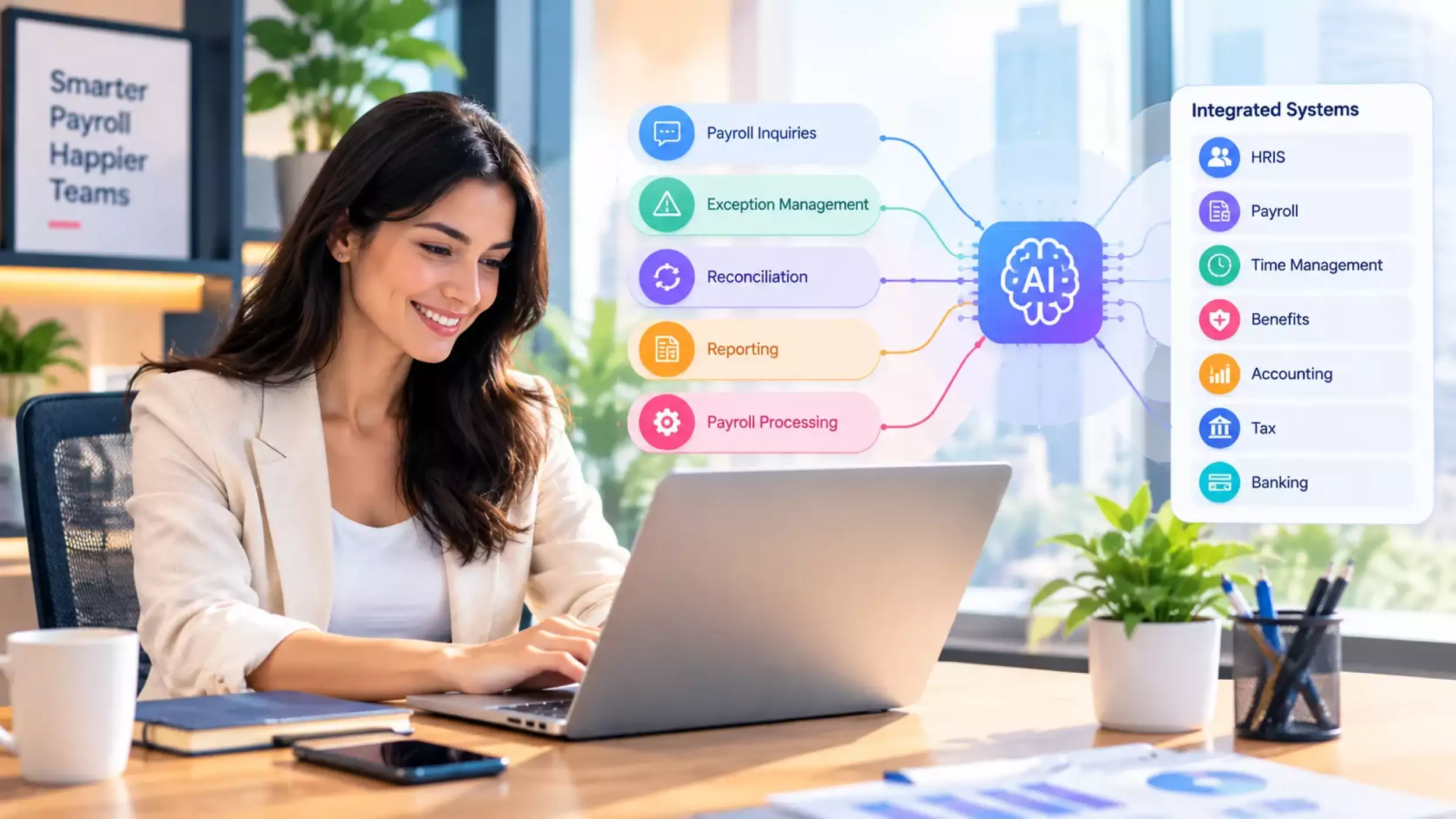
- AI payroll agents can automate functions like payroll inquiries, exception management, reconciliation, reporting, and payroll processing.
- AI agents are supposed to support deterministic payroll and tax engines, not do the actual authoritative calculations.
- The integration of HRIS, payroll, time management, benefits, accounting, tax, and banking systems supports workflow automation.
- Task risk should determine the level of autonomy for an AI agent, especially payroll adjustment, tax change, and payment tasks.
- Developing an agent costs from $15,000 to $150,000+, depending on workflow needs, integrations, security, and customization.
- Organizations can build and deploy an AI payroll agent into their payroll architecture without replacing the existing payroll solution.
Workflow within the payroll department has many instances where even minor mistakes may impact salary payments to employees, taxation issues, accounting documentation, and other related activities. The traditional form of payroll automation is efficient in executing pre-defined procedures but falls short where investigation or multi-system coordination is needed.
This is where AI agents can introduce automation. An AI agent can interpret requests. They can retrieve payroll data and identify anomalies. These are even capable of calling approved tools, coordinating workflows, and explaining findings. For example, an agent could detect an unusual payroll variance, compare the employee’s current and previous pay records, check time and benefits data, and prepare an explanation for payroll staff.
However, payroll is not a workflow where an AI model should operate without controls. Tax calculations, earnings, deductions, and other authoritative payroll results should remain governed by deterministic payroll and tax engines. The AI agent can sit above these systems as an orchestration and reasoning layer, with defined permissions and human approval for high-impact actions.
This makes AI agent development for payroll different from building a chatbot or adding a simple AI assistant to an existing application. This guide explains how to build an AI agent for payroll management, including its architecture, practical use cases, development process, integrations, security and compliance considerations, testing strategy, technology stack, development costs, recurring expenses, and ROI.
What Is an AI Payroll Agent?
An AI payroll agent is an intelligent software module that has the capability to comprehend a payroll activity, access the tools, and conclude the process.
For instance, an AI payroll agent can gather recent and past payroll information, find out the reasons for any payroll difference, and generate a report explaining the situation.
AI Agent vs AI Assistant vs Payroll Automation Software
- Payroll automation software: Executes predefined rules and workflows, such as payroll processing, deductions, and report generation.
- AI assistant: Answers payroll questions using available data and knowledge.
- AI payroll agent: Interprets a goal, selects the required tools, coordinates multiple steps, evaluates results, and takes permitted actions.
An agent therefore adds an intelligence and orchestration layer to existing payroll systems rather than replacing the payroll system itself.
How an AI Agent Works in Payroll
- A typical agent workflow is:
- Interpret the payroll request.
- Retrieve the required employee, payroll, policy, or transaction data.
- Call authorized payroll tools or APIs.
- Analyze the returned information.
- Validate the result against applicable rules.
- Complete an approved action or prepare it for review.
- Escalate tasks outside the agent's authority.
What Makes Payroll Different?
Payroll involves sensitive employee, financial, and tax information. Many workflows also affect actual compensation and financial records. An AI payroll agent therefore requires stricter controls than a general business agent.
than a general business agent.
The system should distinguish between AI-driven reasoning and authoritative payroll processing.
Can an AI Agent Calculate Payroll?
The agent can coordinate a payroll calculation, but an LLM should not be the authoritative payroll or tax calculator.
A production system should use deterministic payroll and tax engines for calculations. The AI agent can:
- Validate payroll inputs
- Identify missing or inconsistent information
- Submit approved data to calculation engines
- Retrieve calculation results
- Investigate and explain variances
- Prepare corrections for approval
This separation keeps AI responsible for workflow orchestration and reasoning, while deterministic systems remain responsible for authoritative calculations.
Ready to automate your payroll workflows?
Talk to our AI development team about building an AI payroll agent around your existing systems, workflows, and business rules.
AI Payroll Agent Architecture: Core Components and Data Flow
A production-level payroll agent using artificial intelligence usually sits between users and existing payroll systems. The structure of such an agent is made up of AI-powered reasoning capabilities which are kept apart from the payroll computations, business policies, data persistence and other critical activities.
AI Agent Orchestration Layer
This layer manages how the agent interprets requests and coordinates tasks.
Key components include:
- LLM and reasoning layer: Interprets user intent and determines the steps required.
- Context management: Keeps context for employees, payrolls, and workflows active throughout the task.
- Tool calling: Provides access to the approved APIs, databases, calculation engines, and workflows.
- Workflow management: Manages multi-step processes, retries, validations, and escalations.
- Agent-to-agent interaction: Facilitates communication between specialized agents to exchange task results when a workflow requires multiple skills.
Payroll Rules and Deterministic Calculation Layer
This layer contains the logic that must produce consistent and reproducible results.
It can include:
- Payroll rules engine
- Tax calculation engine
- Earnings and deduction rules
- Overtime calculations
- Benefits and contribution rules
- Multi-entity and jurisdiction-specific rules
The agent can request calculations or validate inputs, but these systems should remain the authoritative source for payroll results.
Payroll Data and Integration Layer
This layer connects the agent to the systems that provide payroll data and execute business operations.
Common integrations include:
- HRIS: Employee profiles, compensation, employment status
- Time and attendance: Hours, overtime, leave, schedules
- Benefits platforms: Contributions and deductions
- ERP software/accounting systems: Payroll journals and financial records
- Banking systems: Payment files and payment status
- Payroll platforms: Payroll runs, earnings, deductions, and pay statements
- Document systems: Tax forms, policies, and payroll notices
APIs, webhooks, event streams, and middleware can be used depending on the capabilities of the connected systems.
Knowledge and RAG Layer
The knowledge layer gives the agent access to controlled organizational and regulatory information that is not stored directly in transactional payroll systems.
It can contain:
- Payroll policies
- Employee handbook provisions
- Tax and regulatory documents
- Benefits policies
- Internal procedures
- Versioned compliance documentation
A RAG pipeline retrieves relevant sources before the agent generates an answer. Metadata such as jurisdiction, document type, effective date, and version helps prevent the agent from using outdated payroll information.
Data Flow
A typical payroll-agent request begins with a user request, which is processed by the agent orchestration layer. The agent then retrieves the required data or tools before invoking the appropriate payroll rules or calculation service. The result is subsequently validated and, depending on the nature of the request, either returned to the user or used to execute an approved workflow action. Relevant details of the transaction are then recorded in the audit log.
The exact flow depends on the task. A read-only employee question may require only data retrieval and a response, while a payroll adjustment may require calculation, validation, approval, controlled execution, and audit recording.
AI Agents for Payroll Management: Key Use Cases
AI payroll agents are most valuable for workflows that involve continuous monitoring, investigation, data comparison, employee support, and controlled actions. Current products from providers such as ADP and Paychex show that agentic payroll capabilities are already moving into production.
1. Payroll Pre-Processing and Pay-Readiness Agent
A pay-readiness agent checks payroll inputs before processing and identifies issues that could affect the upcoming payroll run.
It can:
- Check employee records for missing information
- Identify missing time entries
- Validate compensation changes
- Detect incomplete payroll inputs
- Flag issues for correction before payroll processing
Real-world example: Paychex WISE monitors employee hours, flags exceptions, and can assemble payroll for review before the user starts the payroll process.
2. Payroll Exception Detection Agent
The agent continuously looks for unusual payroll results instead of requiring payroll teams to manually inspect every employee record.
It can detect:
- Unusual net-pay changes
- Overtime anomalies
- Missing earnings
- Duplicate payments
- Unusual deductions
- Time and pay variances
Real-world example: ADP Assist's payroll agent automatically identifies payroll variances and suggests or facilitates remediation under human oversight.
3. Payroll Reconciliation Agent
A reconciliation agent compares payroll results with related business records and identifies differences that require investigation.
It can reconcile payroll against:
- Previous pay periods
- Time and attendance
- Benefits data
- Accounting records
- Payment information
The agent can then summarize the variance and provide the records needed for review.
4. Payroll Compliance Monitoring Agent
A compliance agent monitors payroll-related requirements and identifies changes or potential compliance issues.
It can monitor:
- Tax requirements
- Wage and hour rules
- Deduction requirements
- Benefits obligations
- Jurisdiction-specific rules
- Regulatory changes
Real-world example: Paychex WISE uses monitored compliance requirements to identify what has changed, what may be at risk, and what requires attention.
5. Employee Payroll Query Agent
An employee-facing agent can answer routine payroll questions using authorized employee and payroll data.
Examples include:
- “Why is my take-home pay different?”
- “When is my next payday?”
- “Why did my deduction change?”
- “Can I get my latest pay statement?”
- “How was this payment calculated?”
Real-world example: ADP provides AI-powered payroll assistance that can answer payroll questions and explain changes in take-home pay. ADP Assist is also available through Microsoft Teams for supported ADP systems.
6. Payroll Error Investigation Agent
When an exception is detected, an investigation agent can trace the issue across relevant payroll records.
It can:
- Identify the affected transaction.
- Compare historical and current payroll data.
- Trace changes in earnings or deductions.
- Identify the likely source of the discrepancy.
- Prepare a recommended correction.
- Escalate the case when approval is required.
Real-world example: ADP Assist is designed to identify payroll variances, explain what changed, and help practitioners resolve them before the payroll deadline.
7. Payroll Reporting and Analytics Agent
A reporting agent lets payroll teams request analysis using natural language rather than manually building reports.
It can generate:
- Payroll variance reports
- Payroll cost analysis
- Department-level reports
- Entity-level reports
- Workforce summaries
- Custom payroll analytics
Real-world example: ADP Assist analytics agents can create, execute, and analyze reports and visualizations from natural-language requests.
8. Payroll Document Processing Agent
An AI document-processing agent can extract and organize information from payroll-related documents.
Possible applications include:
- Tax form extraction
- Payroll document classification
- Pay statement analysis
- Payroll notice summarization
- Policy document analysis
- Audit evidence preparation
For production use, extracted information should be validated before it becomes an input to a payroll transaction.
9. Payroll Onboarding and Offboarding Agent
An agent can coordinate payroll tasks when an employee joins or leaves the organization.
For onboarding, it can check:
- Employee information
- Compensation
- Bank details
- Tax information
- Benefits and deductions
- Payroll setup requirements
For offboarding, it can identify outstanding payroll tasks and prepare information required for final-pay processing.
Real-world example: Paychex WISE already extends agentic automation across workforce workflows, while its payroll capabilities monitor payroll readiness and related employee data.
10. Payroll Audit Assistant
An audit assistant can help payroll teams locate historical evidence across payroll records and related workflows.
It can retrieve:
- Payroll changes
- Approval records
- Previous payroll results
- Exception history
- Supporting documents
- Employee-level transaction history
This is particularly useful when an auditor or payroll specialist needs to establish what changed, when it changed, and what records support the change.
Real-world example: ADP Assist embeds agents into workforce and payroll to surface insights, audit payroll variances, and help execute related tasks while maintaining human oversight.
Levels of Payroll Agent Automation
Not every payroll task should receive the same level of AI autonomy. A useful approach is to assign automation levels based on the potential impact of an agent's action.
| Level | Agent capability | Example | Human approval |
| Level 1: Read | Access and analyze information | Explain a payroll variance | Not required |
| Level 2: Recommend | Suggest an action | Recommend correcting an incorrect deduction | Required |
| Level 3: Prepare | Prepare an action without executing it | Prepare a payroll adjustment | Required |
| Level 4: Execute controlled actions | Perform low-risk, reversible actions | Create an exception or workflow task | Conditional |
| Level 5: High-impact execution | Execute actions affecting pay or money movement | Approve payroll or initiate payment | Mandatory human control |
Which Payroll Tasks Can AI Automate?
Lower-risk tasks are generally better candidates for greater automation. These can include data validation, report generation, exception classification, document processing, and creating internal workflow tasks.
Which Tasks Should AI Only Recommend?
Tasks that change payroll data should generally produce a proposed action for review when the consequences are material. Examples include changing deductions, modifying compensation-related inputs, or preparing payroll adjustments.
Which Actions Should Require Human Approval?
Actions that directly affect employee compensation, tax obligations, or movement of funds should have explicit human approval and appropriate authorization controls.
The exact boundary depends on the organization's payroll processes, risk tolerance, regulatory requirements, and system controls. The objective is not maximum autonomy; it is the appropriate level of autonomy for each payroll workflow.
AI Payroll Agent Development Process: Step-by-Step
Developing an AI payroll agent requires more than connecting an LLM to payroll data. The development process should define the workflows, data access, agent responsibilities, tools, and execution boundaries before implementation begins.
Step 1: Define Payroll Business Requirements
Start by identifying the payroll workflows the agent needs to support.
Define:
- Payroll processes and manual steps
- Current bottlenecks
- Target agent use cases
- Required integrations
- Expected users
- Actions the agent can and cannot perform
- Success metrics
Prioritize workflows based on business value, data availability, complexity, and operational risk.
Step 2: Identify Payroll Data Sources
Map the systems and data required for each workflow.
| Data source | Typical data | Agent access |
| HRIS | Employee and employment data | Read or controlled write |
| Payroll system | Earnings, deductions, pay records | Read + approved actions |
| Time system | Hours, overtime, leave | Read |
| Benefits platform | Contributions and deductions | Read or controlled write |
| Accounting software/ERP | Payroll journals | Read or controlled write |
| Tax engine | Tax calculations and results | API access |
| Document repository | Forms, policies, notices | Retrieval |
| Banking system | Payment files and status | Highly restricted |
The objective is to give each agent only the data needed for its assigned workflows.
Step 3: Design Agent Roles
Instead of giving one agent access to every payroll function, separate responsibilities where this improves control and maintainability.
Possible agents include:
- Validation agent: Checks payroll inputs.
- Payment Reconciliation software: Compares payroll data across systems.
- Employee support agent: Handles payroll-related employee queries.
- Reporting agent: Creates payroll reports and analysis.
- Investigation agent: Examines payroll exceptions.
- Supervisor agent: Coordinates tasks between specialized agents.
- Compliance management agent: Monitors configured compliance requirements.
A supervisor or AI orchestration layer can route a request to the appropriate specialist rather than allowing every agent to access every system.
Step 4: Design Agent Tools and APIs
Define the functions each agent can call.
Common tools include:
- Payroll record retrieval
- Employee data lookup
- Payroll adjustment preparation
- Tax calculation requests
- Report generation
- Document retrieval
- Notification
- Workflow creation
- Approval requests
Each tool should have a clearly defined input, output, permission requirement, and validation rule.
Step 5: Implement Business Rules and Guardrails
Translate operational requirements into enforceable system controls.
Important controls include:
- Role-based permissions
- Least-privilege access
- Tool allowlists
- Approval gates
- Transaction limits
- Input validation
- Rate limits
- Rollback mechanisms
- Human escalation
These controls should be implemented at the application and workflow levels rather than relying solely on the LLM's instructions.
Step 6: Build the Payroll Knowledge Layer
Create a controlled knowledge base for information the agent needs to retrieve during conversations and workflows.
The pipeline can include:
- Document ingestion
- Classification
- Chunking
- Metadata
- Embeddings
- Retrieval
- Source validation
Documents can include payroll policies, employee handbooks, procedures, benefits information, and approved regulatory material.
Store metadata such as jurisdiction, effective date, document version, and policy type so the agent can retrieve the appropriate information.
Step 7: Develop Agent Orchestration
Implement the workflow that determines how an agent handles a task.
A typical orchestration sequence includes:
- Intent
- Planning
- Tool selection
- Execution
- Validation
- Response or approval
For complex workflows, the system should maintain task state so an agent can resume after an API failure, human approval, or other interruption.
Step 8: Integrate Existing Payroll Systems
Connect the agent to the organization's existing technology through appropriate integration patterns.
These can include:
- REST or GraphQL APIs
- Webhooks
- Event-driven messaging
- Batch interfaces
- Integration middleware
- Structured agent tool interfaces
- MCP-based tool access where supported
The AI integration layer should keep payroll systems as the authoritative source for transactional data rather than duplicating payroll logic inside the AI application.
Step 9: Deploy Incrementally
Start with low-risk, measurable workflows before expanding agent permissions.
A practical rollout can move from:
- Read-only workflows
- Recommendations
- Prepared actions
- Controlled execution
Each stage should be evaluated before granting the agent additional capabilities.
Planning an AI payroll agent for your business?
Share your workflows and integration requirements with our team to explore the right architecture and development approach.
AI Payroll Agent Security Architecture
An AI payroll agent can access employee identities, compensation, tax records, bank details, and other sensitive information. Security therefore needs to protect both the underlying payroll data and the agent's ability to interact with connected systems.
Payroll Data Privacy and Protection
Protect sensitive data throughout its lifecycle.
Key measures include:
- Encrypt data in transit and at rest
- Tokenize or mask sensitive fields where possible
- Minimize the employee data supplied to the model
- Separate sensitive payroll data from general application data
- Apply defined data retention and deletion policies
- Prevent payroll data from being used for unauthorized model training
Identity and Access Management
Every user, service, and agent should have a verifiable identity.
Use:
- RBAC or ABAC
- Strong authentication
- Separate service identities for agents
- Least-privilege permissions
- Short-lived credentials
- Privileged-action authorization
Permissions should apply to individual tools and actions, not simply to the overall AI application.
Protecting the Agent From AI-Specific Attacks
Payroll agents introduce threats that traditional payroll applications may not face.
Important controls include:
- Prompt injection protection: Prevent instructions embedded in documents or retrieved content from overriding system policies.
- Data leakage prevention: Detects attempts to expose employee or financial information to unauthorized users.
- Input sanitization: Validate external content before it reaches the model or tool layer.
- Output validation: Check model-generated parameters before passing them to business systems.
- Tool restrictions: Allow agents to call only explicitly approved functions.
- Jailbreak protection: Prevent attempts to bypass the agent's operating constraints.
- Sensitive-data redaction: Remove unnecessary personal or financial information from prompts, logs, and responses.
Auditability and Observability
Every meaningful agent activity should produce an auditable record.
Log:
- User identity
- Agent identity
- Data accessed
- Tools invoked
- Parameters submitted
- Actions performed
- Approval decisions
- Model and prompt version where appropriate
- Payroll records changed
- Timestamp and transaction status
Logs should make it possible to reconstruct what the agent did, what information it used, and what happened afterward.
For employee-facing explanations, the system should retrieve the underlying payroll records and calculation results rather than treating the model's generated reasoning as evidence.
Security Monitoring
Monitor the agent and connected systems for abnormal behavior, such as:
- Unusual data-access volume
- Repeated failed tool calls
- Attempts to access unauthorized records
- Unexpected payroll changes
- Suspicious prompts or retrieved content
- Unusual payment-related activity
Security monitoring should cover both the AI layer and the conventional payroll infrastructure because an attack on either layer can affect the overall workflow.
AI Payroll Agent Testing and QA
Testing the AI-based payroll agent involves more than just verifying whether the software has completed the process successfully. It also needs to produce the correct output, have the correct tools, obtain the correct information, and respond appropriately to high-risk scenarios.
Functional Testing
Test the core payroll workflows and system integrations under normal and edge-case conditions.
- Payroll calculations testing: Ensure that agent-driven calculations correspond to approved payroll/tax engines results.
- Data validation testing: Assess missing, incomplete, duplicate, or inconsistent employee records.
- Integration testing: Validate exchange of information between HRIS, payroll, timekeeping, benefits, accounting, and other integrated applications.
- Workflow testing: Evaluate approvals, escalations, retries, failures, and completed transactions.
- API testing: Verify authentication, input validation, response handling, timeouts, and error handling.
AI-Specific Testing
AI behavior needs separate evaluation because an agent can fail even when the underlying payroll software works correctly.
- Hallucination testing: Check whether the agent invents payroll policies, calculations, or employee information.
- Retrieval accuracy: Verify that answers are based on the correct policy, payroll record, or regulatory source.
- Tool selection: Test whether the agent chooses the appropriate API or function for each task.
- Function-calling: Verify that tools receive valid parameters and that the agent correctly interprets their responses.
- Prompt injection testing: Check whether untrusted instructions can influence the agent's behavior or tool use.
- Consistency testing: Run similar scenarios repeatedly to identify inconsistent responses or actions.
- Escalation testing: Ensure the agent requests human review when a task exceeds its defined authority.
Payroll Scenario Testing
| Scenario | Expected agent behavior |
| Missing timesheet | Flag the missing data and request correction |
| Large salary change | Detect the variance and escalate for review |
| Negative net pay | Block further processing and require review |
| Duplicate payment | Flag the potential duplicate before approval |
| Unusual deduction | Investigate the underlying records and explain the variance |
| New employee | Validate required payroll information before processing |
| Terminated employee | Follow the approved offboarding workflow |
| Tax-rule change | Use only the approved and effective rule version |
| Ambiguous employee query | Ask for clarification rather than guessing |
| High-risk payroll adjustment | Prepare the action and require authorized approval |
Testing should continue after deployment. New payroll rules, integrations, agent tools, models, and workflows can introduce new failure modes, so regression testing should be part of ongoing payroll agent maintenance.
AI Payroll Agent Technology Stack
For an AI payroll agent, the tech stack includes AI models along with backend services, data storage and processing, integration options, and monitoring solutions. It is important to choose the correct solution based on the nature of workflows, current payroll system, data volume, and other factors.
| Technology layer | Common options | Role in an AI payroll agent |
| AI/LLM | Foundation models, enterprise AI APIs, private models, smaller models, fine-tuned models | Natural-language understanding, reasoning, classification, summarization, and tool selection |
| Agent frameworks | LangGraph, LangChain, Microsoft Agent Framework, OpenAI agent tooling, CrewAI, custom orchestration | Agent workflows, tool calling, state management, routing, and multi-step execution |
| Backend | Python, Node.js, Java, .NET | APIs, business logic, workflow execution, integrations, and agent services |
| Relational database | PostgreSQL and similar databases | Employee records, workflow data, configurations, and transactional information |
| Caching/state | Redis | Sessions, caching, queues, and short-lived agent state |
| Vector database | PostgreSQL with vector support, dedicated vector databases | Semantic retrieval of payroll policies, procedures, and approved documents |
| Data warehouse | Cloud data warehouses | Historical payroll analysis, reporting, and analytics |
| Cloud infrastructure | AWS, Azure, Google Cloud | Hosting agent services, APIs, databases, queues, and supporting infrastructure |
| Integration layer | REST APIs, GraphQL, webhooks, event streams, middleware | Connecting HRIS, payroll, accounting, benefits, time tracking, and other systems |
| Observability | Application monitoring, agent tracing, log management, cost monitoring | Tracking workflow failures, tool calls, model performance, latency, and operating costs |
When it comes to payroll systems, the AI stack needs to supplement the existing payroll system and not become a replacement for payroll and taxation systems.
AI Payroll Agent Integration: Systems, APIs and Data Flows
Typically, an AI-based payroll agent acts as an orchestration layer above HR, payroll, finance, benefit, and payments systems. The integration architecture defines how the agent acquires the data, initiates workflows, gets updates, and deals with failures.
| Integration | Typical connection | What the agent uses it for |
| HRIS | REST APIs, webhooks | Employee profiles, employment status, compensation changes, and organizational data |
| Payroll system | APIs, SDKs, middleware | Payroll records, earnings, deductions, pay statements, and approved payroll actions |
| Time and attendance | APIs, webhooks, event streams | Hours, overtime, leave, schedules, and attendance exceptions |
| Benefits platform | APIs, scheduled data exchange | Benefit elections, contributions, and deduction information |
| ERP/accounting | APIs, middleware, file exchange | Payroll journals, cost centers, liabilities, and reconciliation data |
| Tax engine | API integration | Tax calculations, withholding results, and jurisdiction-specific parameters |
| Banking/payment systems | Secure APIs or payment files | Payment status, bank files, and approved payment workflows |
| Communication tools | Email, Slack, Teams, employee portals | Notifications, approval requests, and employee payroll responses |
Integration Design Considerations
It is recommended that developers design clearly defined interfaces between the agent and all other connected systems.
- Avoid using direct interaction of the model with databases and use structured APIs and tool interfaces.
- Ensure validation of input and output data on the integration layer.
- Apply webhooks and event-driven messaging in cases where there is a necessity of payroll events processing in near real-time.
- Use scheduled/batch exchanges where the connected system cannot support real-time APIs.
- Provide mechanisms for handling retries in case of unavailable or slow external services.
- Ensure that write operations are idempotent so that duplicates can be avoided.
- Use the existing payroll platform as the main payroll system.
The right architecture of the integration layer makes it possible for the AI agent to work with multiple systems without making an LLM become an integration/payroll processing layer.
How Much Does It Cost to Develop an AI Payroll Agent?
The cost to develop an AI agent for payroll typically ranges from $15,000 to $150,000+, depending on its capabilities, integrations, workflows, and deployment requirements. A simple agent that answers employee payroll questions costs considerably less than an advanced system that investigates exceptions, reconciles payroll data, and works across multiple business systems.
AI Payroll Agent Development Cost by Complexity
| Development level | Estimated cost | Typical scope | Timeline |
| Basic AI agent | $15,000–$30,000 | Payroll queries, document retrieval, basic reporting, and limited data access | 4–8 weeks |
| MVP | $30,000–$60,000 | Multiple payroll workflows, RAG, core integrations, and human approval workflows | 8–16 weeks |
| Advanced AI agent | $60,000–$100,000 | Exception detection, reconciliation, investigation, and multiple system integrations | 3–6 months |
| Enterprise AI agent | $100,000–$150,000+ | Multiple agents, complex workflows, multi-entity support, advanced integrations, and governance | 6–12+ months |
These are planning estimates rather than fixed development prices. The final cost depends heavily on whether the agent connects to existing payroll and HR systems or requires additional backend infrastructure.
What Determines the Development Cost?
| Cost factor | What increases the cost |
| AI/LLM | Model selection, usage volume, context size, and number of agent interactions |
| Agent orchestration | Number of agents, tools, workflows, and execution paths |
| Payroll integrations | HRIS, payroll, accounting, benefits, time tracking, banking, and tax systems |
| RAG and knowledge base | Document volume, retrieval complexity, embeddings, and source management |
| Workflow complexity | Simple queries cost less than reconciliation, investigation, and multi-step workflows |
| Security and governance | Enterprise identity, monitoring, testing, and controls |
| Compliance requirements | Number of jurisdictions and complexity of applicable payroll requirements |
| QA and testing | Payroll scenarios, AI evaluation, integration testing, and regression testing |
| Infrastructure | Cloud hosting, databases, storage, queues, and observability |
Recurring Costs After Development
An AI payroll agent also has ongoing operating costs, such as:
- LLM or AI API usage
- Cloud infrastructure
- Payroll, HRIS, and tax API fees
- Monitoring and observability
- Security and compliance maintenance
- Model evaluation and upgrades
- Integration maintenance
- Payroll rule and regulatory updates
The best way to estimate the project budget is to define the number of workflows, required integrations, data sources, jurisdictions, and level of agent autonomy before development begins.
Want to Know the Exact Cost of Your AI Payroll Agent?
The final development cost depends on your workflows, integrations, AI capabilities, and security requirements. Share your requirements with our team to get a project-specific estimate.
Build vs Buy vs Integrate an AI Payroll Agent
There are different methods that companies may consider for incorporating artificial intelligence into payroll. It all depends on the current structure of payroll and other factors.
| Approach | Best suited for | Advantages | Limitations |
| Build | Organizations with unique payroll workflows or specialized requirements | Full control over features, workflows, integrations, and agent behavior | Higher development and maintenance responsibility |
| Buy | Businesses with standard payroll automation needs | Faster deployment and access to an existing product | Limited customization and dependency on vendor capabilities |
| Integrate | Companies that already have a payroll platform but need AI capabilities | Preserves existing payroll infrastructure while adding targeted AI workflows | Integration complexity can vary by API availability |
| Hybrid | Large organizations with complex existing systems | Combines commercial payroll infrastructure with custom AI workflows | Requires careful coordination between products and custom components |
When Does Custom Development Make Sense?
- When developing a custom AI payroll agent, you should consider the following scenarios:
- There is no existing payroll software that will work within the necessary workflow.
- Integration with legacy or proprietary systems is required.
- There are big differences between payroll processes in various entities or departments within the company.
- More control is needed for agent tools and permissions.
- AI workflows should be integrated with an existing payroll product.
In many cases, the solution is not to develop payroll software. It is better to use AI agents as additional elements to existing payroll systems.
Questions to Ask Before Choosing an Approach
Consider:
- Is the current payroll software system able to reveal the necessary data and APIs?
- What are the actual activities in the area of payroll that require the use of AI as opposed to automation?
- What level of workflow customization is needed?
- Which other systems does the agent have to integrate?
- What should be done manually without AI intervention?
- What will be the expected cost of development and operational expenses?
Common Challenges in AI Payroll Agent Development
Developing an AI payroll agent comes with certain challenges that do not exist when developing a standard AI application. The information involved is confidential, the processes are very well defined, and even the smallest mistake may necessitate further investigation.
Poor Data Quality
The success of AI applications is based on the availability of relevant information from HRIS, payroll, time, benefits, and accounting. Inaccurate, incomplete, duplicate, or obsolete information may result in wrong suggestions.
Legacy Payroll Systems
Older payroll platforms may have limited APIs or rely on batch files and outdated integration methods. Developers may need middleware or additional services to connect these systems with modern AI workflows.
Complex Payroll Workflows
Payroll processes often vary by employee type, entity, location, pay schedule, and compensation structure. Mapping these variations into reliable agent workflows can make development more complex.
Limited API Access
Automation is limited to what an agent is able to retrieve or modify based on what the systems connected to allow it to do. Restrictions placed on the API could affect that ability.
Maintaining Trust
Payroll professionals need to understand why an agent flagged an issue or recommended an action. The system should therefore provide clear explanations based on the underlying payroll records and supporting data.
Agent Execution Failures
An agent may select the wrong tool, provide incomplete parameters, encounter an unavailable API, or fail during a multi-step workflow. Production systems need controlled recovery paths rather than assuming every agent task will complete successfully.
Employee and Payroll Team Adoption
The use of AI for inquiries related to salary might be an issue for employees as well. The payroll department might also require some time to adjust to the new technology process. Gradual introduction by starting with lower risk applications would assist in doing so.
Model Cost and Latency
Frequent model calls, large context windows, and complex multi-step workflows can increase operating costs and response times. Developers may need smaller models, caching, routing, or workflow optimization for high-volume tasks.
Keeping the System Current
Payroll environments change as organizations update policies, integrations, workflows, and regulatory requirements. The agent therefore needs an ongoing process for updating its connected knowledge, tools, and workflow configurations.
Success Metrics for an AI Payroll Agent
The performance of an AI payroll agent needs to be measured using several metrics, which include operational, financial, accuracy, and AI-specific metrics. It will help determine whether the agent is adding value to the payroll processes or creating extra work for reviewers.
| Metric category | What to measure |
| Processing efficiency | Payroll processing time, task completion time, and time spent on manual checks |
| Exception management | Number of exceptions detected, resolution time, and unresolved exceptions |
| Accuracy | Incorrect recommendations, missed exceptions, duplicate detection accuracy, and data validation errors |
| Financial impact | Manual processing costs, payroll error costs, recovered overpayments, and AI operating costs |
| Employee experience | Payroll query response time, self-service resolution rate, and escalation rate |
| Security | Unauthorized tool attempts, failed authorization checks, unusual data-access activity, and security incidents |
| AI performance | Tool-call success rate, retrieval accuracy, hallucination rate, response consistency, and model latency |
| Automation | Percentage of eligible workflows completed without manual intervention and percentage escalated for review |
AI-Specific Evaluation Metrics
For agents used to detect payroll exceptions or categorize payroll problems, traditional measures of AI evaluation may be more valuable than simple task completion numbers.
- Precision: How many payroll problems flagged by the agent are valid?
- Recall: What is the percentage of payroll problems the agent managed to detect among all relevant payroll problems?
- F1 Score: Combination of precision and recall.
- False positive rate: How often does the agent wrongly mark valid payroll actions as problematic?
- Tools error rate: How often do selected tools fail or receive incorrect data?
- Human intervention rate: How often does the agent need intervention from payroll employees?
It depends on the type of workflow what combination of KPIs is the most relevant. For example, for an employee query agent, accuracy and resolution rate are important, while precision, recall, and false positives rate are crucial for exception detection agents.
Real-World AI Payroll Agent Workflow Example
Let us consider an employee whose most recent paycheck was lower compared to the previous one, and he wants the AI payroll assistant to explain why.
How the Agent Handles the Request
- Confirm identity and verify access rights to payrolls for the employee.
- Obtain the existing pay record from the payroll system.
- Obtain the prior pay record for comparison purposes.
- Compare earnings, deductions, and any other item including salaries, overtime, benefits, and others.
- Compare taxes, withholding, etc., obtained through the payroll engine or the tax engine.
- Identify the significant changes that led to the difference.
- Obtain any required support information such as payroll policies approved or other employee records.
- Provide the explanations from the payroll information available rather than making assumptions.
- Refer the case to the payroll employees if the explanation cannot be provided from the existing records.
For instance, the agent could discover that the employee has put in less overtime and has a greater amount of deductions from their benefits in the current pay period. This will explain both situations and refer the employee to the payroll department if there is any further clarification needed.
This is how AI payroll agent workflow helps: making connections between the request of the employee and payroll facts, conducting comparisons, and converting them into an answer for the employee.
Future of AI Agents in Payroll Management
The future developments of AI in the context of payroll processing will be concentrated more on predicting problems, coordinating processes, and sustaining payroll activities than on solving payroll queries.
Predictive Payroll Risk Detection
Agents of the future can look at previous payroll patterns and see any problems that might come up before the payroll is finalized. Rather than waiting until there is something unusual about the payment, the agent will recognize patterns like overtime problems, changes in deductions, or mistakes in employee files.
Continuous Compliance Intelligence
The use of AI agents will also help the payroll team in tracking any modifications in the various approved regulatory and policy sources. The AI agent can detect any modification that might occur within the regulations, determine how the payroll process will be affected, and then provide an impact analysis.
More Adaptive Payroll Workflows
Traditional automation typically relies on pre-defined processes. The future agents might be capable of dealing with the variations in these processes through evaluation of the available data, choosing the right approved process, and adjusting where necessary due to the lack of information or unexpected system response.
Cross-Department Agent Collaboration
The payroll process is not separate from human resources, accounting, compensation, and labor management. With the development of enterprise agent systems, the need for direct interaction among different agents will be reduced.
Gradual Expansion of Agent Autonomy
As organizations gain more confidence in agent performance, some low-risk payroll activities may move toward greater automation. High-impact activities involving employee compensation, tax obligations, or money movement will continue to require stronger controls and appropriate human involvement.
The future of AI payroll agents is therefore likely to be more predictive, connected, and capable of handling complex workflows, while the level of autonomy remains tied to the risk of each task.
Why Choose Suffescom for AI Payroll Agent Development
An AI payroll agent does not simply consist of the integration between an LLM and a payroll system. The development team must be well-versed in AI agents, business systems integration, workflow automation, data security, and the controls needed in payroll processing.
Suffescom can assist your organization in building custom AI payroll agents for your HR and payroll systems.
What We Can Help With
- Custom AI agent creation: Create AI agents to process payroll queries, reconciliations, exceptions analysis, reports and other specific workflows.
- Integration with enterprise software: Integrate AI workflows with HRIS, payroll processing, accounting, benefits, timesheets and other business systems.
- Orchestration of the agents: Plan multi-step workflows, tools calling, routing and managed execution of tasks.
- Knowledge and RAG services: Link AI agents to payroll policies and procedures, processes and business documentation.
- Security and governance of AI: Apply access control, validation, monitoring and required approvals.
- Existing software improvement: Integrate AI to the existing payroll application without replacing the whole platform.
- Supporting work: Keep integrations, AI, workflows and system functionality up-to-date based on the updated requirements.
This method of development can be customized depending on the payroll system that already exists within the company.
Ready to Build an AI Payroll Agent?
From architecture and integrations to agent workflows and security, our team can help you plan and develop a solution around your payroll operations.
Bottom line
An AI agent has the potential to extend payroll automation beyond its predetermined workflows to include investigations and collaboration on data within the systems, answering of employee questions, and handling of repetitive payroll tasks.
Nevertheless, developing a custom AI agent requires more than just implementing an LLM within the current payroll management software. There is a need to establish the appropriate workflow, integrations, tool access management, data integrity, knowledge sources, testing, and limitations on the capabilities of the AI agent.
The best way of doing this is through starting with measurable workflows and progressively automating other processes once the initial workflows have been tested for reliability. Organizations can start with read-only interactions such as recommendations and later on implement controllable actions.
In the context of businesses that may wish to implement AI agent development for payroll management, appropriate architecture and strategies will make it possible to develop useful AI payroll workflows.
FAQs
1. Can you add an AI payroll agent to our existing payroll software?
Yes, an AI agent can be implemented as another intelligence and workflow layer in addition to the current payroll system, as long as access to the necessary data and activities is possible through some type of integration (APIs, middleware, files, etc.).
2. Do we need to replace our existing payroll system?
Absolutely not. The custom-built AI solution will operate along with your existing payroll, HRIS, accounting, and workforce solutions without necessarily having to replace your entire system.
3. Can you build an AI payroll agent specifically for our company's workflows?
Absolutely. The solution can be tailored to suit your current payroll systems, approval workflow, employee categories, company policies, and even system integration.
4. Can the AI agent work with multiple payroll systems?
Yes. The custom solution can interact with various payroll or HR applications in case the necessary integration interfaces exist. This will be helpful in situations where there are different entities or regions to handle.
5. Can we start with one payroll workflow and add more later?
Yes. The staged implementation enables you to roll out a limited workflow initially and then enhance the abilities of the agent through performance assessment.
6. Can you integrate the agent with our proprietary or legacy systems?
Yes, depending on the systems currently used, integrations may be done through APIs, webhooks, file transfers, middleware, or connectors.
7. Can we control exactly what the AI agent is allowed to do?
Yes. The agent tools and processes can be designed according to particular permissions and approvals. This enables organizations to decide what an agent is supposed to do, prepare, or just suggest.
8. Can the agent use our internal payroll policies and documents?
Yes. Internal policies, procedures, employee handbooks, benefits documentation, and other approved sources can be incorporated into a knowledge and retrieval system for organization-specific responses.
9. Can the AI payroll agent be deployed in our private cloud or existing infrastructure?
Your existing technical setup and business needs can shape the deployment approach. The approach can vary depending on the architecture used and include public cloud, private cloud, or enterprise-controlled architecture.
10. Do you provide support after launching the AI payroll agent?
Certainly. Post-deployment support includes app maintenance, integration updates, modifications in AI model, workflow improvements, performance monitoring, and other future upgrades.