Key Takeaways
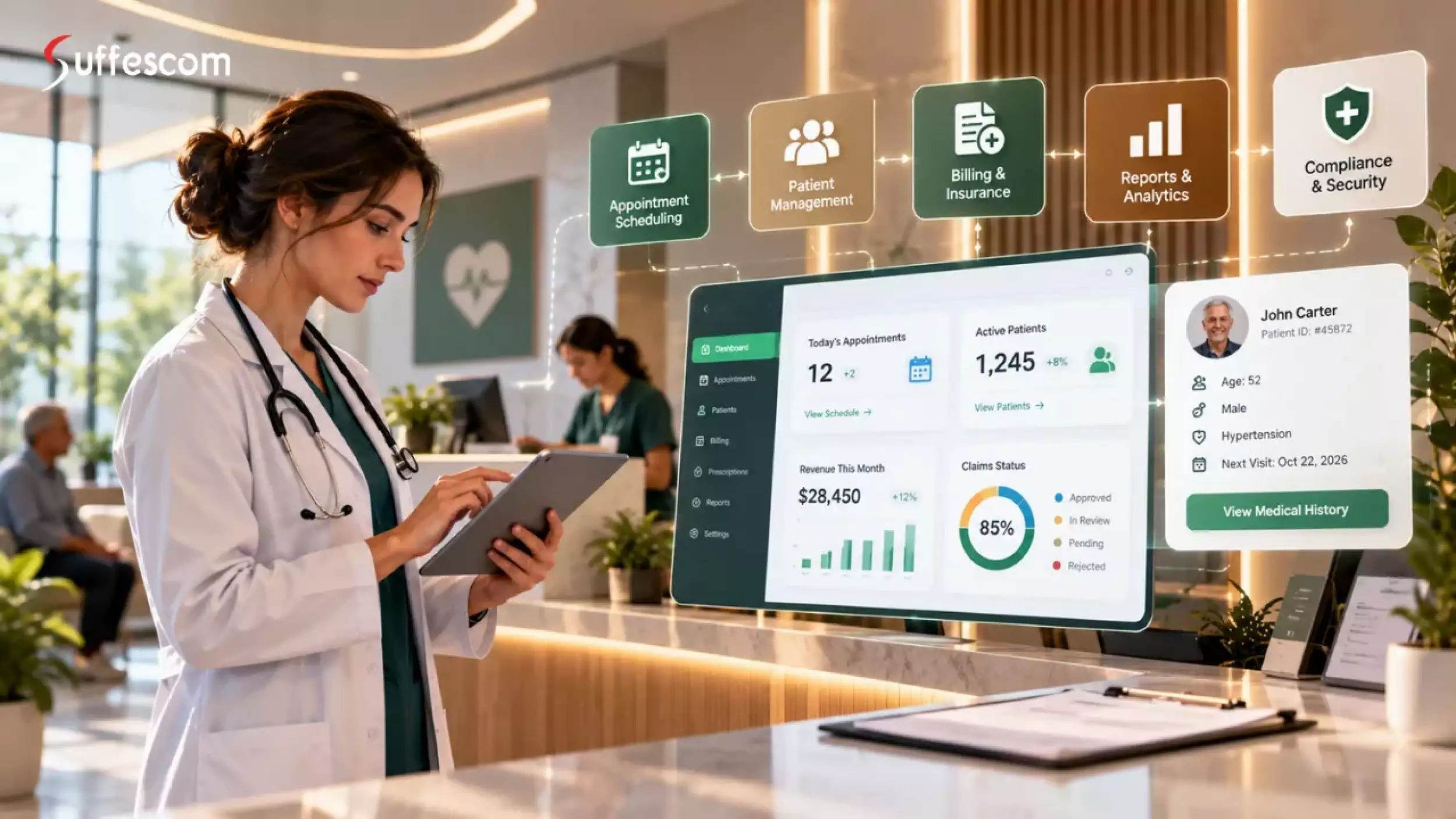
- A healthcare PMS streamlines appointments, billing, patient registration, and administrative workflows.
- Essential features include scheduling, billing, insurance verification, access controls, and reporting.
- Custom development suits practices with specialized workflows, complex integrations, or multiple locations.
- Development costs range from $30,000 to $250,000+, depending on features and complexity.
- Security, regulatory compliance, data migration, and maintenance should be planned from the start.
- Integrating with existing EHR systems can reduce development time and complexity.
Most practices don't outgrow their staff. They outgrow their software.
Medical practice software influences how efficiently a healthcare practice schedules appointments, verifies insurance, submits claims, and collects payments. When the software does not match the practice's workflows, staff may need workarounds that add administrative effort and increase the risk of errors. Organizations generally have three options: improve their current system, adopt an off-the-shelf product, or build a custom solution. The right choice depends on the practice's workflows, integrations, budget, security obligations, and plans for growth.
This guide explains the main PMS features, planning and development stages, integration considerations, cost drivers, and trade-offs between custom and ready-made software.
What Is Healthcare Practice Management Software?
Practice management software (PMS) helps healthcare organizations manage administrative and financial workflows, including appointment scheduling, patient registration, insurance eligibility checks, billing, claims, and payment collection.
PMS is often used alongside other healthcare systems, particularly electronic health record (EHR) and hospital management systems (HMS).
Why practices need it
- Accurate registration, eligibility checks, and billing help practices reduce avoidable claim errors and payment delays. The causes of denials vary, so practices should use their own billing data to identify the most common issues.
- Staff time is limited. Automating and optimizing repetitive healthcare workflows and reminder calls can give front-desk teams more time for patient support.
- Patients increasingly expect convenient options such as online booking, appointment reminders, and digital payments.
- Practices need controls that limit access to patient information to authorized users and support the privacy and security obligations that apply to their operations.
- Operational reporting helps managers track no-shows, outstanding payments, and other performance indicators so they can identify where processes need improvement.
Create Day-to-day Operations More Smooth and Secure for Professional Healthcare Firms?
Types of healthcare practice management software
PMS products can be classified by the functions they cover, how they are deployed, and how they are acquired.
By scope
- Standalone PMS: Focuses on administrative and billing workflows. It may integrate with a separate EHR; Clinical record features vary by product.
- Integrated PMS and EHR: Combines administrative workflows with clinical documentation and related capabilities.
- Revenue cycle management (RCM) system: Focuses on claims, billing, reimbursement, and collections.
By deployment
- Cloud-hosted: Accessed through the internet and typically managed by a vendor under a subscription or service agreement.
- On-premises: Runs on the organization's own infrastructure, giving it more direct control but also more responsibility for maintenance and security.
- Hybrid: Combines locally hosted components with cloud-based services.
By how it's sourced
- Off-the-shelf: Ready-made software that can usually be configured but may offer limited customization.
- Configurable or white-label: An existing product that can be branded, configured, and adapted to defined requirements.
- Custom-built: Developed around the organization’s workflows, operational requirements, and integration needs.
Overview of Building a Healthcare Practice management software for business needs
Before development begins, define five essentials:
- A clear problem statement: Identify the workflows that are failing and the operational impact.
- Documented workflows: Map how patients, staff, appointments, and claims move through the practice today.
- A compliance scope: Identify the regions served, the data processed, and the rules that may apply.
- An integration inventory: List required connections to clearinghouses, payers, labs, payment gateways, EHRs, and legacy systems.
- A realistic budget: Account for development, hosting, security testing, data migration, training, and ongoing maintenance.
Delivery also requires the right mix of product management, business analysis, UX design, engineering, quality assurance, security, and DevOps skills.
Plan Your Custom Build in 8 Steps
Before development starts, define the practice's goals and turn them into a project plan.
- Identify operational challenges. Record baseline metrics such as manual data-entry time, claim denial rates, appointment no-show rates, days in accounts receivable (A/R), and software licensing costs. These figures help establish the business case and measure change after launch.
- List users and their needs. Gather requirements from front-desk staff, billing teams, clinicians, administrators, and patients.
- Prioritize features. Separate essential launch features from capabilities that can be introduced later. Scheduling, patient registration, billing, access controls, and reporting are common starting points.
- Define integrations and data requirements. Identify the systems the PMS must connect to, the records that need to be migrated, and the formats and standards involved.
- Document security and compliance requirements. Specify access controls, encryption, audit logging, data retention, third-party access, and relevant contractual safeguards.
- Choose an implementation approach. Compare custom development, a configurable ready-made product, and replacement of the existing system.
- Set success criteria and budget limits. Define measurable goals, such as faster registration, fewer avoidable claim errors, or lower administrative effort. Estimate costs and expected benefits before committing to the build.
- Plan for ongoing ownership. Decide who will maintain the system, apply patches, troubleshoot incidents, manage integrations, and fund support.
Use these requirements to brief potential development partners, compare proposals, and assess scope, technology choices, timelines, and costs.
How to Phase Your Healthcare PMS Development
Custom PMS projects can exceed budgets when too many features are included in the first release. Prioritize features by operational necessity, expected business impact, and the capabilities that distinguish the practice or product.
Tier 1: MVP essentials (build first)
The first release should support the core workflows the practice needs to operate safely and reliably.
- Patient registration and demographics: Capture patient details once and reuse them across relevant workflows. Add duplicate detection and record-matching rules early to reduce the risk of fragmented or conflicting records.
- Scheduling: Support calendars, appointment types, recurring visits, cancellation lists, and reminders. Confirmation and rescheduling options can help practices manage unused appointment slots.
- Insurance eligibility: Where supported by the payer and integration, check coverage before the visit, ideally in real time. Eligibility checks can help identify coverage issues but do not guarantee claim payment.
- Billing and claims: Generate charges and submit claims to insurers through the appropriate clearinghouse or payer connection.
- Payment posting and patient balances: Record insurer payments and adjustments, calculate remaining patient responsibility, and issue statements where appropriate.
- Role-based access and audit logs: Give front-desk staff, billing teams, clinicians, and administrators access according to their roles, and record relevant system activity. Build these controls into the initial design.
Sanar is a digital healthcare platform that streamlines patient care with online doctor appointments and video consultations. It allows patients to connect with healthcare professionals, securely access medical records, and manage their healthcare needs conveniently through a single, integrated application.
Tier 2: Revenue and efficiency boosters (phase 2)
After core workflows are stable, add capabilities that improve revenue-cycle performance and reduce administrative work.
- Denial management and claim validation: Flag missing or inconsistent information, route rejected and denied claims for follow-up, and report recurring denial reasons.
- Patient portal and online booking: Allow patients to book appointments, complete intake forms, view statements, and make payments without calling the front desk.
- Multichannel reminders: Send reminders through supported channels such as SMS, email, or WhatsApp where appropriate, with options to confirm or reschedule.
- Operational dashboards: Track measures such as A/R aging, average days in A/R, clean-claim rate, no-show rate, and collections by provider or payer.
- Telehealth integration: Coordinate virtual appointments, visit links, follow-ups, and relevant billing workflows.
Tier 3: Differentiators (phase 3 and beyond)
Consider advanced capabilities after core data and workflows are reliable.
- AI-assisted coding and documentation, with qualified human review.
- Predictive analytics for appointment no-shows, claim denials, and cash-flow trends.
- Multi-location and multi-entity management, including consolidated reporting and location-specific rules.
- Patient engagement tools such as recall campaigns, satisfaction surveys, and payment plans.
For a healthtech company selling PMS software, a differentiating capability may belong in the MVP. For a practice building an internal system, advanced features can usually wait until core workflows are proven.
Integration of Fully Compliant EHR System
For most organizations, integrating an existing EHR is less complex than building a full clinical-record system. EHRs may include clinical documentation, automated payment workflow, e-prescribing, and clinical decision support, each of which adds scope and may involve separate certification or regulatory considerations. If the PMS does not need to manage clinical documentation, consider connecting it to an EHR through compatible standards such as HL7 v2 or FHIR.
Integration checklist
- Identify integrations during discovery because each connection affects scope, cost, testing, and ongoing support.
- Clearinghouses and payers: Eligibility checks, claim submission, and remittance advice.
- EHRs: Patient demographics, encounters, diagnoses, and procedure codes, where permitted and supported.
- Laboratory and imaging systems: Orders and results, where relevant.
- Payment gateways: Card payments, UPI, and other online payment methods supported in the target market.
- E-prescribing services, where required by the workflow and jurisdiction.
- Telehealth platforms for virtual visits.
- Messaging providers for SMS, email, and supported messaging channels.
- Accounting systems for reconciliation and financial reporting.
Struggling to connect your PMS with existing healthcare systems?
Use Cases of Healthcare Practice Management Software
PMS requirements vary by specialty, organization size, and payment model. Core capabilities such as scheduling, registration, billing, and reporting are common, but the workflows around them can differ substantially.
Use Cases by Practice Type
Solo and Small Group Practices
Solo and small group practices: Scheduling, reminders, online registration, and payment processing can reduce manual work at the front desk. Many practices with standard workflows may be served by an off-the-shelf product.
Specialty Clinics
Specialty clinics: Dental, behavioral health, physical therapy, ophthalmology, and dermatology practices may need treatment plans, therapy-session tracking, authorization management, visit-limit monitoring, or specialty-specific billing rules. Customization can help when standard products cannot support these workflows.
Multi-Location Practices and Clinic Chains
Multi-location practices and clinic chains: Centralized scheduling, provider management, billing, and patient information can support consistent operations while allowing location-specific rules. Custom development may be useful when sites have different workflows or billing arrangements.
Hospitals and Outpatient Departments
Hospitals and outpatient departments: PMS capabilities can support outpatient scheduling, queue management, registration, and departmental billing, often alongside EHR, laboratory, radiology, or pharmacy systems. Organizations managing inpatient operations may need a broader HMS.
Telehealth and Virtual-Care Providers
Telehealth and virtual-care providers: Coordinate virtual bookings, video visits, payments, messaging, and follow-up appointments. Insurance verification, billing, and regulatory requirements depend on the market and payer model.
Diagnostic Centers and Day-Care Facilities
Diagnostic centers and day-care facilities: Relevant workflows may include test scheduling, registration, home sample collection, test packages, report delivery, procedure scheduling, and billing.
Use Cases by Operational Challenge
PMS software can also be selected to address specific administrative or financial challenges.
- Reducing no-shows: Use reminders, booking confirmations, and waitlists to help fill canceled appointment slots.
- Preventing avoidable claim errors: Check eligibility and validate required claim information before submission.
- Improving collections: Automate billing steps, offer convenient payment options, and support payment plans where appropriate.
- Reducing duplicate data entry: Connect scheduling, billing, and EHR workflows so staff do not need to re-enter the same information across systems.
- Improving patient convenience: Offer online booking, electronic intake forms, payment options, and reminders.
- Supporting access controls: Use role-based permissions, audit trails, and consent management where required.
- Improving decisions: Dashboards can help managers review revenue, appointment utilization, denied claims, and outstanding balances.
- Supporting growth: Centralized provider, billing, and location management can help organizations expand without increasing administrative effort at the same rate.
Use Cases by Healthcare Business Model
The right PMS also depends on how a healthcare organization delivers care and collects revenue.
- Insurance-led practices: Prioritize eligibility verification, claim submission, remittance processing, and denial management where third-party payers account for a substantial share of revenue.
- Self-pay practices: Focus on invoicing, packages, memberships, online payments, and locally appropriate tax-compliant billing. For example, practices in India may need UPI or card payments and GST-compliant invoicing.
- Hybrid payment models: Support insurer claims, third-party administrator (TPA) payments, corporate billing, and direct patient payments within a coordinated workflow.
- Healthtech product companies: A PMS offered to multiple healthcare organizations may require tenant-level data separation, configurable workflows, subscription billing, tenant-specific access controls, and a scalable architecture.
When Should You Build a Custom Healthcare PMS?
Consider custom development when a standard product cannot support important workflows without extensive workarounds. Common reasons include:
- Specialty-specific workflows: Required capabilities are not available in standard PMS products.
- Multiple locations: The organization needs centralized oversight alongside location-specific policies, permissions, or billing arrangements.
- Complex integrations: Legacy, proprietary, or specialized systems are difficult to connect to off-the-shelf software.
- Product control and differentiation: The organization needs greater control over workflows, product direction, or staff and patient experiences.
- Commercialization: The organization plans to offer its PMS to other healthcare providers as a product or white-label solution.
If workflows are routine, configuring an existing product may be the more practical starting point. Custom development is most compelling when specific operational, integration, or long-term product needs justify the added investment.
Challenges and Solutions in Building and Running a Healthcare PMS
A PMS must do more than manage appointments and billing. It also needs to exchange data with other systems, protect sensitive information, support changing billing requirements, and remain reliable in daily use. Planning for these challenges early can reduce implementation risk and costly rework.
Data Security and Regulatory Compliance
A PMS may store patient, appointment, and financial information. The security and privacy obligations that apply depend on the organization’s role, activities, location, and the data it processes.
How to address it: Design for security from the outset. Use encryption in transit and at rest, role-based access, secure authentication, audit logging, and vulnerability testing. Review third-party access and map applicable obligations to specific technical and operational controls.
Integration With Existing Healthcare Systems
A PMS may need to exchange data with EHRs, laboratories, pharmacies, clearinghouses, payment gateways, and accounting systems. These systems may use different data formats, interfaces, and authentication methods; older products may lack modern APIs.
How to address it: Document integration needs before finalizing the architecture. Use compatible interoperability standards, such as HL7 or FHIR where supported, and consider an integration layer to manage connections and data transformations.
Data Migration From Legacy Systems
Legacy systems may contain duplicate patient profiles, inconsistent formats, missing fields, and outdated billing details. Migrating these records without validation can introduce errors into scheduling, reporting, and accounts receivable.
How to address it: Audit and clean source data, map fields to the new system, and define how duplicates and inconsistencies will be handled. Migrate in stages, verify patient counts and financial balances, and test results with staff who understand the current workflows. Where practical, run systems in parallel during cutover.
Staff Adoption and Workflow Changes
Even a capable PMS can fail to deliver value if staff find it difficult to use. Receptionists, billing teams, and clinicians may resist workflows that add steps or differ substantially from their current processes.
How to address it: Involve representatives from each user group in requirements gathering and prototype testing. Design role-appropriate interfaces, provide practical training, and appoint internal champions who can support adoption.
Changing Billing Rules and Payer Requirements
Billing depends on coding standards, payer rules, authorizations, reimbursement policies, and sometimes local tax requirements. These rules vary by specialty, geography, and payment model; hard-coding them can make future changes costly and risky.
How to address it: Make billing rules configurable where practical and establish a process for reviewing payer or regulatory changes. Validate affected workflows before releasing updates, and automate claim checks where appropriate.
Claim Denials and Delayed Payments
Claim rejections and denials may result from inaccurate patient information, inactive coverage, coding errors, missing documentation, or absent authorizations. Resolving them manually can delay payment and add administrative work.
How to address it: Include eligibility and claim validation in the billing workflow. Route rejected and denied claims into a dedicated work queue, and report recurring reasons so the practice can address root causes.
Managing Multiple Locations and Legal Entities
Organizations with multiple clinics may need consolidated reporting while retaining location-specific billing rules, provider permissions, fee schedules, and legal-entity settings. A system designed for one site may not support these distinctions without substantial changes.
How to address it: Plan for multiple locations and entities in the data model. Separate shared data from location-specific settings, apply permissions by role, and standardize reporting definitions.
Performance, Availability, and Scalability
Scheduling, registration, and billing depend on timely system responses. Slow performance, failed transactions, or downtime can disrupt operations, especially as patient volumes, locations, and integrations grow.
How to address it: Design for current demand and expected growth. Monitor response times, error rates, and integration failures; configure alerts; and maintain tested backup and disaster-recovery plans with defined recovery time and recovery point objectives. Load-test critical workflows and schedule maintenance around clinic operations.
Usability and Feature Complexity
Adding more features does not automatically make a PMS more effective. Complicated navigation can slow common tasks and increase errors during busy periods.
How to address it: Prioritize frequent workflows such as registration, scheduling, payment, and billing. Test prototypes with representative users, then measure task completion time, error rates, and the number of steps needed to improve the interface.
Ongoing Maintenance and Support
Maintenance continues after launch. APIs change, third-party services fail, security vulnerabilities emerge, and billing requirements evolve. Without clear ownership, small issues can accumulate and undermine reliability.
How to address it: Assign responsibility for incidents, updates, and enhancements. Budget for security patches, infrastructure and integration maintenance, monitoring, and support. Define response targets and a release schedule.
Cost Breakdown: What a Custom PMS Really Costs
The estimates below are illustrative planning ranges, not vendor quotes. Actual costs depend on scope, team composition, integrations, geography, security requirements, and delivery assumptions.
| Scope | What's included | Typical cost (USD) | Typical timeline |
| Lean MVP | Registration, scheduling, basic billing and claims, role-based access, 1–2 integrations | 30,000–60,000 | 4–6 months |
| Mid-complexity, multi-module | MVP plus patient portal, denial management, reminders, reporting, 4–6 integrations | 60,000–150,000 | 7–10 months |
| Enterprise or multi-specialty | Multi-location and multi-entity support, advanced analytics, many integrations, high customization | 150,000–250,000+ | 12–18 months |
What drives cost up or down.
- Integrations: Each EHR, clearinghouse, lab, or payment connection adds design, implementation, and testing effort. Legacy systems without usable APIs can cost more to integrate.
- Billing model: Insurance eligibility, claims, and remittance workflows generally require more effort than basic invoicing and payment collection.
- Specialty complexity: Treatment plans, authorizations, and visit limits may require additional business rules.
- Compliance scope: Supporting multiple applicable regulatory frameworks can add legal, operational, and technical work.
- User experience: Role-specific interfaces, patient-facing tools, and usability testing add design and development effort.
- Roles and locations: Multi-entity permissions and site-specific rules increase data-model and testing complexity.
- Team experience: Relevant healthcare software experience may reduce avoidable rework, but delivery speed still depends on scope, team fit, and decision-making.
Hidden costs most guides skip
Some costs may be excluded from an initial development quote. Treat the following as a planning checklist rather than a universal percentage uplift; actual amounts depend on the project.
- Payer and clearinghouse setup: Enrollment effort, setup charges, per-claim fees, and staff time.
- Third-party usage: SMS, messaging, email, eligibility checks, and payment processing fees that vary with volume.
- Hosting and resilience: Secure hosting, backups, redundancy, monitoring, and any required contractual safeguards.
- Security testing: Independent audits and penetration testing, which may need to recur.
- Data migration: Source-data cleanup, mapping, migration, and validation.
- Training and change management: Staff time, training materials, and a temporary productivity dip during rollout.
- Parallel running: The cost of operating the old and new systems during transition.
- Ongoing maintenance: Budget separately for bug fixes, infrastructure, integration updates, security patches, and enhancements. The required annual amount depends on the system’s complexity and support model.
Five-year total cost of ownership: Custom vs. SaaS
Compare five-year total cost of ownership rather than comparing a build cost with a single year of subscription fees. The example below is illustrative and depends on the assumptions listed.
Assumptions used in the example:
SaaS subscription: Approximately $300 per provider per month.
Custom development: Illustrative build costs of $150,000, $250,000, or $350,000, depending on group size.
Annual operating costs: Approximately 25% of the build cost for maintenance, hosting, and third-party fees.
| Cost model | 15 providers | 40 providers | 80 providers |
| SaaS, 5-year total | About $270,000 | About $720,000 | About $1,440,000 |
| Custom, 5-year total | About $340,000 | About $560,000 | About $790,000 |
| Break-even | Beyond 5 years | About year 3 | About year 2 |
How to interpret the example:
- Small groups (about 15 providers): Custom development may cost more over five years, so it needs a clear workflow or strategic justification.
- Mid-sized groups (about 40 providers): The example suggests that custom ownership may break even around year three.
- Large groups (80 or more providers): Per-provider subscription costs can accumulate, so the example shows custom ownership breaking even sooner.
- This comparison does not apply directly when the PMS is being developed as a commercial product and will generate revenue.
How to reduce cost without cutting corners
- Start with a focused MVP and add lower-priority features in later phases.
- Reuse established services for payments, messaging, identity, and scheduling where they meet the requirements.
- Consider integrating an existing EHR rather than building a clinical-record system from scratch.
- Fund discovery before development. A short discovery phase can expose incorrect assumptions before they become expensive changes.
- Where practical, make billing rules configurable so that routine updates do not require code changes.
- Protect testing and security budgets; cutting them can create costly risks later.
Want to know how much your healthcare PMS will cost?
Important Compliance Considerations for Medical Practice Software Development
Healthcare software may process sensitive patient information, so privacy and security requirements should shape the system from the beginning. Applicable rules depend on the organization’s role, activities, the people whose data is processed, and the relevant jurisdictions. Confirm requirements with qualified legal and compliance advisers before implementation.
Which one applies, and when
| Compliance | Applies when | Who is covered | Key obligations | Timing |
| HIPAA | When the organization is a covered entity or business associate and the relevant activities fall within HIPAA’s scope. | Covered entities and business associates, including vendors acting as business associates where applicable. | Applicable privacy and security safeguards, breach notification, and business associate agreements where required. | Requirements are in force; verify current rules and any finalized amendments before implementation. |
| GDPR / UK GDPR | GDPR may apply to processing within its territorial scope involving people in the EU; UK GDPR has a separate UK scope. | Controllers and processors, depending on their roles and the processing involved. | Applicable lawful basis, special-category data conditions, individual rights, security, transfers, and breach-notification duties. | In force; confirm the relevant jurisdiction and requirements. |
| India DPDP Act | When the Act applies to digital personal data processing within its scope. | Data fiduciaries and data processors, according to their roles and applicable provisions. | Applicable notice, consent or other permitted grounds, safeguards, rights, and breach-response duties. | Commencement is phased; verify the latest official notifications and effective dates before publication. |
| SOC 2 / ISO 27001 | Often considered by organizations selling software to healthcare providers or enterprise buyers. | Software vendors seeking independent assurance of their controls or information security management system. | Evidence of controls or a certified management system within the specific assessment or certification scope. | Not universally mandated by healthcare law; buyer and contract requirements vary. |
| HITRUST | May be requested by some healthcare organizations or enterprise customers. | Organizations pursuing a HITRUST assessment or certification for a defined scope. | Controls and assessment requirements associated with the selected HITRUST framework and scope. | Generally voluntary unless required by a customer or contract. |
| ABDM (India) | Relevant when connecting with India’s Ayushman Bharat Digital Mission ecosystem. | Participating providers, health technology providers, and other eligible ecosystem participants, as applicable. | Applicable interoperability, registration, and ecosystem requirements for the intended integration. | Confirm current onboarding, technical, and participation requirements with official ABDM resources. |
How Suffescom Can Help You Develop a Custom Healthcare PMS
Developing a healthcare PMS requires an understanding of administrative workflows, healthcare integrations, data security, and long-term maintenance. Suffescom can help organizations plan and build custom PMS solutions around their operational requirements and growth goals.
- Consultation: Discuss your workflows, current infrastructure, priorities, and budget with the team to evaluate a suitable approach.
- Security and compliance: Security measures may include encryption, role-based access, audit logging, and controls mapped to applicable requirements. Any certification claims should be confirmed against the company’s current certificate and its defined scope before publication.
- Specialized delivery team: Product, design, development, and integration specialists can work on scheduling, registration, billing, reporting, and other agreed PMS capabilities. Workflow alignment: Design the solution around the needs of specialty clinics, multi-location practices, or healthcare technology businesses.
- Integration and support: Plan connections to existing healthcare systems and define arrangements for maintenance, updates, and future enhancements.
Planning to launch your own healthcare PMS product?
Conclusion
A practice management system can help organize appointments, simplify billing workflows, reduce repetitive administrative work, and improve operational visibility. The benefits depend on the practice’s workflows, existing systems, payment model, and growth plans.
Start by identifying the workflows that need improvement, then document the required features, integrations, security controls, and reports. An off-the-shelf PMS may suit routine needs; a custom healthcare solution may be justified when specialized workflows, complex integrations, or long-term product goals require greater control.
Clear requirements, realistic cost assumptions, and a suitable development partner can help you build a system that supports current operations and can evolve as the organization grows.
FAQs
Who owns the code and data in a custom PMS?
Confirm ownership in the contract. Address source code, patient data, documentation, intellectual property, and any third-party components or licenses.
Can I add an EHR later if I start with only a PMS?
Yes. You can launch a PMS first and integrate an EHR later, provided the initial architecture supports the required data exchange and integration standards.
Should I host a custom PMS in the cloud or on-premises?
Cloud hosting can simplify scaling, remote access, and managed backups. On-premises hosting may suit specific control or infrastructure requirements but places more operational responsibility on the organization. Choose based on security, resilience, integration, and operational needs.
Do I need a mobile app?
Not necessarily. A responsive web application may be enough initially for staff and patients using phones or tablets. A dedicated mobile app is worth considering when it supports a clear user need.
Can the system work during internet outages?
Most cloud-based systems require internet access. Options include a backup connection, carefully designed offline workflows where feasible, or documented manual fallback procedures. Offline capability must be planned and tested rather than assumed.
What technology stack should I use?
Choose a stack that is secure, supportable, scalable for expected demand, and familiar to the delivery team. Consider long-term maintenance, integration needs, and the risks of dependence on a single vendor.
How long does it take to get set up with insurance payers?
Payer enrollment can take weeks or longer depending on the payer and the organization's circumstances. Start early and confirm requirements and timelines directly with each payer.
Can I use AI features in my PMS?
AI can help flag potential billing errors, suggest medical codes for qualified review, predict appointment no-shows, and personalize reminders. Use human oversight for coding, billing, and decisions that may affect patient care.
Can I sell or license my custom PMS to other practices?
Potentially, but the product needs capabilities such as tenant-level data separation, configurable settings, access controls, and subscription billing. Plan for these requirements early if commercialization is part of the roadmap.
Can the system support multiple languages and currencies?
Yes, if designed for the target markets. Plan for language, currency, date formats, local billing methods, and relevant jurisdiction-specific requirements.
What happens if my development partner stops working with me?
Maintain access to source code, technical documentation, deployment details, credentials under your control, and integration specifications. These handover provisions can help another team take over without rebuilding the system from scratch.
What does a good post-launch support arrangement look like?
Define post-launch support in the contract, including bug fixes, security patches, maintenance, response targets, escalation procedures, and the frequency of updates.